

If you run an online business, your phone system should make it easier to answer customers and follow up with suppliers. It should not turn into another complicated project that eats your entire afternoon.
The best VoIP services are not necessarily the ones with the longest feature list. A solo store owner needs something different from a sales team with five people, three departments, and a manager reviewing calls. Start with the work your phone system needs to do, then compare the tools.
In this guide, I’m comparing Quo, Talkroute, Dialpad, Nextiva, and Grasshopper for different small-business situations. I’ll explain the differences that matter, where the pricing needs a closer look, and how to choose without paying for a bunch of features you will never use.
Disclosure: This article contains affiliate or referral links. I may receive compensation if you sign up through them. A referral link is not a guarantee of approval, a discount, or eligibility. This is a research-based comparison, not a claim that I personally tested every service. Prices and availability were checked October 10, 2026 and can change.
Best VoIP services: the short version
For a small team that wants customer calls and messages in one place, start by comparing Quo. For account-level pricing with several included users on higher plans, look at Talkroute. For a team that wants calls, meetings, and AI-assisted notes, compare Dialpad Connect. Nextiva deserves a look when you want phone service alongside a broader customer communication setup.
Grasshopper is a separate case. Its website currently limits availability to the United States and Canada, and its pricing page was not accessible from my location during this research. That is a limitation you should understand before putting it on your shortlist, especially if you live abroad.
| Service | Why compare it | Main buying question |
|---|---|---|
| Quo | Shared small-team calls and messages | Which routing features and user seats do you need? |
| Talkroute | Account plans with included users | Does the included routing and texting allowance fit? |
| Dialpad Connect | Calls, meetings, and assisted notes | Are your integrations in the right plan? |
| Nextiva | Phone and broader customer communication | What does the written quote actually include? |
| Grasshopper | US/Canada-focused virtual business phone option | Are you eligible for service from your location? |
Those are suggested use cases, not universal rankings. You still need to check number availability, business eligibility, the destination of your calls, and the way your team works.
What a business phone system actually needs to solve
Think about a customer considering a $3,000 product. They have questions about dimensions, delivery, or whether a particular model will work for their situation. If they call your store, they want a useful answer. A fancy greeting followed by a voicemail nobody checks is not much of a sales process.
On the supplier side, you might be asking about stock, lead times, freight requirements, or dealer paperwork. You need a consistent number, clear audio, and a way to keep track of what was discussed. That is the foundation. Everything else should support it.
VoIP means calls use an internet connection, but providers package their services differently. Some focus on app-based conversations. Others combine forwarding, virtual numbers, meetings, and contact-center tools. Do not assume every product sold as a business phone service has the same setup or capabilities.
Get the business foundation right first. A phone number is one piece of the setup. Read my business formation guide for high-ticket dropshipping to work through the bigger foundation before you stack up subscriptions.
1. Quo: compare it for shared customer conversations
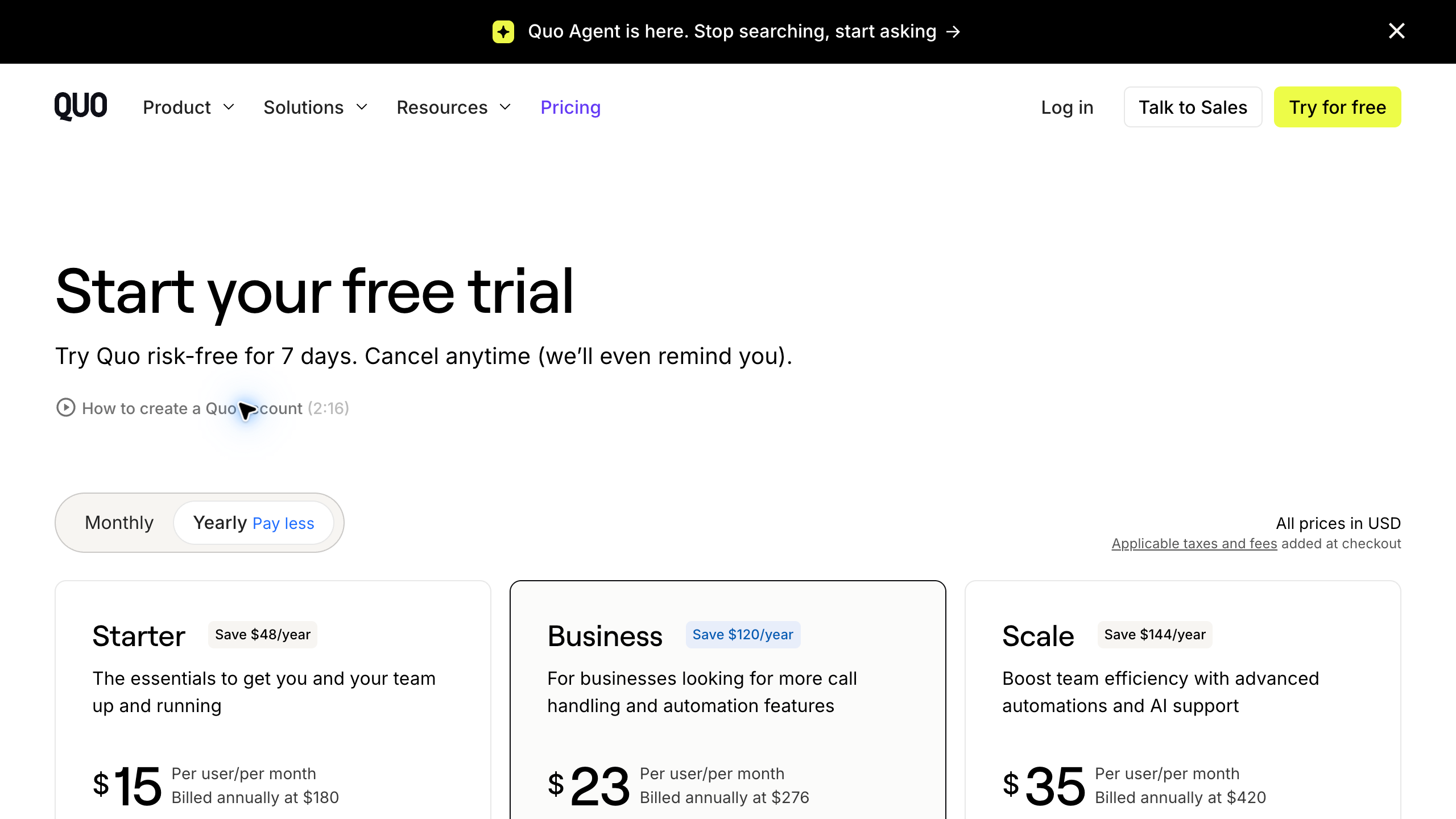
Quo is worth comparing when calls and messages need to be handled by a small team rather than living on the owner’s personal phone.
Its published Starter pricing was $19 per user per month on monthly billing, or $15 per user per month with annual billing. Business was $33 monthly or $23 with annual billing. Business adds options such as group calling, transfers, phone menus, and certain CRM integrations. Messaging registration and carrier fees can apply, and additional numbers or international calling can add costs.
My buying advice is to start with the handoff. Can your assistant see that a customer already called? Can the person taking over understand what happened without asking the customer to explain everything again? If that is the problem you need to solve, evaluate the shared workflow before getting distracted by AI features.
Make a list of the people who truly need access. Per-user pricing means adding three people is different from adding three extensions. Compare the actual plan you would need, not just the lowest number on the pricing page.
I would also test the difference between a quiet supplier call and a busy customer-service day. A product that feels simple with one conversation can become harder to manage when two people are answering at once. Your trial should resemble your normal business, not a two-minute demo.
2. Talkroute: compare account pricing against per-seat plans
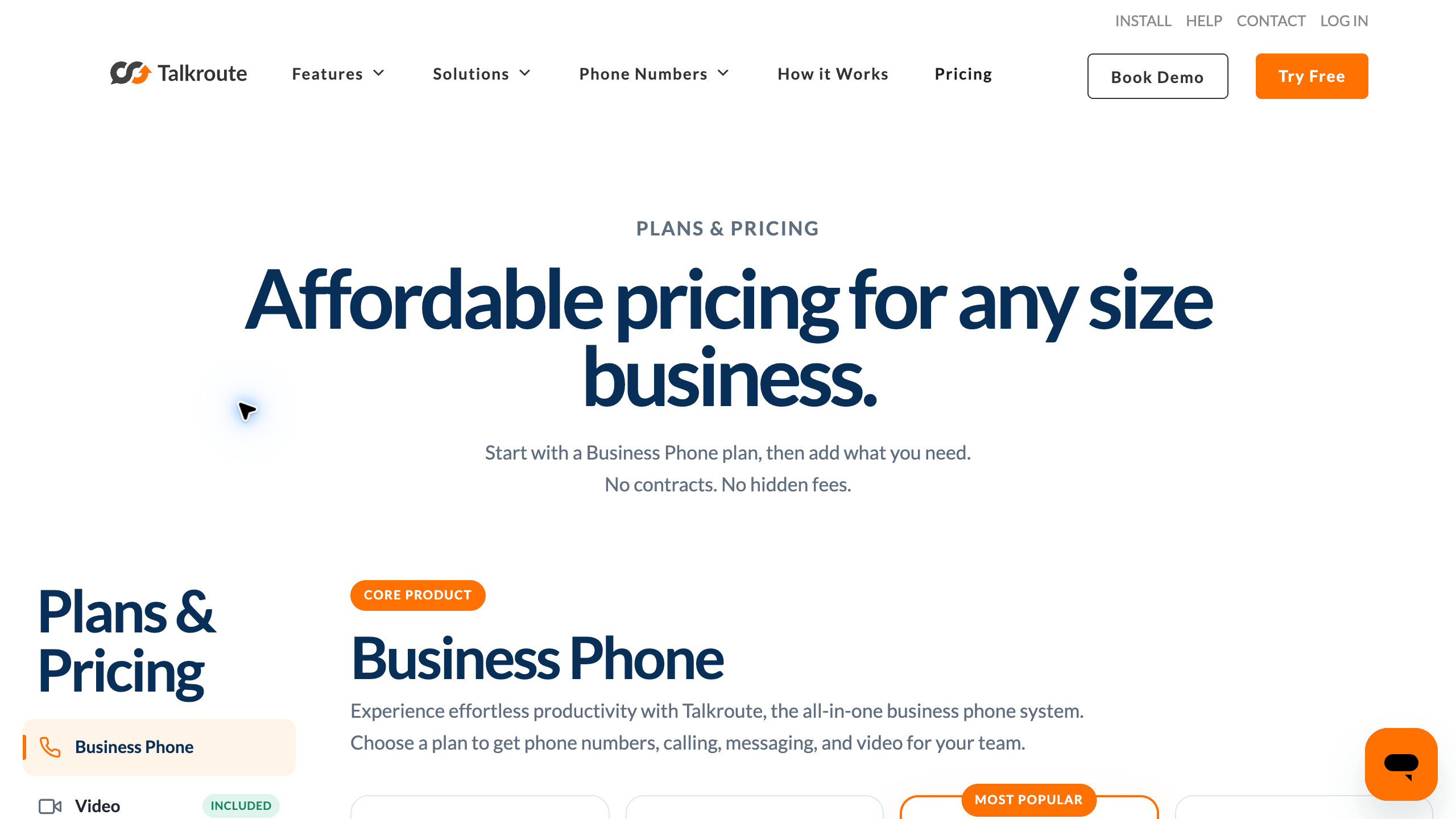
Talkroute uses account plans that can make the team-cost comparison interesting. Its Basic plan was $19 monthly with one user and one number. Plus was $39 with three users and two numbers. Pro was $59 with ten users and three numbers. Included texting allowances were 500, 2,000, and 5,000 respectively.
Routing features also differ. Plus includes options such as simultaneous ringing and business hours. Pro adds capabilities including recording and reporting. Additional users were listed at $5 monthly. AI reception and some other capabilities are separate add-ons.
Here is the practical question: do you need separate paid seats with full individual workflows, or do you mostly need several people to help answer the business number? Those are not always the same requirement.
A hypothetical three-person team would pay $39 for Talkroute Plus at those published prices. Three Quo Starter seats on monthly billing would total $57. That does not mean Talkroute is automatically the better deal. The plans have different features and allowances. It means you should compare the total bill for a setup that actually does the job.
Ask the provider to walk through a missed call, a transfer, and an after-hours call. Then repeat those steps yourself. If the workflow depends on a particular forwarding arrangement or app setup, make sure you understand it before you move your main number.
Build the store around a clear business model. If you are still deciding what kind of ecommerce business to launch, start with my explanation of high-ticket dropshipping. Choose the model before buying tools for a team you do not have yet.
3. Dialpad Connect: compare it for calls, meetings, and notes
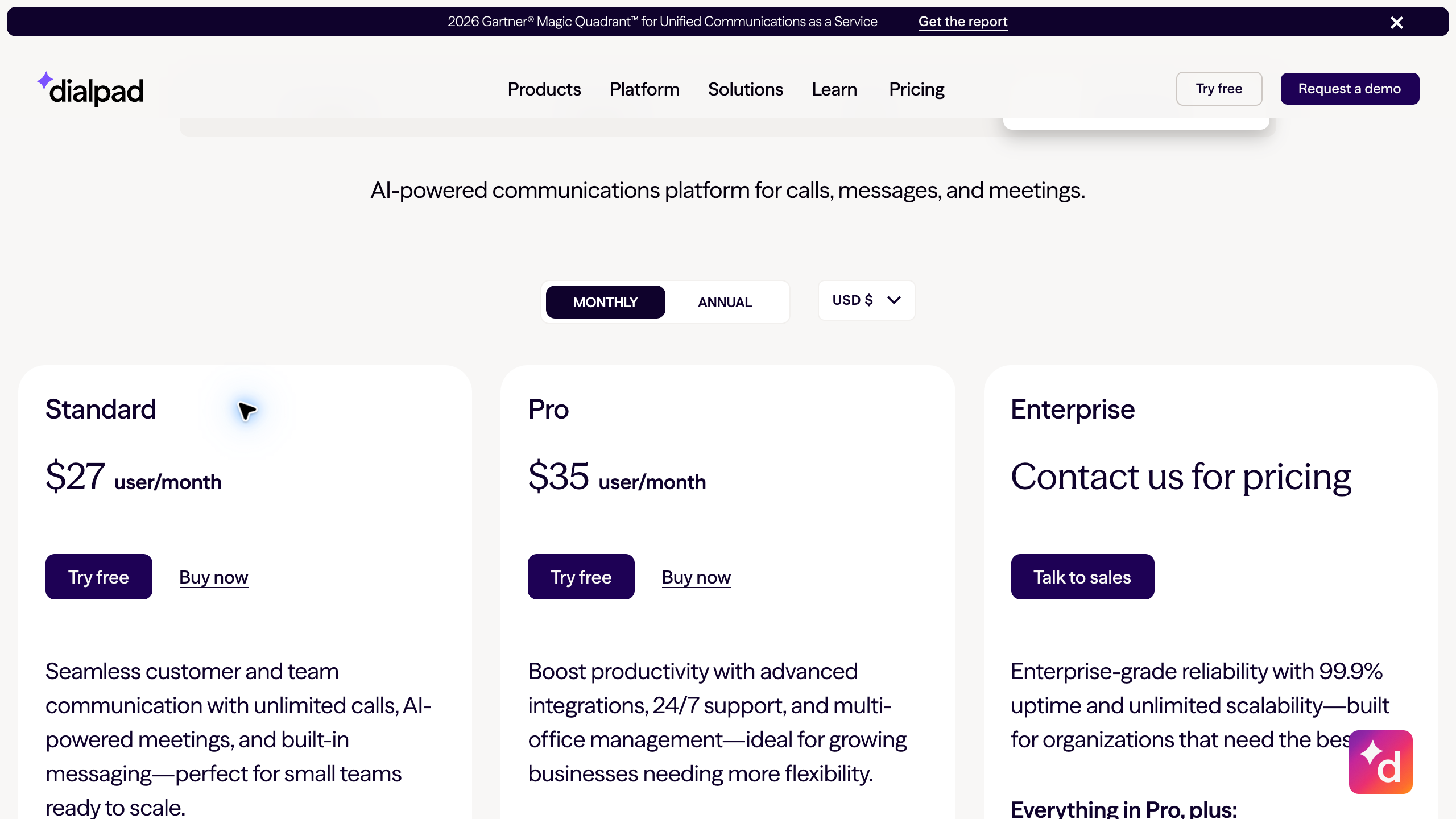
Dialpad Connect brings calls, messages, and meetings together. Its Standard plan showed $15 per user per month on annual billing and $27 on monthly billing. Pro showed $25 annually and $35 monthly. Enterprise pricing required a quote.
Standard highlighted transcripts and call summaries. Pro highlighted CRM integrations and 24/7 support. Be careful on the pricing page: Dialpad’s AI Agent product is a different offering from Connect, with different billing mechanics. An AI-agent price or sales pitch is not the base price of your business phone seats.
Notes can be useful when a customer describes several requirements, but they are not a replacement for checking the details. If the summary gets a model number or delivery requirement wrong, you still need to catch it before sending a quote.
My approach would be to test a realistic product conversation. Mention a model number, a date, and a follow-up task. Then review the resulting notes. Can someone else understand the call? Can you correct the information? Does the workflow save time after review, or does it create another screen to manage?
If you need a CRM integration, name the exact integration when you ask about pricing. “Integrates with CRMs” is not enough. Confirm the plan, the actions supported, and whether your existing subscription to the other tool is sufficient.
Recording, transcripts, and stored customer information also deserve a privacy review. Decide who can access them and how long you need to retain them. Get appropriate guidance on consent and applicable requirements rather than assuming a software toggle makes everything compliant.
4. Nextiva: compare the whole communication setup
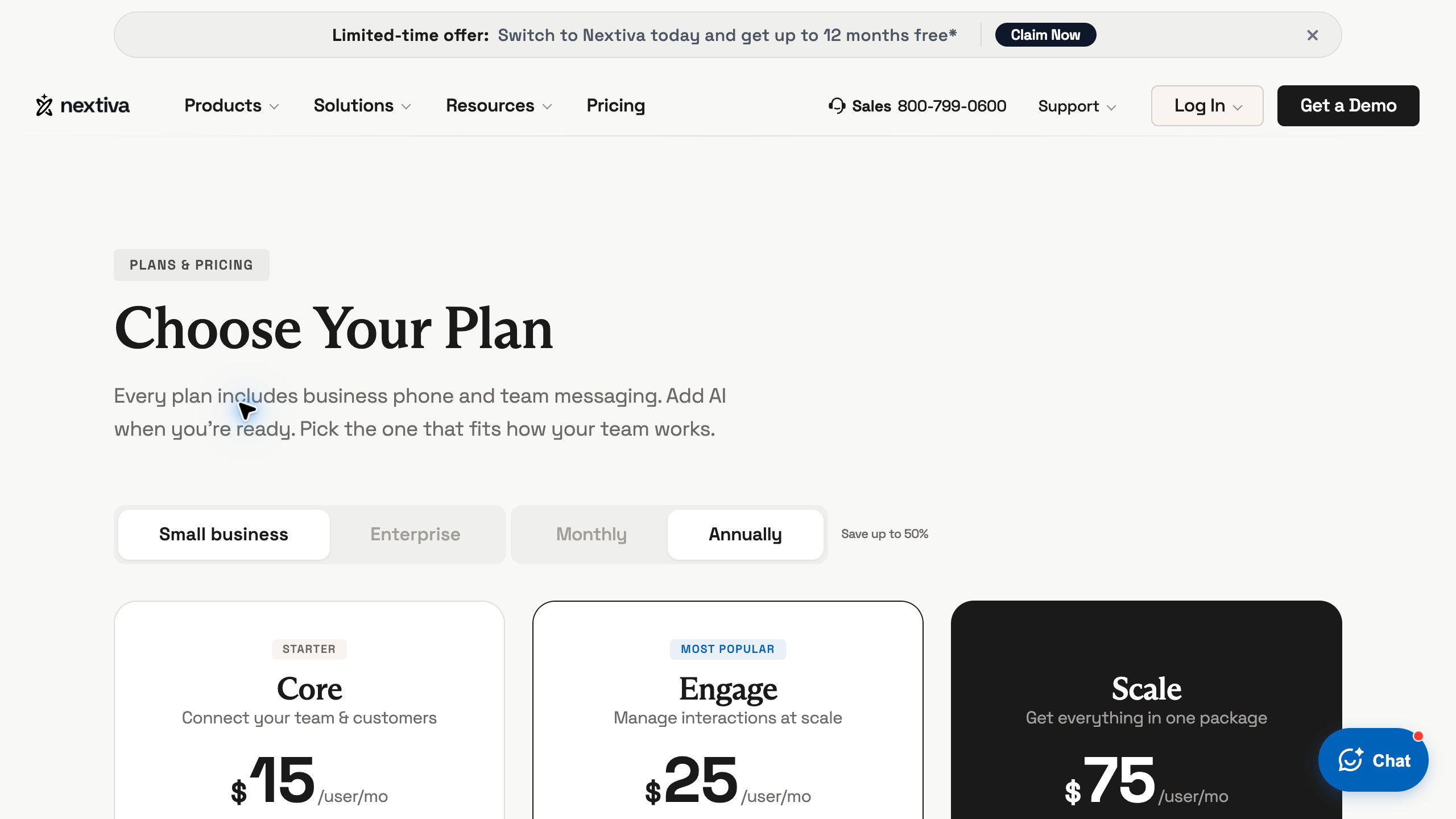
Nextiva is a useful comparison when you want business phone service alongside a broader customer communication system. Its current Core offering lists voice, business SMS, meetings, routing, team chat, and a mobile app. Engage adds capabilities such as team SMS, toll-free numbers and minutes, reporting, and live chat.
The pricing page displayed annual per-user figures during this research, with eligibility for new small-business customers and a paid minimum term of 12 months or longer. I would get a written quote with the billing period, promotion duration, renewal rate, and all required fees before treating that headline as your ongoing monthly cost.
The benefit of a broader system depends on whether your team will actually use it. If customers contact you through several channels and conversations regularly fall through the cracks, bringing those channels together may help. If you are a solo owner handling a few calls a week, the extra setup might not be necessary.
Ask for a demonstration built around your situation. A store taking product questions has different needs from a company operating a large outbound sales team. You do not need to buy a contact-center package just because the demo makes it look impressive.
Before committing, write down which parts of your existing setup this would replace. If it does not replace anything and does not solve a specific problem, it may simply become another bill.
5. Grasshopper: check US and Canada eligibility first
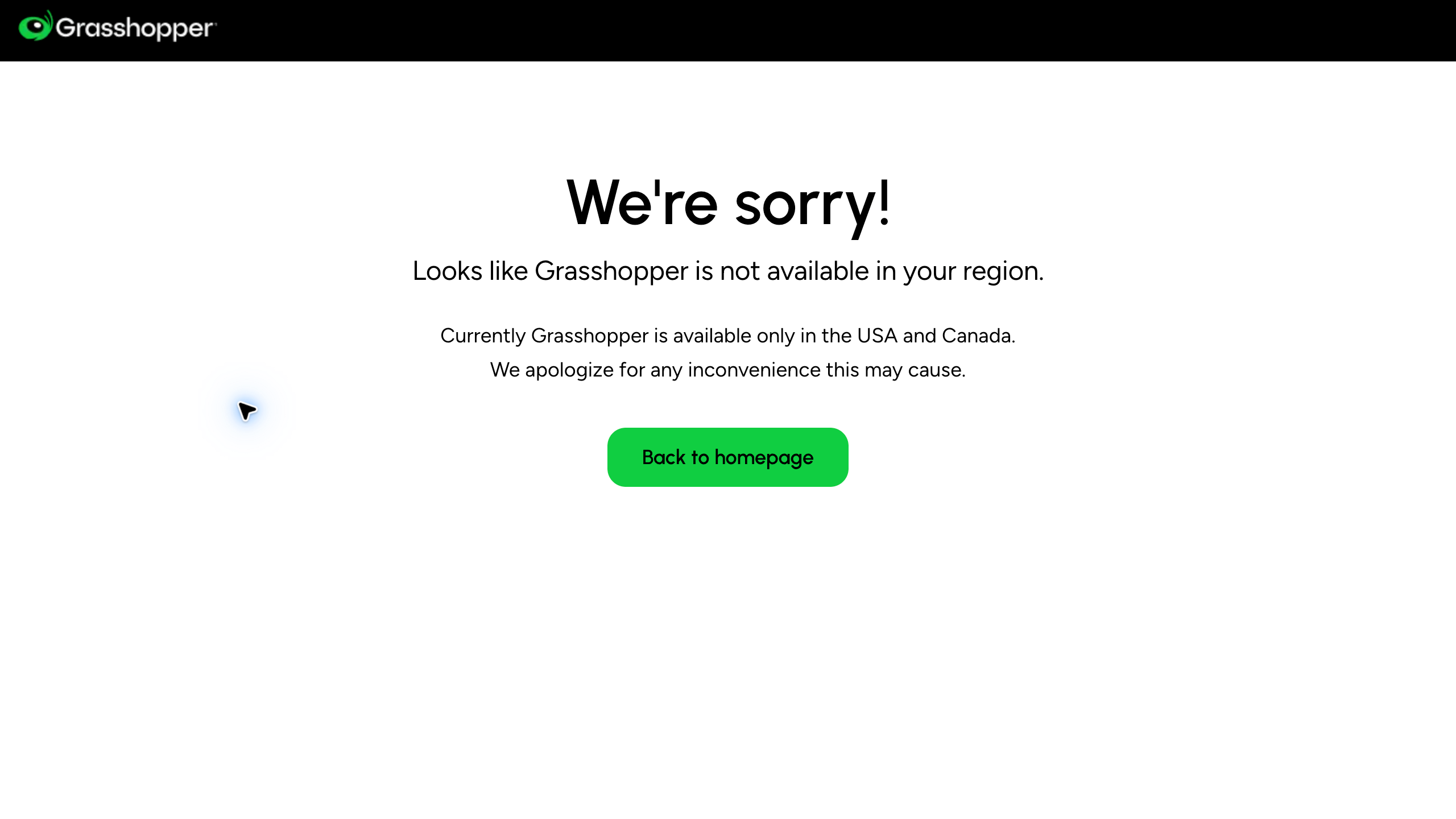
Grasshopper belongs on a conditional shortlist, not an automatic recommendation for every remote business owner. Its website stated that service is available only in the USA and Canada. From my research location, the pricing page displayed a regional availability notice rather than the full plan cards.
I am not going to pretend that I verified every current plan price behind that limitation. If you are eligible, confirm the current account structure, number and extension allowances, texting conditions, and device requirements directly before comparing it with the other options.
There is a bigger lesson here for anyone running a US-facing business while traveling. Selling to US customers does not automatically mean a provider supports your residence, business documents, payment method, or location. A US phone number and worldwide account eligibility are different things.
Do that eligibility check early. It is frustrating to build your customer contact process around a tool and only discover a limitation when you are ready to launch.
Know who you are selling to. Use my high-ticket niches list to explore product categories. Your customers’ questions, order values, and support needs should shape the phone setup you choose.
How to compare the actual cost
Start with a simple worksheet. Put your required users, phone numbers, destinations, texting volume, and routing needs at the top. Then compare each provider against that same set of requirements.
Do not compare an annual introductory rate with another company’s month-to-month price and call the first one cheaper. Annual billing can reduce the advertised monthly equivalent, but it may involve a larger commitment. Make sure the cash required and cancellation terms work for your business.
For a hypothetical example, three Dialpad Connect Standard seats would total $81 a month at the published monthly seat rate. At the annual rate, the monthly equivalent would be $45 for the same three seats. Those figures exclude any extra charges and are illustrations, not a quote for your account.
Also ask what changes as you grow. If you add a support person, do you need another seat, another number, or a higher plan? A service that fits perfectly today might still be a good choice, but you should understand that next step.
My cost checklist would include taxes and fees, number charges, international usage, texting registration, message allowances, recording storage, integrations, and any receptionist service. Ask which charges are required and which are optional.
Then look at the work the system saves. A slightly higher bill can make sense if it removes a real operational problem. Paying more because you might someday need a feature is a different decision.
Run a real trial before moving your number
Use a temporary number first when the provider allows it. Test inbound and outbound calls with the devices and connection you actually use. A perfect call from a quiet office does not tell you how the app behaves on your normal internet connection.
Test your greeting, business hours, voicemail, missed-call notification, and transfer process. Leave a message, then see who receives it and how they follow up. The test should end with a clear owner for the next action.
Have someone call while you are already on a call. What happens? Does the second caller hear a useful message? Does another team member get a chance to answer? You want to know that now, not when an important customer is trying to reach you.
If texting matters, confirm the registration process and whether your intended messages are supported. Do not assume buying a number means you can immediately send every kind of text campaign. Customer support messages and bulk promotions are different workflows.
Before porting, ask for the required documents, expected steps, and what happens during the transfer. Keep the old service active until the transition is confirmed. Review emergency-calling support and location requirements separately; do not treat the business app as an automatic replacement for every personal or emergency communication need.
Put the phone system to work on supplier outreach. Read my guide to finding high-ticket dropshipping suppliers before making calls. A useful conversation starts with a prepared business, not just a new number.
Build a simple customer and supplier call process
For customer calls, keep a short checklist next to the phone. Ask which product they are considering, what they need it to do, where it will be delivered, and which question is preventing them from moving forward. Do not promise inventory or delivery timing until you confirm it.
Write down the next action while the conversation is fresh. If you need to check a detail with the supplier, tell the customer what you are checking and give a realistic follow-up expectation. A clear follow-up beats a vague promise to get back to them soon.
For supplier calls, introduce the business clearly and explain the category you are focused on. Ask about dealer requirements, catalog access, shipping arrangements, and the appropriate next step. Keep the notes organized by supplier so you are not repeating the same questions every week.
Supplier Paradise can help you organize supplier research and identify businesses to investigate. A directory listing is a starting point, not dealer approval or a promise that a supplier will support your particular store.
As the team grows, assign ownership. Someone should own new sales inquiries, someone should own order-status follow-ups, and someone should check missed calls. One person can handle all three early on. The important part is that the work has a clear home.
Review a few conversations each week. Were questions answered accurately? Did promised follow-ups happen? Were customers transferred unnecessarily? Improve that process before assuming you need a more expensive phone plan.
Frequently asked questions
What is the best VoIP service for a small online business?
The best fit depends on your users, location, calling needs, and follow-up process. Compare Quo for shared conversations, Talkroute for account-plan economics, Dialpad Connect for calls and assisted notes, and Nextiva for a broader communication setup. Grasshopper requires a US/Canada eligibility check.
Can I run a US business phone number while living abroad?
Do not assume you can. Ask the provider about your residence, business eligibility, number requirements, account documents, and intended use. Calling an international destination and qualifying to open an account from another country are separate questions.
Should I choose annual or monthly billing?
Monthly billing can be useful while you test the service and establish your requirements. Annual pricing may lower the monthly equivalent, but check the commitment, renewal terms, and cancellation conditions. Compare the same billing period across providers.
Can I keep my existing business number?
Many services offer number transfer options, but eligibility and timing depend on the number and provider. Confirm the process before canceling your existing service. Test the new system before moving a number customers already know.
Do I need an AI receptionist or call recording?
Only if it solves a specific problem. Start with reliable answering, routing, voicemail, and follow-up. If you add recording or automated handling, review accuracy, privacy, consent requirements, and who is responsible when the system gets something wrong.
My recommendation: buy for the workflow you have now
Choose two providers that match your actual needs, run the same trial on both, and compare the complete cost. You do not need five different subscriptions. You need one system that helps customers reach you and helps your team follow through.
For a new store, keep the setup simple. Establish your number, greeting, business hours, and follow-up checklist. Add more advanced features when the business has a real reason for them.
Want help putting the business together? My private high-ticket dropshipping coaching helps you work through the business decisions with guidance.
If you want help building and launching the store itself, explore my done-for-you high-ticket dropshipping build and launch service. A phone subscription supports the business; it does not build the business for you.
Related guides
- What is high-ticket dropshipping?
- Business formation for a high-ticket dropshipping store
- High-ticket niche ideas
- How to find high-ticket dropshipping suppliers
Research note: Official provider pricing and product pages reviewed October 10, 2026. Provider descriptions and rates are date-specific, not guaranteed offers. Grasshopper’s regional restriction prevented verification of its full current pricing cards.

Trevor Fenner is the founder of Ecommerce Paradise. His main projects are Ecommerce Paradise, Supplier Paradise, and Review Paradise, which is currently in development. TrevorFenner.com publishes research-based reviews and practical guides to online business tools and remote-work services, with clear affiliate disclosures.