

Want the best accounting software for your online business? Start here. The right tool fits how your business gets paid, pays expenses and reviews its records. Figure out those jobs before you compare discounts, because a pretty dashboard doesn’t mean accurate books.
A consultant invoicing clients and an online store receiving processor payouts need very different workflows. Your accountant also needs usable information and the right access. Pick the system around the work, and don’t expect a subscription to organize the business for you.
Here’s my shortlist. I’d look at FreshBooks first for a client-invoicing workflow, and QuickBooks Online for broader bookkeeping needs. These are starting points for your own research, not results from a hands-on software trial.
At Ecommerce Paradise, I teach entrepreneurs to understand the operation behind the store. I’ve run online stores since 2010 and my business runs through a Wyoming LLC, so I know records touch everything from supplier payments to customer refunds. If you’re new to the model, my guide on what high-ticket dropshipping is shows the transaction flow these tools have to handle.
Official US pricing information was reviewed October 15, 2026. The 2 public accounting-overview screenshots were captured the same day. I did not connect financial accounts, process payments or test accounting accuracy for this comparison.
Disclosure: if you buy through affiliate links here, I may earn a commission at no extra cost to you. I own Ecommerce Paradise and Supplier Paradise. This is a research-based software selection guide, not personalized accounting, tax or legal advice, so confirm your reporting requirements with a qualified professional.
Compare the required workflow
| Software | Suggested starting point | What to verify |
|---|---|---|
| FreshBooks | Client invoicing and project-based work | Billable-client limits, accountant access, team fees, and your required reports |
| QuickBooks Online | A broader bookkeeping workflow with your accountant | Plan features, user access, ecommerce data flow, and ongoing subscription cost |
So what you should do is match the starting point to your business type first. Then check every item in that last column before you pay for anything.
FreshBooks for client invoicing and project work

FreshBooks offers client invoicing, expenses and estimates across its published plans. I like it when billing clients is the center of the business, because the invoice-to-payment flow is the whole point of the product. Review the exact tier before you assume a feature is included.
The FreshBooks pricing page lists 5 billable clients for Lite, 50 for Plus and unlimited for Premium. Accountant access shows up from Plus upward. Client limits refer to the provider’s billing arrangement, not just the number of invoices you send in a week.
Displayed regular monthly prices are $23, $43 and $70 for those tiers. Additional team members are listed at $11 per user monthly. Promotions are separate, dated offers with eligibility and renewal conditions, so confirm the final regional terms instead of budgeting off the discount headline.
For a practical test, use authorized sample information to follow an estimate through invoicing and payment recording. Then review an overdue invoice and a project expense. No sample project or payment workflow was performed for this article.
Ask your accountant which reports and supporting documents the business needs. Check access and reporting on the plan you’re considering. A lower fee doesn’t fix missing capabilities you need for your actual records.
An ecommerce checkout is a different workflow from client invoicing. Before choosing FreshBooks for a store, figure out how orders, processor payouts, fees, supplier bills and refunds would get into the books. Don’t assume an invoice feature solves every store reconciliation task.
QuickBooks Online for broader bookkeeping requirements
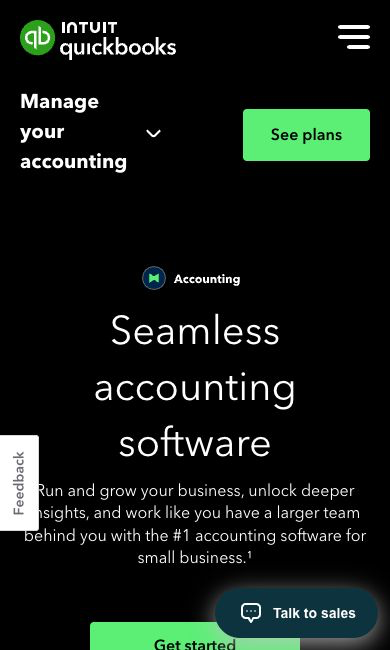
QuickBooks Online is the second direction to explore with your accountant. I like it as a shortlist pick because its plans run from a single-user tier up to 25 users, so there’s room to grow. Identify the reports, user roles and transaction flow you need before picking a tier.
The QuickBooks Online pricing page lists regular monthly prices of $38 for Simple Start, $85 for Essentials, $140 for Plus and $340 for Advanced. Listed user allowances are 1, 3, 5 and 25. Accountant allowances are separate: 2 for the first 3 tiers and 3 for Advanced.
The US catalog also lists QuickBooks Free, with 1 user and no accountant access. Its listed limits include 1 connected bank and 2 invoices monthly, with unlimited invoicing only if you qualify for and turn on QuickBooks Payments. Mobile app access and third-party integrations are excluded, and the 4 paid plans above are a shortlist, not the whole catalog.
Work backward from a representative transaction. For a store, follow the customer order, processor fee, combined payout, supplier cost and any later refund. Ask your bookkeeper to explain the intended records and evidence instead of taking accounting treatment from this article.
Check what each connection actually supplies. A bank feed shows money moving without necessarily explaining the order behind it. An ecommerce integration needs its own review of imported detail, duplicates, adjustments and ongoing fees.
Provider claims about AI, automated categorization or reconciliation are feature descriptions, not independently verified accuracy results. Keep human review of exceptions and the responsibilities you agreed on with your accountant. No financial accounts, integrations or bookkeeping automation were tested for this guide.
Document the work before choosing a plan
Write down the transactions your business has to explain. A consultant sends estimates and invoices. An online store takes checkout payments, pays suppliers and handles adjustments, and both need reliable records that one sales demo won’t fully cover.
Use a few representative examples instead of a general feature list. Include an ordinary payment and an exception that needs follow-up. Ask whoever maintains the books what information belongs next to each transaction.
Decide who supplies documents, who reviews imports and who resolves discrepancies. An owner, an assistant and an accountant each need different responsibilities. Agree on the division of work before you buy extra seats.
Here’s the move. Bring your workflow to a demo and ask the provider to walk through the relevant steps. Write down the actual plan and any extra services required, because a feature in a sales account doesn’t prove it’s in your subscription.
Compare the complete ongoing cost
Separate the regular subscription from the introductory offer. Note how long a discount lasts, which accounts qualify and what happens afterward. A cheap first payment doesn’t tell you what it costs to keep the setup running.
Include extra seats, payment processing and required connections. Bookkeeping services are separate from software access unless the specific purchase says otherwise. Compare equivalent setups, not one starter promotion against another provider’s full-service package.
For a hypothetical budget, a $43 monthly subscription plus one $11 team seat totals $54 before other charges. 12 months at those amounts comes to $648. That’s a planning illustration, not your final quote or a recommendation to buy those options.
Write the billing dates next to the amounts. An annual payment and a monthly subscription create different cash commitments. Also review cancellation, refund and export terms before you move records into a new account.
Migration deserves its own budget. Preparing records, checking opening information and training the team all take time. Ask for a defined migration scope instead of assuming a provider’s switching offer covers every cleanup task.
Follow an ecommerce order through the records
For an online store, the bank deposit is just one piece of a longer transaction chain. The checkout records the customer payment. A processor takes fees or combines orders into a payout, and supplier payments and refunds often happen separately.
Prepare an authorized sample that shows those events. Use a hypothetical $2,000 order, the matching processor record and a supplier bill. Let your accountant explain the treatment and supporting info needed, instead of assigning categories from a software article.
Include a cancellation or partial refund in the test. Check where the original order, the adjustment and the later payout show up. A process that handles ordinary sales still needs a clear way to explain exceptions.
High-ticket stores feel this more than most. One refund on a big order is a big number, and it needs a clean paper trail. Keep that in mind when you test the software.
Identify the source of every imported figure. Order detail, payment summaries and bank movements describe different parts of the operation. The reviewer needs to know which records give detail and which show settlement.
Review duplicate prevention with whoever sets up the imports. Two connections feeding similar transactions need careful coordination. Don’t accept duplicate sales just because both integrations appear on a supported-app list.
Keep a clear investigation route for differences. Record the relevant order, payout, invoice and supporting document. A discrepancy should lead to evidence, not a guess based on whichever dashboard shows the most convenient number.
Evaluate the service-business invoice cycle
Start with the agreed scope of work. Figure out where estimates, deposits, expenses and final invoices fit in the process. Fixed-price projects and hourly work each need their records explained.
During an authorized test, use fictional client info to prepare a sample estimate and invoice. Review payment recording and the remaining balance. Follow the project through a scope change instead of stopping at the first nice-looking invoice template.
Check how expenses attached to the project are handled. Keep the supporting document and a clear explanation. The person reviewing the books needs more context than a label from an automatic suggestion.
Review payment methods separately from the subscription. Taking a card or bank transfer comes with provider terms and processing charges. Confirm the methods your clients use and the fees that apply before deciding it’s affordable.
Test reminder behavior with sample records. A payment received outside the invoice portal has to be recorded properly so pointless reminders stop. Assign someone to fix an incorrect balance before another message reaches the client.
Agree on the accountant’s review requirements
Ask which records and reports your accountant needs. A software sales page describes available functions, not your specific compliance obligations. Get a clear answer for your jurisdiction and setup.
The IRS recordkeeping page for small businesses explains why supporting documents matter for U.S. businesses. It’s a good primer before that conversation. It’s not a substitute for advice on your own situation.
Define the info you supply weekly and the work done during the monthly review. Agree on a deadline for missing documents. Don’t leave both sides assuming the other one explained an unusual transaction.
Confirm the access setup. Some professionals work inside the account, while others review exported records. Make sure the subscription supports the agreed process without giving broader access than the job needs.
Bring recurring exceptions into the conversation. Deposits, foreign-currency activity, refunds and supplier adjustments deserve an agreed procedure. Use professional guidance for the treatment instead of making up a new approach every month.
Define when the records are actually ready for review. Imported transactions alone don’t mean the month is finished. The responsible reviewer should list unresolved items and the evidence still needed.
Plan permissions and account ownership
Keep account ownership clear before you invite the team. Decide who controls admin and billing, and which professional gets review access. Someone uploading receipts doesn’t need every owner-level capability.
Check the permissions available in the exact plan. A screenshot from a higher tier doesn’t prove the same controls exist in yours. Ask for the role limits in writing when your division of work depends on them.
Review access when responsibilities change. A former assistant or outside contractor shouldn’t keep unnecessary access to business records. Follow the service’s documented process and keep the records you need for continuity.
Agree on document handling too. Keep confidential customer and financial info out of public support threads and sales demos. Share only the authorized info the task needs.
Establish a weekly recordkeeping routine
Schedule a repeatable review window. Gather documents, flag unexplained transactions and check open invoice questions. A short routine is easy to keep when the next action is clear.
Send your bookkeeper the requested info before the agreed deadline. Add a quick note to unusual transactions while the context is fresh. Don’t assume a bank description explains the business purpose.
Review automatic matches and suggested categories instead of approving every suggestion. Log unresolved exceptions for the responsible reviewer. Automation doesn’t remove the need to understand what got imported.
Use the review for operational questions too. A missing supplier document or an unused renewal deserves follow-up. Keep the evidence and the action next to the issue so the same question doesn’t come back next month.
I teach systems and SOPs for exactly this kind of thing. A boring weekly routine beats a heroic cleanup at tax time. It’s a pain in the butt to fix 12 months of records in one weekend.
Prepare a deliberate migration
Set the date and scope of any switch with your accountant. Identify which historical records, balances and supporting documents need to be kept. Don’t abandon the old system until you’ve confirmed the information is still usable.
Test the proposed import with representative records first. Confirm names, dates and required details show up as expected. An “import successful” message doesn’t prove every record has the right treatment or supporting document.
Assign a reviewer for exceptions. Keep a list of items that need correction and the source used to fix each one. The migration should leave you with an explained working process, not another unexplained dashboard.
Keep the team’s instructions specific. Document where receipts go, how questions reach the reviewer and which system is the official record during the transition. Conflicting routines create work even when the software itself works fine.
Keep a written evaluation record
Record the subscription you examined, the sample transactions you reviewed and the open questions. Separate what a provider told you from what you saw during your own authorized test. That gives you a solid basis for the decision without overstating what the demo proved.
For each required task, note the info supplied and the resulting record. If an import leaves out a detail, note where the reviewer would get the missing evidence. A successful connection is a starting point, not proof of complete reporting.
Review the open items with your accountant before moving live records. Give each question an owner and a next action. If the plan lacks a role or report you need, solve that before you commit the business to it.
Connect records to the business operation
Understand the customer and supplier transaction flow before choosing software to record it. That’s why I always point people back to how the store model actually works.
The business foundation guide covers the setup decisions around the store. Software doesn’t replace professional guidance or define your individual legal and tax obligations.
Use the niches list to research categories. Product costs, payment timing and customer expectations belong in your operating plan right next to recordkeeping.
My supplier sourcing guide covers commercial verification. Get the supplier’s actual payment and adjustment terms instead of building records around an assumed arrangement.
Supplier Paradise supports your research with supplier leads. Being listed in the directory doesn’t establish approval, payment terms or profit. Keep verified commercial documents next to the records for each supplier transaction.
For guidance on the bigger store decisions, check out my private coaching. Accounting and tax review stay separate professional responsibilities.
Choose the system you will maintain
I’d compare FreshBooks around a complete client-invoicing workflow. Put the reports you need and accountant access next to the tier before comparing the fee.
For broader bookkeeping needs, explore QuickBooks Online with representative business transactions. Confirm the plan, connections and review responsibilities as one working setup.
Pick a defined setup and build the routine. A bigger subscription doesn’t make up for missing documents or unclear ownership. Choose the option that fits your actual work and keep open questions visible to the responsible professional.
Frequently asked questions
Does accounting software replace a bookkeeper?
No. Software gives you tools for organizing information. Professional judgment and exception review are separate responsibilities.
Should a freelancer and a store choose the same subscription?
Compare each business’s workflow. Client invoices and ecommerce payouts need different information and review steps.
Is the opening offer the ongoing price?
Check the promotional period, eligibility, renewal amount and extra charges for the plan you pick.
Does a bank connection supply complete order detail?
Review the imported information. Money movement and the underlying order detail are separate records.
What should happen before a migration?
Agree on the transition scope, keep the required records and review representative imports with your accountant.
My take on the best accounting software
All right, here’s the bottom line. FreshBooks makes sense when client invoicing is the core of your business. QuickBooks Online makes sense when you need broader bookkeeping with an accountant in the loop.
Either way, document your transactions first, price the regular plan and not the promo, and follow one real-looking order or project all the way through before you commit. Agree on review responsibilities with your accountant and keep a weekly routine. That’s how the books stay clean.
I’ve been selling online since 2005. Bookkeeping isn’t the fun part, and it is what it is, but you’ll make better decisions when the numbers are current. Start simple and stay consistent.
If you’re still figuring out the business itself, grab my free high-ticket dropshipping mini course. It covers the model before you spend money on tools. Go check that out.
Related guides
Read my business foundation checklist for setup decisions surrounding the store.
The dropshipping explainer describes the wider retail model.
Use the niche ideas guide for category research.
My supplier research guide covers verifying commercial relationships.

Trevor Fenner is the founder of Ecommerce Paradise. His main projects are Ecommerce Paradise, Supplier Paradise, and Review Paradise, which is currently in development. TrevorFenner.com publishes research-based reviews and practical guides to online business tools and remote-work services, with clear affiliate disclosures.