
The best VoIP service is the one that fits the customer calls, supplier follow-ups and team handoffs your business actually has. So before you compare any software, decide who answers the phone and what happens after a missed call.
A solo store owner and a staffed support team need very different setups. Count the people who need access and figure out the routing you really need. A long feature list doesn’t give you a working daily process.
At Ecommerce Paradise, I connect tools to the operating process. I’ve run online stores since 2010, and with high-ticket products, buyers often have real questions before they order. A business number needs someone responsible for accurate answers and follow-up.
If you’re new to that kind of store, my guide to what high-ticket dropshipping is explains the supplier-dependent model. The person answering your phone needs to understand which customer promises depend on supplier confirmation.
This shortlist compares Quo, Talkroute, Dialpad Connect, Nextiva and Grasshopper. Account-level prices, per-user plans and regional eligibility each need their own review. Compare the actual package that supports how you plan to use it.
Keep that in mind: the existing provider screenshots keep their October 10, 2026 dates. Public pricing and features describe offers, not measured call quality. No account setup, number transfer, paid subscription or calling experiment was completed for this guide.
Disclosure: qualifying purchases through affiliate or referral links earn me compensation at no extra cost to you. I own Ecommerce Paradise and Supplier Paradise. A referral destination doesn’t mean a discount, regional eligibility or service approval.
Compare the phone-service scope
| Service | Route to investigate | Plan and billing check |
|---|---|---|
| Quo | Shared team calls and messages | Starter $19/user monthly. Transfers and phone menus require Business, $33/user monthly. |
| Talkroute | Account-level included users | Plus $39/month includes 3 users, 2 numbers and 2,000 texts. Extra users cost $5/month. |
| Dialpad | Connect calls, meetings and notes | Connect Standard $27/user monthly, Pro $35. Annual monthly equivalents are $15/$25. |
| Nextiva | Broader customer communication | Core, Engage and Scale. Confirm selected billing, minimum term, fees and renewal in writing. |
| Grasshopper | Region-limited business phone option | USA/Canada availability notice observed. Full current pricing cards unavailable from this research location. |
Quo for shared customer conversations
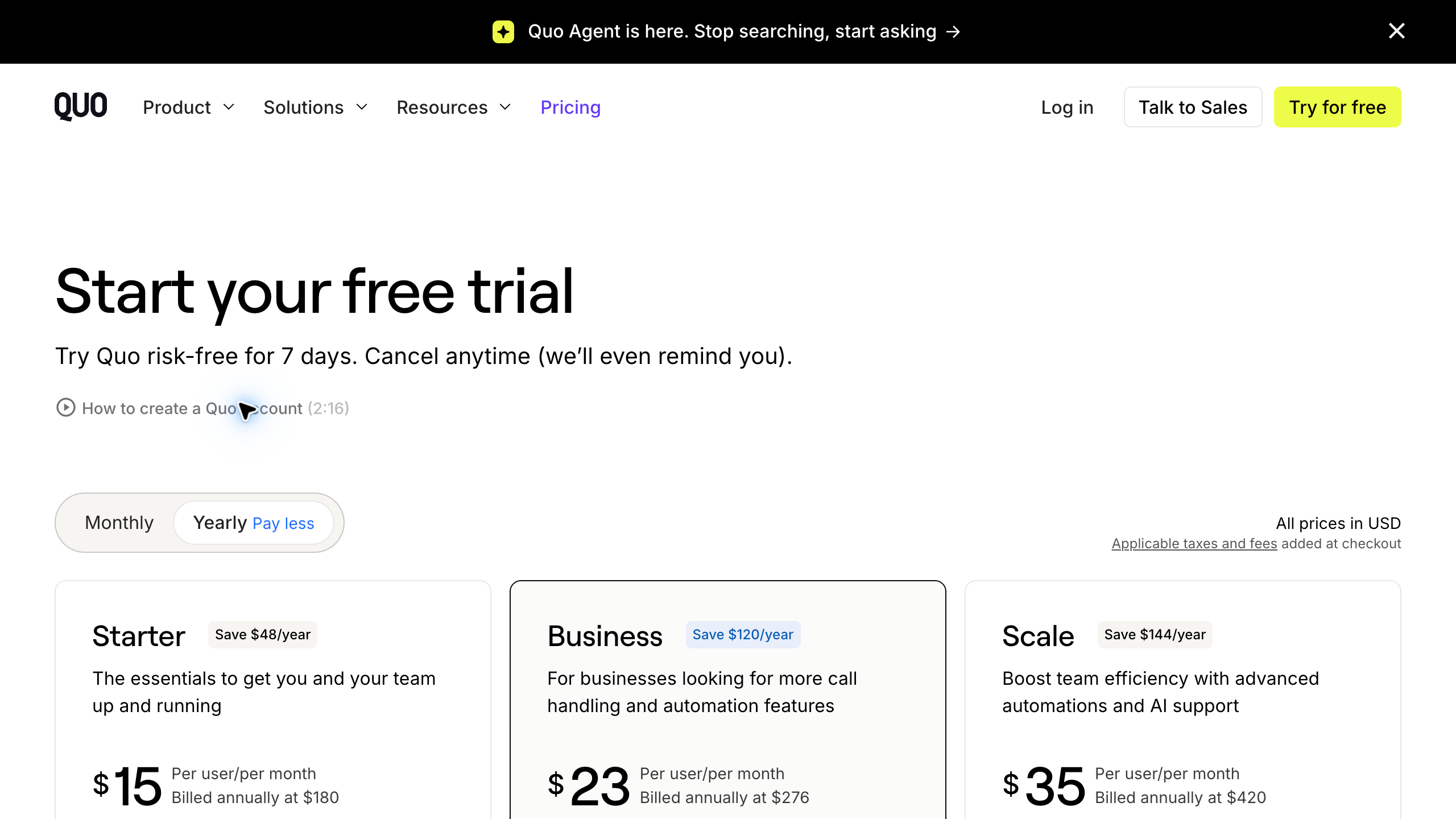
I’d look at Quo first when a small team needs shared calls and messages, because it’s built around a shared business number your whole team can work from. Figure out who answers and how someone else takes over a conversation before you pick a tier.
Current USD pricing on the Quo pricing page lists Starter at $19 monthly per user or a $15 monthly equivalent billed annually at $180. Business lists $33 monthly or a $23 monthly equivalent billed annually at $276. Scale lists $47 monthly or a $35 monthly equivalent billed annually at $420.
Business includes group calling, transfers, phone menus and specified CRM integrations. Current pricing also lists messaging registration, carrier fees and additional-number or international add-ons. So the base seat rate is not necessarily the full bill.
Compare the current feature list with the preserved October 10 annual-pricing image. Confirm the actual commitment and account requirements before you buy. No shared inbox or calling experiment was performed for this guide.
Talkroute for an account-level team comparison
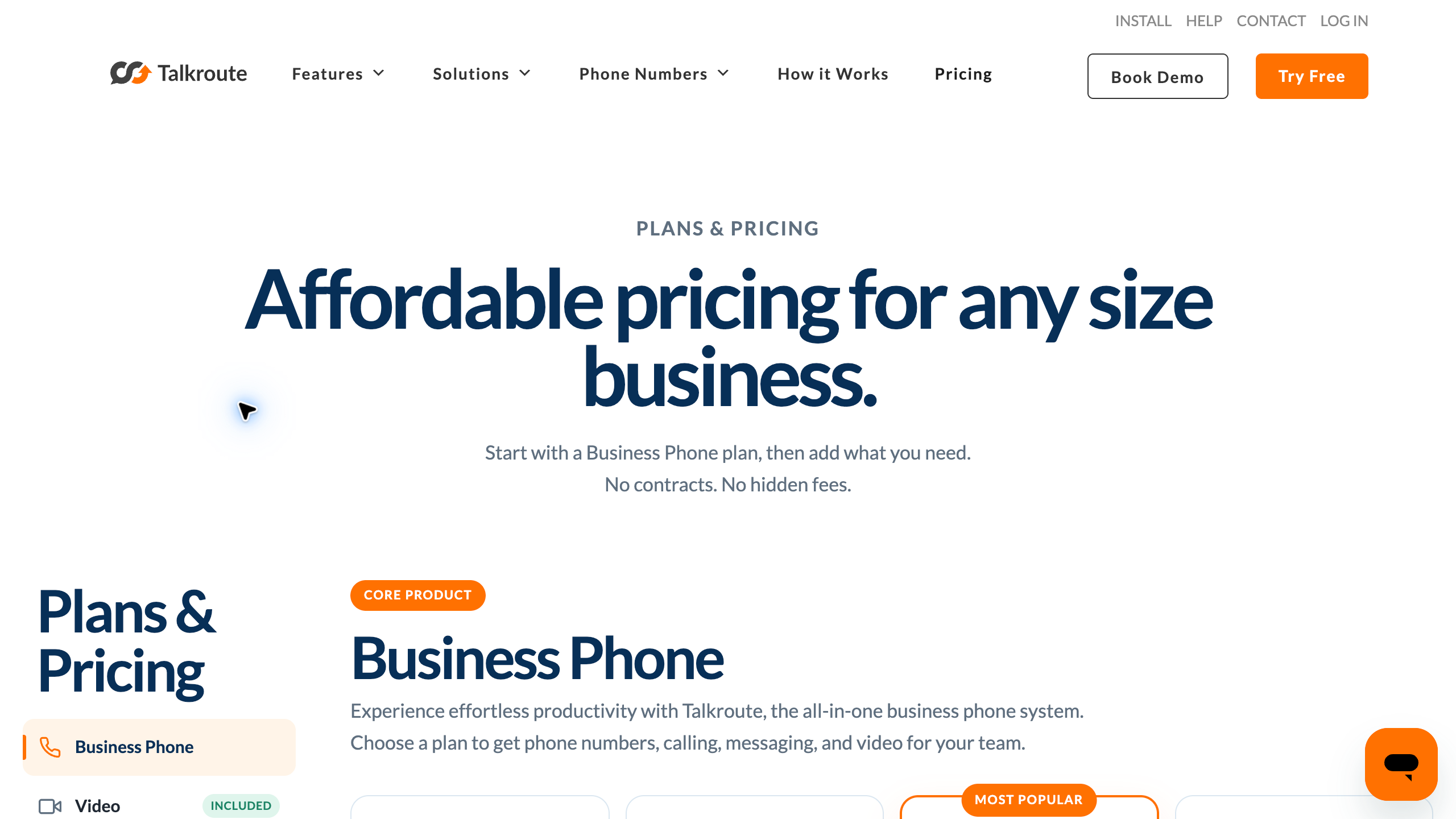
Talkroute offers account plans with included users, which is pretty cool for a small team that doesn’t want to pay per seat. Per the Talkroute pricing page, Basic lists $19 monthly with 1 user, Plus $39 with 3 and Pro $59 with 10. Additional users are listed at $5 monthly.
The current plans include 1, 2 and 3 phone numbers respectively, with 500, 2,000 and 5,000 monthly text allowances. Plus gives you simultaneous ringing, live transfer and operating hours. Pro adds recording and reporting.
Messaging verification and any registration or campaign charges need a separate review. Long SMS segments and MMS affect how your allowance is counted. AI reception and bulk texting are separate add-ons that require a business-phone plan.
The page separates around-the-clock email tickets from scheduled live phone and chat support. Ask which support channel covers your operating hours. No transfer, forwarding setup or support-response test was completed here.
Dialpad Connect for calls, meetings and reviewed notes
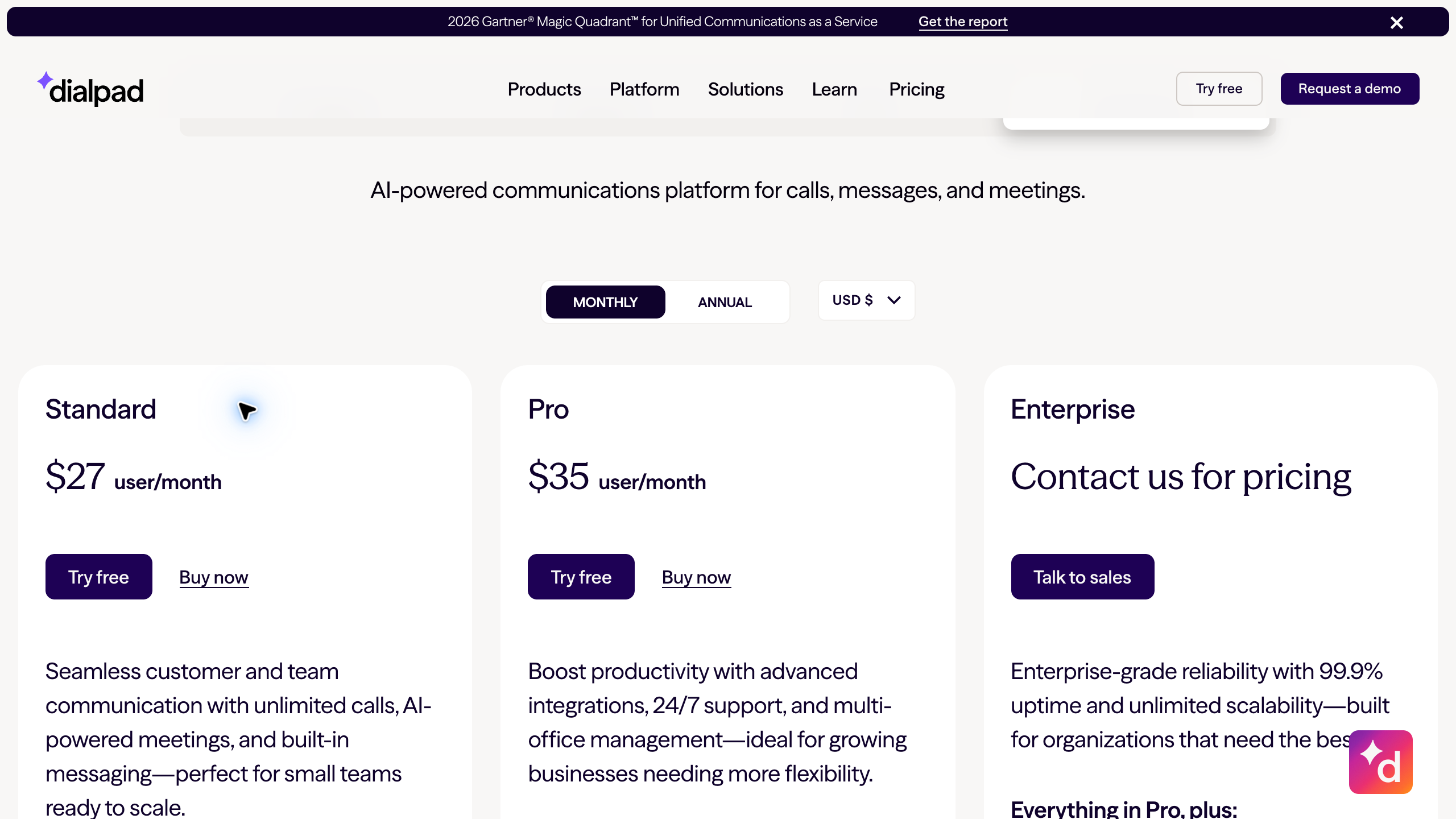
I’d compare Dialpad Connect for a team that needs calls, messages and meetings in one place, since it bundles all three with transcripts. Select Connect on the pricing page. The default AI Agent product uses different pricing mechanics.
Actual Connect pricing with USD selected showed Standard at $15 per user monthly equivalent on annual billing and Pro at $25. Selecting Monthly changed the figures to $27 and $35. Enterprise requires a quote.
Standard highlights transcripts and summaries. Pro adds specified CRM integrations and around-the-clock support. Confirm the exact integration and required subscriptions instead of assuming every CRM workflow is included.
Review generated notes before you quote a model, delivery date or customer requirement. A transcription feature doesn’t prove accuracy. No call, recording, AI-summary or integration test was performed for this comparison.
Nextiva for a broader communication setup
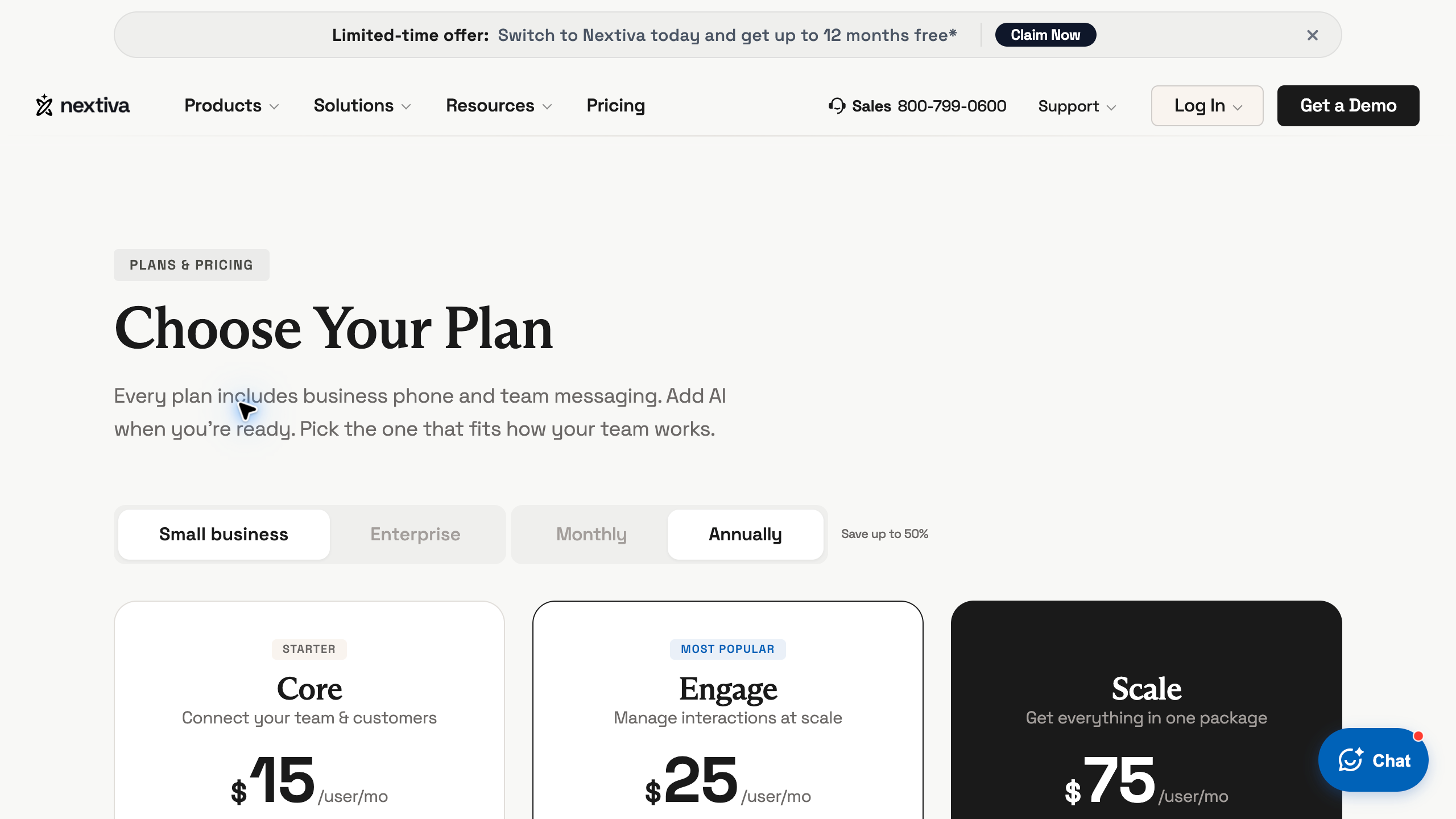
Nextiva is another route if you want phone service plus wider customer communication, because its plans add things like business SMS, live chat and reporting on top of voice. The current small-business page separates Core, Engage and Scale from its enterprise contact-center packages.
Core lists voice, business SMS, meetings, routing, team chat and a mobile app. Engage adds customer-to-team SMS, toll-free numbers and minutes, reporting and live chat. The plan you select and its actual allowance matter.
Request a written quote covering billing interval, minimum term, eligibility, promotion length and renewal. A crossed-out promotional figure is not proof of your ongoing cost. Keep required taxes, fees and add-ons visible.
The dated annual-pricing screenshot is historical evidence of the displayed offer, not an account quote. No account installation, customer-message routing or service-quality test was completed for this guide.
Grasshopper with a regional availability qualification
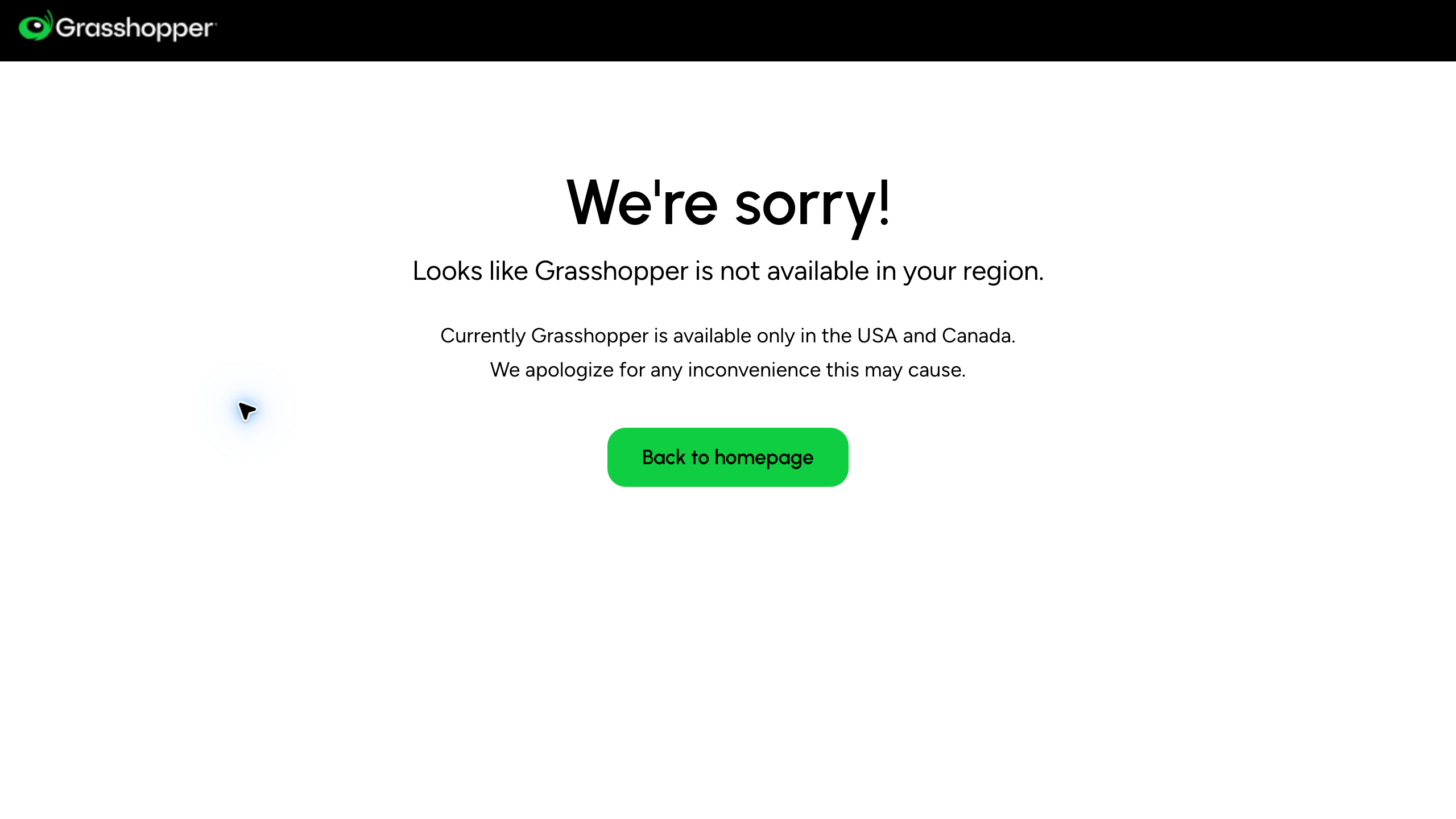
Grasshopper needs a regional check before any price comparison. The official pricing page showed an unavailable-in-your-region notice during this refresh and stated the service is available only in the USA and Canada.
That matters to me personally. I’ve been a digital nomad based in Bali since about 2019, and a location independent business can’t assume every US phone service works from abroad.
A search extraction showing annual plan totals doesn’t override the actual regional notice. The complete current pricing cards were not verified from this location. Read the existing dated provider image with that limitation in mind.
Confirm residence, business eligibility, number availability and intended use directly before committing. Calling a supported destination is different from qualifying to open and use an account abroad.
No VPN, regional bypass, sign-up, subscription or calling test was used. I’d leave this option conditional until your own eligibility and actual written charges are confirmed.
Define the phone workflow before buying
Write down who answers during normal hours, who handles a missed call and how follow-up gets assigned. A business number needs a responsible person. A voicemail inbox nobody reviews is not a customer-service process.
Separate sales questions from existing-order problems. A customer comparing dimensions needs different information from someone reporting damage. The person answering should know which source supports the answer and who handles exceptions.
For supplier conversations, keep the question, answer and next action in the right record. A clear number helps communication, but it doesn’t confirm current stock or dealer approval. Verify important facts before you pass them to a customer.
Here’s what I’d do. Start with reliable answering and follow-up, then add features once you’ve identified a specific need. Paying for advanced routing won’t fix confusion about who owns the next action.
Compare people, numbers and extensions separately
A user seat, a phone number and an extension are different units. Record how many of each your setup needs. Several people helping answer one business number don’t automatically need the same setup as independent departments.
For per-user plans, count the people who need access, not the devices. Check permissions and shared conversation handling. A lower entry price isn’t much use if the team workflow you need lives in another tier.
For account plans, compare included users with the routing and messaging allowances. Additional users may carry a separate charge. Ask which functions each person gets before treating several included users as equal to another provider’s seats.
Put the proposed setup in writing. Compare the same working arrangement across providers. One advertised seat and a full account package need a common basis before their totals mean anything.
Calculate the full bill and commitment
Separate the advertised base rate from messaging registration, recurring campaign charges, extra numbers and international usage. Taxes and required fees affect the actual invoice. An annual monthly equivalent is not a month-to-month commitment.
Record the initial term, payment schedule and renewal rate. A promotion sometimes only applies to the first period. Ask what happens after the discount and which cancellation conditions apply to your offer.
For a hypothetical 3-person team that needs live transfers and a phone menu, compare the required tier before multiplying seats. Three Quo Business seats at $33 monthly total $99 per month before applicable fees, while Talkroute Plus lists $39 per month for 3 included users, live transfer and one menu. These plans still differ in shared conversations, integrations and messaging rules, so the lower base total doesn’t automatically mean the better fit.
Annual commitment changes the comparison again. Three Quo Business seats billed at $276 each come to $828 for the year, equivalent to $69 per month before applicable fees. Don’t compare the $23 annual seat equivalent with an entire account’s monthly price, and record the people, required features, commitment and charges together.
The example is arithmetic, not a quote or a recommendation to buy. Get the provider’s current actual terms for your business. Keep optional upgrades separate from required costs instead of treating the biggest package as necessary.
Check number and regional eligibility
Ask about your business location, residence and intended use. A provider offering calls to a country doesn’t automatically approve accounts run from that country. Number availability and account eligibility each need their own answer.
Confirm the documents required for the number you want. Different number types and jurisdictions have different processes. Don’t assume a local number is available just because the provider advertises international calling.
For remote work, separate ordinary travel from your permanent account arrangement. Ask the provider which use is supported. A website that loads fine doesn’t prove continued service access from every location.
No regional restrictions were bypassed for this article. Grasshopper’s actual notice stays part of the comparison. An unclear eligibility answer belongs on your list of unresolved questions before you buy.
Plan an authorized trial with repeatable tasks
For your own approved trial, use the same representative tasks across every service on your shortlist. Check an inbound call, a missed-call notification, voicemail review and a handoff. Record the environment and setup so the comparison has useful context.
Test the devices and connection your team will actually use. A quiet demo on another network doesn’t prove performance during a working day. Note any missing setup or permission that affects the result.
Review what happens when two people get the same call or follow-up task. Assign one owner instead of producing duplicate responses. Shared access needs a procedure, not just a software feature.
These are proposed checks, not completed experiments. No calls or paid trials were performed for this guide. Real performance and fit need evidence from your own authorized setup.
Write business hours and escalation rules
State your operating hours in a clear time zone. Callers need accurate expectations about when someone will respond. Don’t use a greeting that promises immediate help if the responsible person isn’t available.
Define the after-hours route and review schedule. Some questions can wait for the next work period. Urgent delivery or payment issues need a named decision owner and the right contact method.
Keep escalation instructions next to the support procedure. Record what’s needed with each handoff, including the order, the question and the action already taken. A vague “call them back” note usually lacks the context you need.
Review the provider’s actual support-channel hours separately from your own coverage. Around-the-clock email tickets are different from live phone help. Confirm which channel is available when your team needs it.
Review recording and transcription responsibilities
Recording and transcripts bring up privacy, consent and retention questions. Get proper guidance on the requirements that apply to you. A software toggle doesn’t give you permission to record every conversation.
Limit access based on the job and your approved policy. Customer information shouldn’t be available to everyone just because a platform offers shared features. Define ownership and removal steps for when someone leaves the team.
Check AI summaries against the source before relying on a model number, date or customer requirement. A fluent recap is not proof of accuracy. Keep corrections visible to whoever handles the follow-up.
No recording, privacy review or transcription-accuracy experiment was completed here. Feature descriptions are research inputs. They don’t certify compliance or replace a review based on your actual use.
Verify the specific integration
Name the exact CRM or support system you need connected. A general integration claim doesn’t tell you which actions are supported. Ask about the required phone plan and the other product’s subscription.
Separate contact lookup, activity logging and automated record changes. Each one needs different responsibilities and permissions. A listed connector doesn’t mean every workflow you want works without extra configuration.
For your own approved setup, test with suitable non-sensitive records first. Review which information moves and who sees it. Don’t assume an integration should get unrestricted customer or payment data.
No software accounts were connected for this comparison. Confirm current support and actual behavior before you rely on the workflow. Keep the configuration and review instructions for whoever maintains the connection.
Plan number transfer without interruption assumptions
Ask the new provider to confirm transfer eligibility and the documents required. A general porting option doesn’t mean every number qualifies. Record the expected process and what your current provider requires.
Don’t cancel the existing arrangement before you understand the transfer sequence. The FCC’s guide to keeping your phone number when you change providers says the same thing: don’t end service with your current company before starting with the new one. Confirm who approves each stage and how calls are handled during the change.
Prepare the new greeting, hours and follow-up instructions before you move a customer-facing number. Assign someone to check the actual result. Keep a fallback contact method in place while questions are still open.
No number was ported for this guide. These steps describe your planning review, not a completed migration. Provider timing estimates need checking against the actual transfer.
Connect phone support with the store’s facts
The niches list supports category research. A technical product line needs reliable specs and a route for questions beyond what the support person knows.
Use the supplier sourcing guide for commercial verification. A phone conversation should end with a documented answer, not an unsupported promise repeated on the storefront.
Supplier Paradise is a research resource I own. A directory record doesn’t confirm current stock, delivery timing or account approval for a caller’s requested product.
My business foundation checklist supports the admin side. The phone account and public business details should match the actual business arrangement.
Choose the required scope rather than every feature
Build your shortlist from the written workflow and the open requirements. For shared conversations, look at the right team plan. For an account package, compare included users and the routing you need.
Keep automated reception and broader communication tools conditional on a real need. Review how errors and unanswered questions reach a person. Automation doesn’t remove your responsibility for the customer’s outcome.
My private coaching is an offer I own for broader store decisions. It’s not a telecom account guarantee or a certification of provider performance.
The done-for-you build and launch service covers creating the store itself. Review its scope separately from any phone subscription or recurring provider charges.
My take on choosing a VoIP service
So with that said, here’s the short version. Write your answering and follow-up workflow first, count people, numbers and extensions separately and calculate the full bill including fees and commitment. Confirm regional eligibility and plan any number transfer carefully before you cancel anything.
If I were setting up phones for a small store today, I’d shortlist Quo for shared team conversations and Talkroute if an account plan with included users fits better. Then I’d run the same simple trial on both before paying for a year. Bigger platforms like Dialpad and Nextiva make sense once you have a specific need for meetings, CRM integrations or broader messaging.
Go deep before you go wide here too. One reliable number with a clear owner beats five fancy features nobody manages.
If you’re still building the store behind the phone line, my free high-ticket dropshipping mini course walks you through the whole model. Go check that out before you sign any annual contracts.
VoIP questions
Does the lowest rate describe the full bill? Include required fees, numbers, messaging charges and the selected commitment. Compare the actual working setup.
Does international calling establish account eligibility abroad? Confirm the business and residence requirements separately. Supported destinations are not universal approval to operate from every country.
Does an AI summary replace checking the call? Review important product, date and customer details. No transcription accuracy test was performed for this article.
Should the old number be canceled first? Establish the actual transfer sequence and approval requirements with the relevant providers before changing existing service.
Related guides
The dropshipping overview explains the operation.
Use the business foundation checklist for administration.
My niches list supports category investigation.
The supplier research guide addresses commercial facts.
The virtual-assistant hiring guide supports role definition and team handoffs.

Trevor Fenner is the founder of Ecommerce Paradise. His main projects are Ecommerce Paradise, Supplier Paradise, and Review Paradise, which is currently in development. TrevorFenner.com publishes research-based reviews and practical guides to online business tools and remote-work services, with clear affiliate disclosures.