
The best keyword research tools help you pick a useful topic and figure out what the page actually needs to answer. That’s their real job. So start with your reader’s task before you compare database sizes or subscription prices.
A store category, a product comparison and an informational guide each serve a different decision. Record the intended audience and market first. A search-volume estimate doesn’t prove sales or tell you a topic deserves an article.
At Ecommerce Paradise, I connect research with the operating model. Through Ecommerce Paradise we also run SEO for client stores, so I care a lot about topics that match a real business. A topic needs a useful answer and supported facts, not just an attractive metric.
Most of what I teach centers on high-ticket dropshipping, and my team builds done-for-you stores for clients in that model. You’ll see an electric-bike example later for that reason. It’s still hypothetical and not a measured keyword result.
This shortlist compares Mangools and KWFinder, Semrush, Seobility and AlsoAsked. Their research routes are different. Keyword discovery, competitor analysis and question mapping each deserve their own evaluation.
The existing real provider images keep their October 10, 2026 dates. Blank forms and vendor demonstrations are not completed searches or accuracy tests. No rankings, traffic gains or revenue results were measured for this comparison.
Disclosure: qualifying purchases through affiliate links earn me compensation at no additional cost to you. I own Ecommerce Paradise and Supplier Paradise. An affiliate recommendation doesn’t guarantee rankings or results.
Compare the research task
| Tool | Research route | Required review |
|---|---|---|
| Mangools | Keyword and domain discovery | Country, language, lookup allowance and returned-keyword limits |
| Semrush | Broader keyword and competitor tools | Required toolkit, competitor coverage and tracking allowance |
| Seobility | Related terms and competitor research | Daily checks, selected research mode and trial renewal |
| AlsoAsked | Related question mapping | Search depth, credit use and export fields for your tier |
Mangools and KWFinder for focused keyword discovery
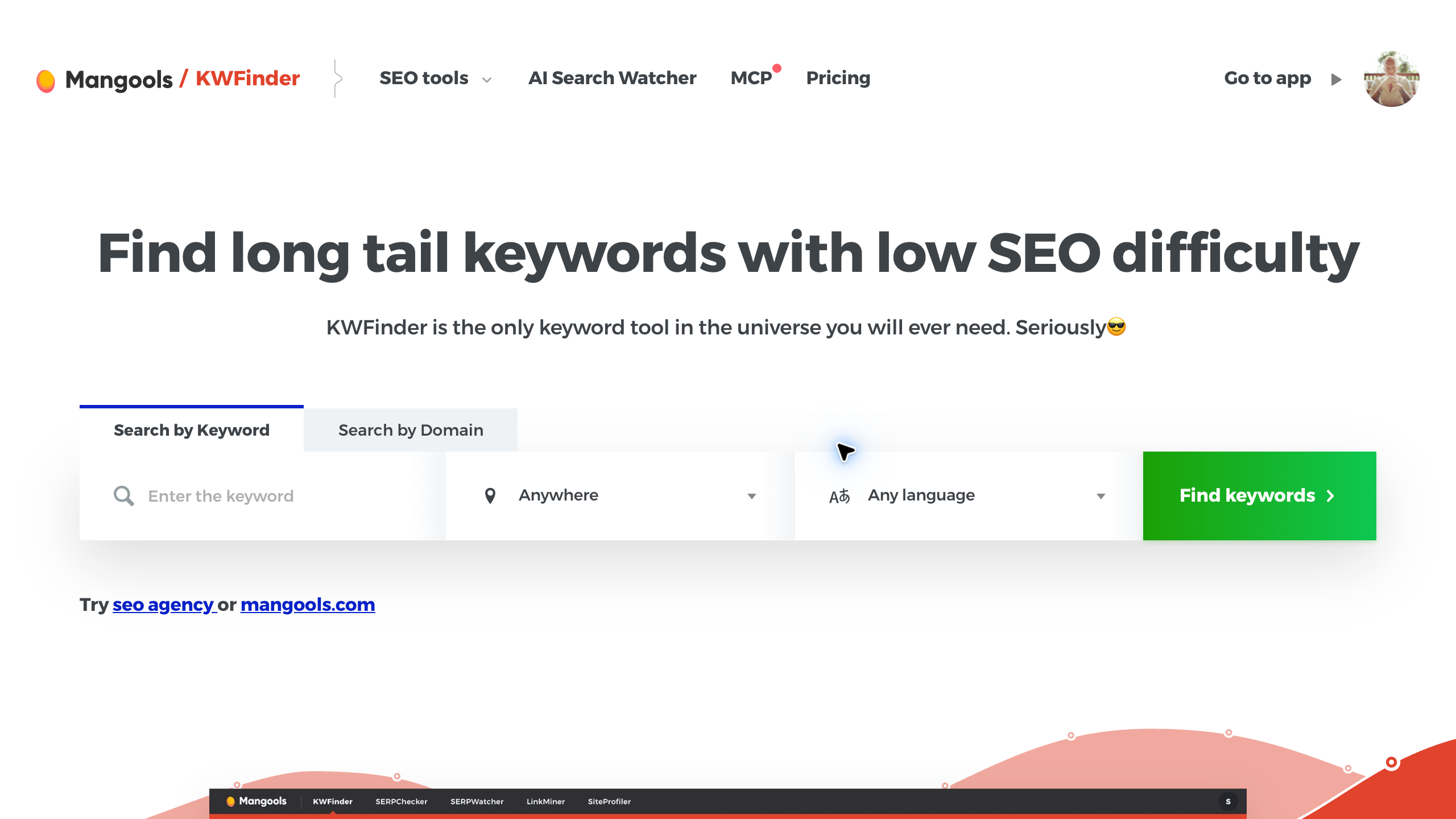
I’d look at Mangools and KWFinder for a defined keyword or competitor-domain research task, because the tool keeps the setup focused on market, language and a clear set of metrics. Record the market and language before you collect ideas.
The official product page offers keyword and domain search routes, historical volume and trend information, difficulty metrics and location-specific research. Those features support investigation. They don’t guarantee rankings.
The current public offer advertises 5 lookups per 24 hours, with 15 related and 5 competitor keywords per free lookup. Paid access has separate limits. Confirm the actual plan and account allowance before you treat the free offer as your production capacity.
The preserved figure shows a blank form, not completed research. No keyword accuracy or ranking experiment was performed for this guide. Review the results and the actual search intent before deciding a topic deserves publication.
Semrush for a wider research workflow
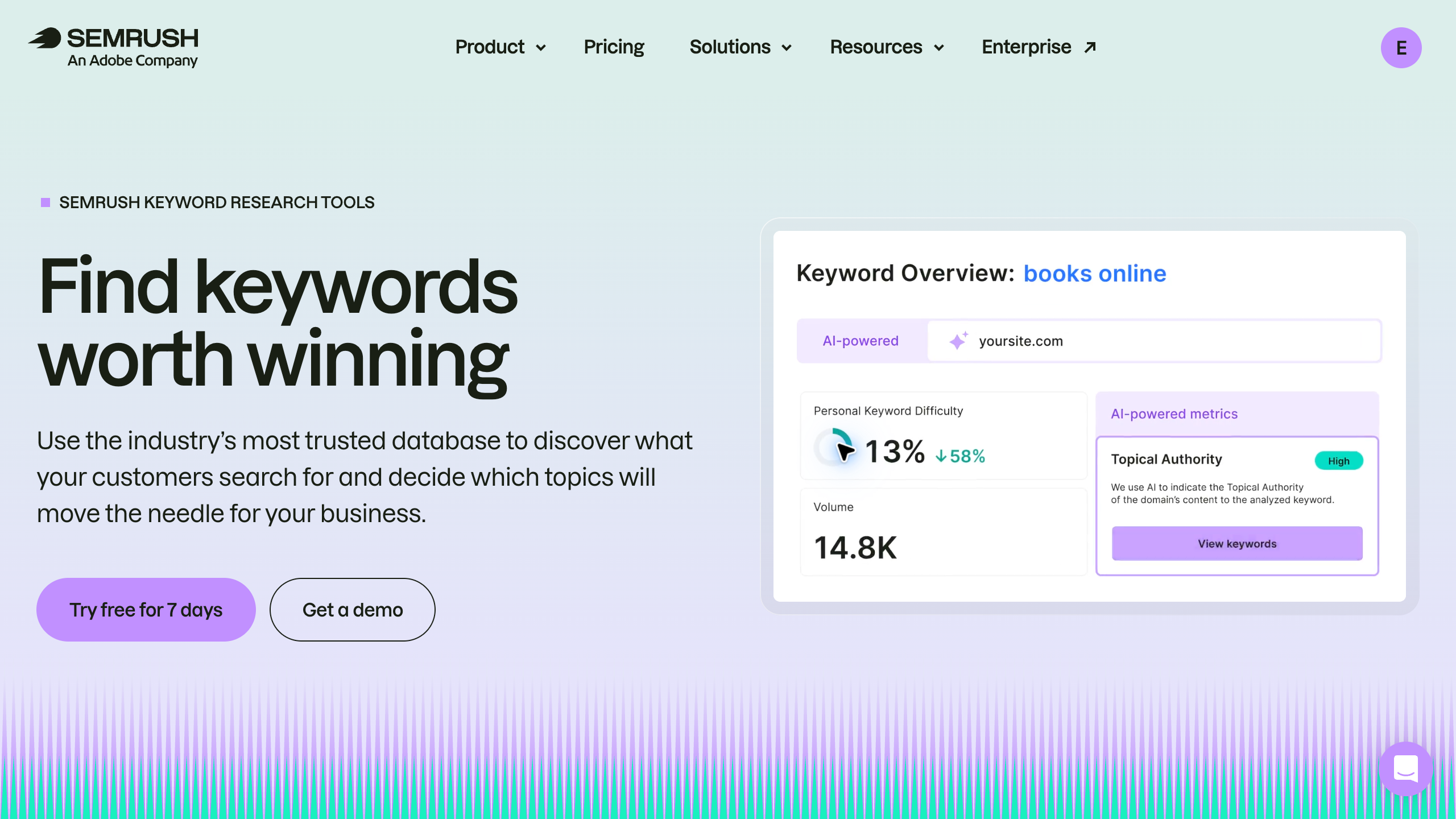
Semrush deserves a look when keyword discovery is part of broader competitor and content research, since it puts several research tools in one suite. Name the tasks you need before choosing a subscription.
The current official page describes Keyword Magic Tool, Keyword Overview, Organic Rankings, Keyword Strategy Builder and Position Tracking as separate research routes. Product access and usage limits need confirmation for the plan you select.
A big advertised database isn’t evidence of accuracy for your specific query. Compare market coverage, settings and the reviewed result. The vendor’s demonstration numbers are not this site’s measured performance.
No private project, search export or ranking test was performed for this comparison. A broader suite should cover work you actually plan to do, not add unused features to the monthly bill.
Seobility for related terms and competitor research
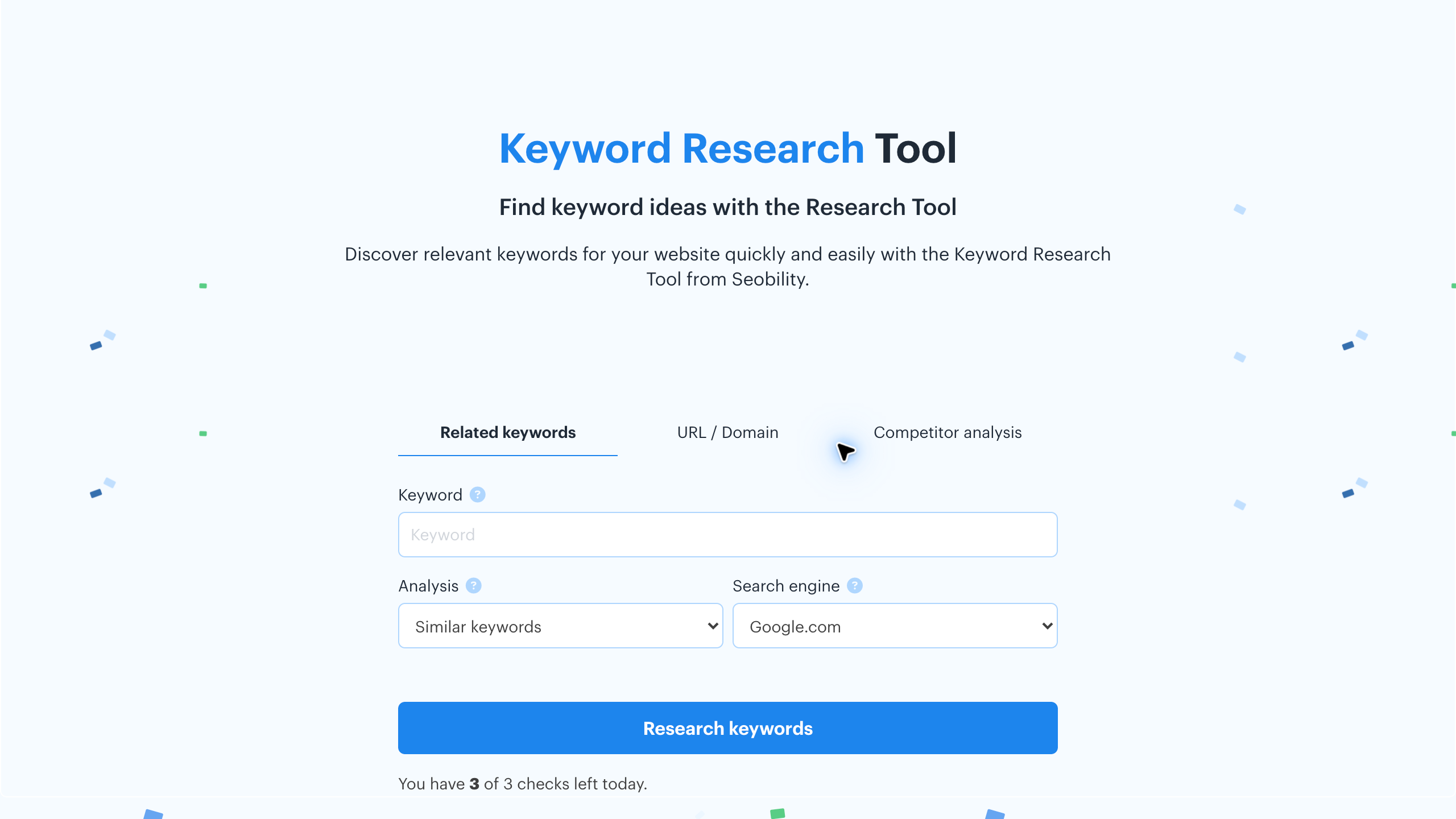
I’d look at Seobility for related-keyword, URL or domain research and competitor analysis, because the public interface separates those routes clearly.
Its current limited-tool page lists Basic with 5 daily checks, Premium with 50, Professional with 100 and Agency with 200. Published monthly figures show $69.90, $109.90 and $239.90 for the paid tiers, excluding applicable VAT.
The interface also shows a daily-query limitation notice. A general free-tool label doesn’t mean unlimited account access. The advertised 14-day Premium trial automatically renews at $69.90 per month unless canceled, so review the renewal terms before you start a trial.
The existing image is a blank official form, not a completed competitor analysis. No accuracy or export experiment was performed. Review the relevant search results before treating a suggested term as a suitable article.
AlsoAsked for question relationships
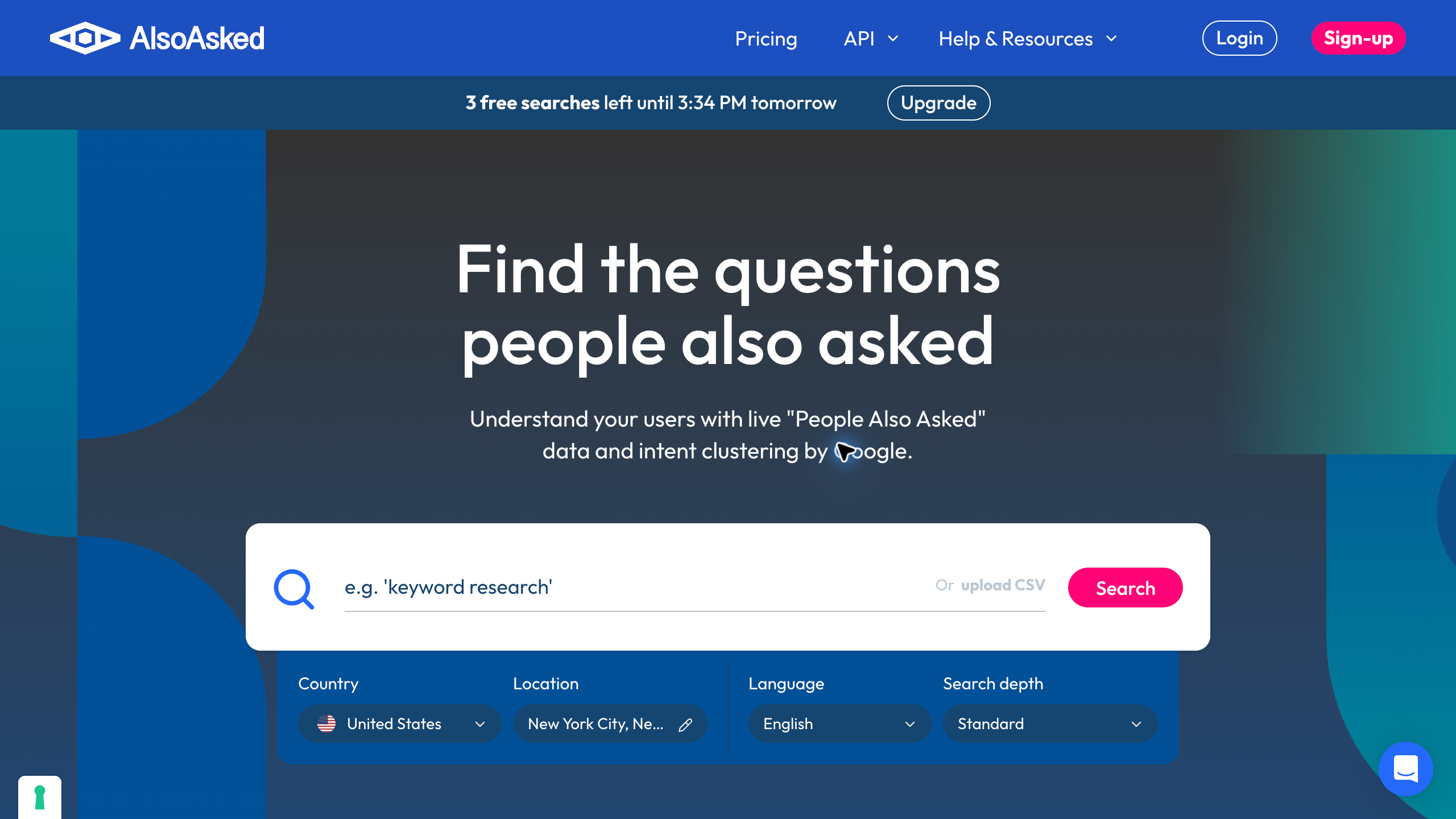
AlsoAsked adds a question-research angle next to a normal keyword shortlist, which helps you see what readers want explained. Use those questions to shape the page.
The preserved official interface shows country, location, language and search-depth controls. Its dated settings are United States, New York City, English and Standard depth. No search was submitted for the image.
Confirm the current credit allowance, depth and export fields before selecting a plan. AlsoAsked’s help guide assigns 1 credit to a standard search and 4 to a deep search, with deep search reserved for Lite and Pro.
Its export guide separates question-only exports on Free and Basic from additional answer, ranking-URL and location fields on Lite and Pro. These are documented allowances, not features tested for this comparison.
No live question map or keyword-performance test was produced for this comparison. Review the relevance of every question and combine related needs into one useful page, instead of creating an article for each phrase automatically.
Define the page’s reader and purpose
Write down the task your intended reader needs done. A buyer comparing products needs different information than someone learning a business model. The keyword should describe a decision your site is equipped to help with.
Record the audience, region and intended page type. A category page, a comparison and a detailed tutorial are different deliverables. Decide the useful answer before you collect hundreds of related phrases.
Here’s what I’d do. Begin with a small group of questions grounded in the business. Customer conversations and documented operating requirements make great starting points, and a research tool expands that investigation instead of replacing your understanding of the task.
Google’s own guidance on creating helpful, reliable, people-first content points the same direction. Write for the reader’s need first, then use the tools to fill gaps.
My high-ticket dropshipping guide explains the operating model for supplier-dependent stores. Topic selection should reflect the real customer responsibilities and product questions.
Keep market and language settings consistent
Record the country, relevant location and language next to every research result. Comparing different settings adds uncertainty. A query serving a local buyer sometimes deserves a different reading than a broad international phrase.
Keep the review date and data source visible. A historical volume estimate and a current question map are different kinds of information. Understand the period and settings before you combine the results.
Use the same context when comparing tools. An unexplained difference in metrics sometimes comes from the selected market, database or reporting period. Don’t turn a mismatched comparison into an unsupported accuracy ranking.
No side-by-side accuracy test was performed for this guide. The public forms show available controls. Your actual research record needs the settings used and the evidence the query produced.
Separate keyword metrics from buying intent
A volume estimate describes reported search activity, not guaranteed visitors or customers. A high-volume phrase sometimes serves people looking for a definition, not a purchase. Identify the likely decision before you assign commercial value.
Even Google describes its Keyword Planner search volume and forecasts as estimates. Treat every tool’s numbers the same way.
Difficulty scores are another research input. They don’t prove your page will rank, and there’s no universal threshold across every tool. Review the competing pages and your own evidence instead of picking a topic from one score.
Keep paid-advertising metrics separate from organic-search analysis. A cost-per-click figure doesn’t tell you your affiliate income or real customer acquisition cost. The intended channel matters when you read the number.
Write your reason for keeping the keyword in plain language. The record should explain the reader, page type and available evidence. A pile of metrics without a decision is unfinished research.
Review current search results before drafting
Look at the pages serving the query in the relevant context. Identify the type of answer and the questions left unresolved. A software suggestion alone doesn’t tell you the format your reader expects.
Separate what competitors explain from the evidence behind their claims. An attractive comparison sometimes relies on outdated pricing or unsupported testing. Your article needs current sources, not copied conclusions.
Record useful gaps with a specific proposed answer. Missing delivery details, unclear eligibility or an unexplained billing commitment deserve better treatment. More words without a clearer decision don’t fill the gap.
Don’t copy headings, descriptions or photos. Use the research to understand the task and produce an original supported answer. Another site’s product claim isn’t automatically good evidence for your page.
Group related questions into a useful page
Compare the decision behind the phrases, not just their shared words. Several variants sometimes belong in one article. A genuinely different task deserves separate coverage with its own purpose.
Question maps help you spot related concerns. Review each question for relevance before turning the map into an outline. A tool’s returned relationship doesn’t mean every phrase needs a new post.
Keep the main answer clear. Supporting sections should explain requirements, costs and practical next actions instead of repeating the keyword. The reader needs enough context to finish the decision.
For your content plan, name the proposed URL and the existing related pages. A new topic should complement what’s already on the site. Overlapping articles need to be reconciled before you draft another version.
Check the live site for overlapping coverage
Search existing titles and content for the main task and close variations. A spreadsheet sometimes misses an article that’s already published. The live site is the source of truth for an existing answer.
Compare the scope before you call something a duplicate. Two phrases sometimes describe one decision, while similar wording can serve different readers. Record which page gives the main answer and what’s still missing.
Keep a useful established URL when you revise existing coverage. A new slug brings migration and linking work. Don’t create another article just because the old title needs clearer wording.
Keep a decision note explaining the update or new-page choice. Another researcher should understand why the topic exists. The plan needs an editorial purpose, not just a target keyword.
Build a brief with evidence and boundaries
State the reader’s decision, the required answer and the relevant sources at the top of the brief. Identify important limitations before drafting. A research document should make uncertainty visible instead of leaving the writer to guess.
List current provider facts separately from your proposed workflow advice. Pricing, plan limits and eligibility need primary evidence. Original recommendations should explain the reasoning without pretending to be measured results.
Record which screenshots are real provider pages and which visuals are conceptual illustrations. A blank form doesn’t demonstrate a completed search. The caption should describe the evidence without claiming an experiment.
Include the related page and documented affiliate destination where relevant. Commercial links need verified attribution. Don’t invent a partner redirect because an unfamiliar tool shows up in competitor content.
On that point, the FTC’s Endorsement Guides FAQ covers how to disclose affiliate links clearly. Build that into the brief so the writer doesn’t have to guess.
Compare the subscription with your research volume
Count the tasks you plan to do during the next working period. Keyword lookups, project access and exports sometimes have separate allowances. One headline limit doesn’t mean the entire workflow is included.
Record the selected billing interval and the actual commitment. An annual monthly equivalent is different from monthly billing. Required seats, add-ons and taxes belong next to the advertised base rate.
A free allowance sometimes covers an initial investigation. Confirm the current limits before you treat the offer as ongoing production capacity. A query-limit notice isn’t evidence the paid account behaves the same way.
No paid subscription was purchased for this comparison. Get the current plan details for your account and market before deciding. A broader suite needs a real use case for the extra cost.
Connect research with product and supplier facts
My niches list gives you category ideas. Validate the customer need and operating requirements before you build pages around a product line.
The supplier sourcing guide explains commercial verification. Search demand doesn’t prove dealer approval, current inventory or a supported delivery process.
Supplier Paradise is a research resource I own. Directory records give you leads, not facts to promote as guaranteed supplier arrangements.
Use my business foundation checklist for administration. Topic research doesn’t resolve a reader’s individual legal, tax or account requirements.
Maintain the research after publication
Keep the source record and accepted page scope together. A later revision should separate changed facts from a different keyword interpretation. An unexplained new metric isn’t enough reason to rewrite the whole page.
Review current results and the relevant evidence when the topic changes. Product availability, provider terms and reader expectations each need attention. Keep the date and reason for every revision.
Check the public article after saving. A CMS success message doesn’t prove every image or caption renders correctly. Verify the live page and keep proof that matches the scope you reviewed.
Use real site performance only when the relevant records exist. No ranking or traffic experiment was performed for this guide. A conceptual workflow shouldn’t turn into a claim of measured improvement.
Choose the tool for the next research task
Look at Mangools’ current research access for a focused keyword or domain task. Confirm the settings and limits that support the work you have in mind.
Compare Semrush’s selected toolkit if broader competitor and content research covers a real need. Review the access you’d need before you buy.
Look at Seobility’s keyword routes for related-term and competitor analysis. Keep the actual allowance and your result review visible.
Use AlsoAsked to investigate related questions. Combine the results with source checks and editorial judgment instead of publishing the graph as a complete answer.
My private coaching is an offer I own for broader store decisions. Its scope is not a promise of rankings, keyword accuracy or traffic.
Keep an editorial decision log
Record the topic you picked, the alternatives you rejected and the reason for each. A low metric sometimes hides poor relevance, while a bigger phrase sometimes needs a different page type. The log should explain the reader’s task and your evidence without pretending the metric predicts the outcome.
For a hypothetical electric-bike store, separate “best folding electric bikes” from “how to store an electric bike in an apartment.” The first calls for comparable models, folded dimensions and carrying weight. The second needs a storage process, space requirements and battery-care guidance from the manufacturer. Shared product terms don’t make these the same article.
Record the country and language, review date, proposed URL, reader decision and facts still missing. Put closely related folding-bike comparisons into one brief before proposing another URL. Use question research to spot concerns like stairs or limited storage, then verify the answers.
To be clear, neither phrase in this example is a measured keyword opportunity. It’s also not a recommendation backed by a fresh search-volume result.
Keep the unresolved question separate from the production deadline. A scheduled publish date doesn’t mean the research is finished. Assign the missing fact and define what evidence lets the article move forward, so another person can see why a topic is ready or still waiting.
Review the accepted brief again before publication. Confirm the article answers the original decision and its links go to the intended resources. If the scope changed during drafting, update the record.
A different answer sometimes needs another title or a revised outline. But a new keyword phrase alone doesn’t justify duplicating an existing useful page.
Keyword research questions
Does volume establish revenue? No. Review the reader’s intent and real business fit, because a reported volume estimate is not a sales forecast.
Are difficulty scores interchangeable? No. Check the source and settings. No comparative accuracy test was performed here.
Should every returned question become an article? No. Group related decisions and avoid duplicate coverage. The question map is a research input.
Does the screenshot show completed research? No. The preserved images include blank forms and vendor demonstrations, and their captions explain the scope.
My take on picking a keyword tool
So with that said, here’s how I’d decide. Mangools and KWFinder for focused keyword and domain research, Semrush when you need a wider competitor and content suite, Seobility for related terms and competitor checks, and AlsoAsked for mapping the questions behind a topic. Check each plan’s real allowance before you pay.
The tool matters less than the process. Define the reader’s decision, keep market and language settings consistent, review the live results and log why each topic made the cut. Keep in mind that every number these tools show you is an estimate.
I’ve built more than 20 websites over the years and closed plenty of them down. The ones that lasted answered real questions for real buyers, and no keyword tool can do that part for you.
If you want to see how research fits into building a high-ticket store from scratch, start with my free high-ticket dropshipping mini course. Go check that out, then come back and run your first topic through this process.
Related guides
The dropshipping overview explains the operation.
My niches list supports category research.
The supplier sourcing walkthrough covers commercial verification.
Use the business foundation checklist for administration.
My affiliate-programs guide explains referral qualifications and compensation periods.

Trevor Fenner is the founder of Ecommerce Paradise. His main projects are Ecommerce Paradise, Supplier Paradise, and Review Paradise, which is currently in development. TrevorFenner.com publishes research-based reviews and practical guides to online business tools and remote-work services, with clear affiliate disclosures.