
The best CRM software for ecommerce is the one that helps your team follow up on the right customer, with the right information, at the right stage. It is not automatically the platform with the most features. If your main problem is shipping orders or updating inventory, buying a separate customer relationship management system may not fix it.
I would start with the actual sales workflow. A customer buying a straightforward item through checkout needs a different process from a contractor requesting a quote for a larger project. The second conversation can involve several people, requirements and follow-ups before an order exists.
At Ecommerce Paradise, I focus on keeping the business practical. Your software should make a useful process easier to run. It should not become another expensive account that nobody on the team knows how to maintain.
This guide compares two real CRM candidates, HubSpot and Keap, using official public information checked October 11, 2026. It is a workflow-based shortlist, not a universal ranking or a hands-on integration test. I have not installed either platform in a store, imported customer data or measured sales results for this article.
Affiliate disclosure: some links are affiliate links, and I may earn a commission at no additional cost to you. I own Ecommerce Paradise and Supplier Paradise. A referral link does not change the need to verify your actual plan, integration and commercial terms.
Start with the customer-follow-up job. Explore HubSpot’s CRM options →
Quick comparison: two CRM directions to investigate
| Platform | Workflow to investigate | Cost starting point | Important check |
|---|---|---|---|
| HubSpot | Customer records, deal follow-up and documented Shopify data sync | Free CRM entry point; paid features and limits vary | Required plan, object-specific sync and implementation scope |
| Keap | Managed lead follow-up and quote-led sales automation | Inspected $299/month, billed monthly, for two users and 1,500 contacts | Required implementation services and actual integration arrangement |
These are different starting points, not equivalent packages. HubSpot’s free CRM is not proof that every desired ecommerce feature is free. Keap’s displayed subscription is not a complete startup quote because the page separately states that implementation services are required.
Decide whether the store needs a separate CRM
Write down the problem before choosing the software. Are leads being forgotten? Does nobody know who owns a quote? Are repeat customers explaining the same requirements every time they contact the store? Those are customer-follow-up problems worth investigating.
A different problem might belong somewhere else. If the team cannot tell whether a product is available or when a parcel will ship, inspect the inventory and fulfillment process. A CRM can hold context about the customer without becoming the authoritative system for every operating detail.
I would also consider the volume and complexity of the conversations. A small number of straightforward inquiries may be manageable in the tools you already use. Several people handling longer sales cycles can create a stronger reason for shared records and clear next actions.
Do not buy a platform just because an ecommerce business is supposed to have one. Identify the handoff that is failing and the information needed to fix it. Then compare the proposed CRM with that specific job.
For a high-ticket store, the useful question is often what happens between the first inquiry and a confirmed order. My high-ticket dropshipping guide explains the wider retail model. A CRM is one possible support system, not the business model itself.
The two platforms I would investigate
1. HubSpot: customer records and an object-specific Shopify connection
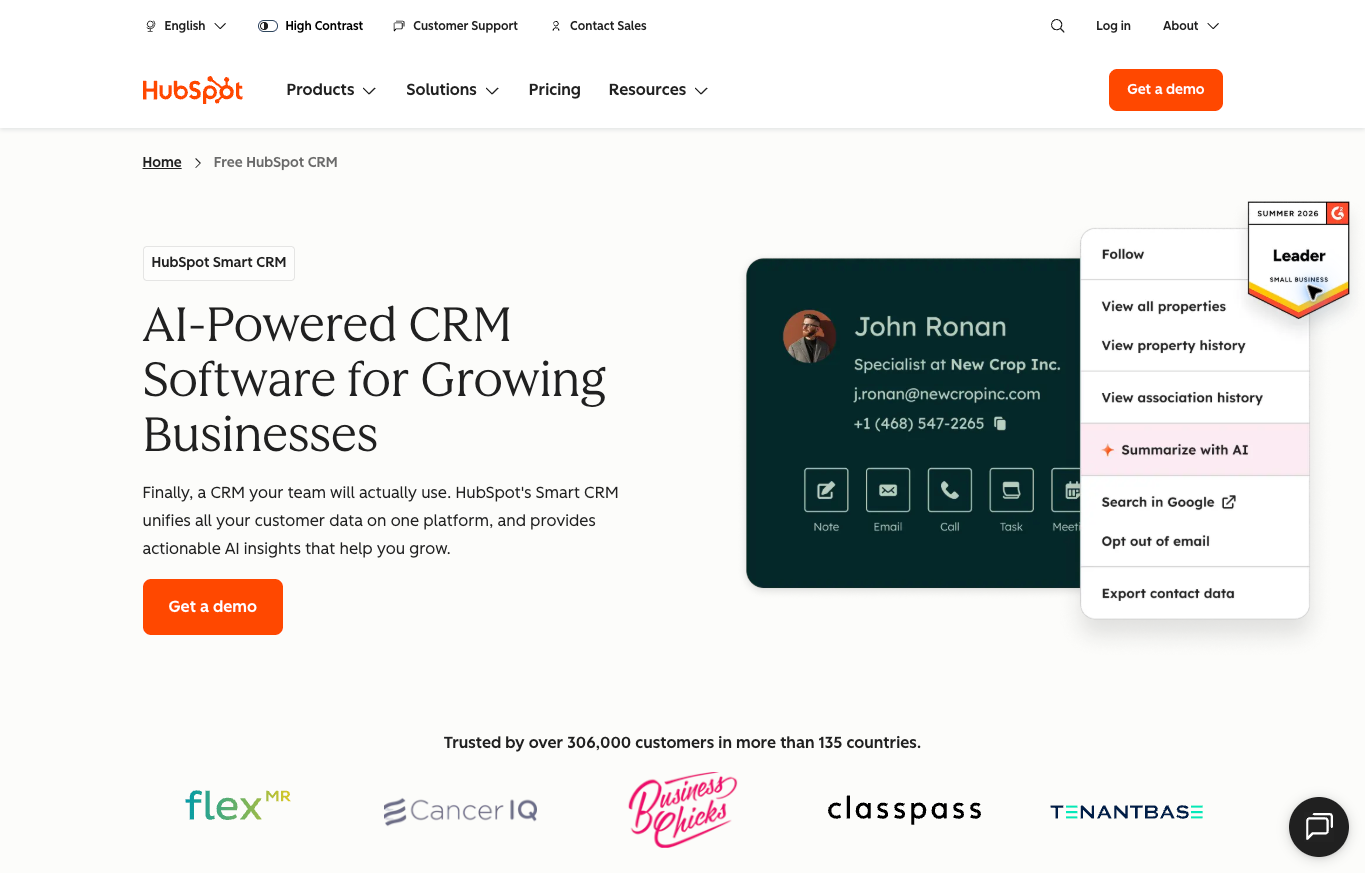
HubSpot is worth evaluating when you want shared customer context alongside a sales pipeline. Its public CRM page describes contact management, communication history, deals, tasks and pipeline management. Those functions provide a starting point for organizing conversations.
I would treat the free CRM as an entry point, not a promise that it includes the entire workflow you want. Write down the automation, reporting, users and connected data the team needs. Confirm which current product and plan provide them before calling the proposed setup free.
HubSpot also documents a Shopify Data Sync integration. The documentation separates two-way customer, company and product sync from one-way order and cart imports. Orders synced from Shopify cannot be changed back through HubSpot, and order or cart duplicates are not automatically merged.
There are other boundaries. Custom field mappings require Data Hub Starter, company sync requires Shopify Plus, and the documented integration does not support Shopify product variants or metafields. Installing it also adds HubSpot tracking code to the store automatically.
That makes installation a deliberate setup decision, not a harmless read-only switch. Review the data, permissions and store impact before connecting anything. I have not installed or validated that integration for this guide.
I would compare HubSpot’s current CRM options if customer context and deal ownership are your main problems. Keep the store as the authority for confirmed order details unless your actual operating design says otherwise. A connection being available is not proof that every record moves the way you expect.
2. Keap: quote-led follow-up with a required implementation commitment
Keap is another CRM candidate for a business that needs a more managed follow-up process. Its public feature description includes contact and company records, notes, tasks, custom fields, a sales pipeline, quotes and automation. That is a different job from an email-validation service or an address-enrichment tool.
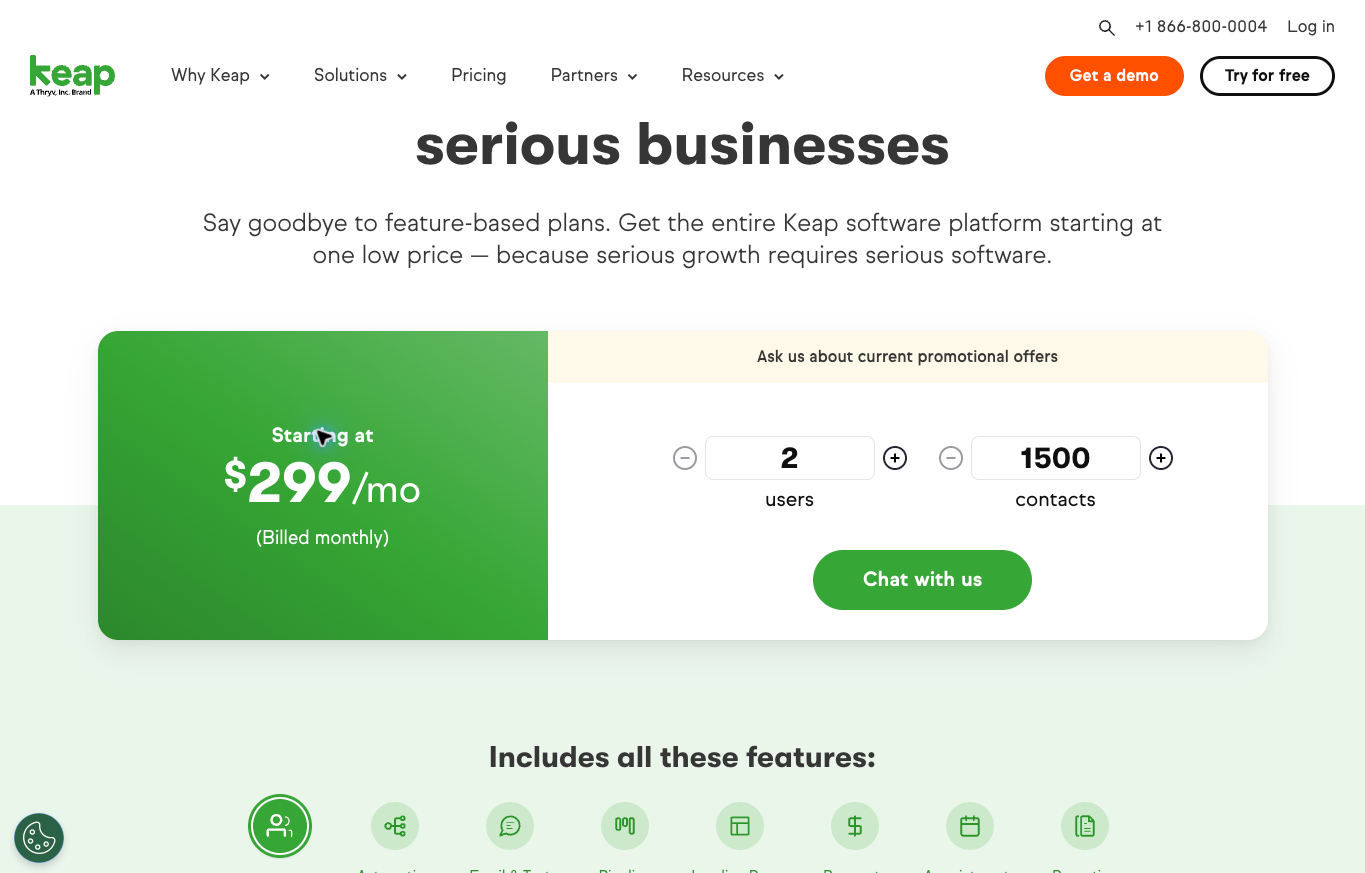
The actual pricing view inspected for this article showed $299 a month, explicitly billed monthly, with two users and 1,500 contacts. It separately stated that implementation services are required. I would request the full arrangement rather than treating the subscription number as the total cost of getting started.
For an ecommerce operator, I would investigate it when qualified inquiries and quotes need a clear next step. A repeatable follow-up process can be useful, but it does not establish stock availability, supplier approval or customer delivery. Keep those confirmations in the systems and relationships responsible for them.
Also confirm how it would connect to your actual store. A general integration capability does not demonstrate the fields, timing or direction of the connection you need. Avoid describing it as a drop-in Shopify replacement or an already tested order workflow.
The practical next step is to review Keap’s current CRM and implementation options against a written process. Ask what the required setup includes, what your team still owns and how ongoing changes are handled. A more guided implementation can be useful without being the right budget or scope for every store.
Choose a focused business before building a complex stack. Explore the free niches resource →
Define the record, owner and next action
I would start with a small set of information that helps the team act. What did the customer ask for? What is still unanswered? Who owns the next response? When is that response due? A useful record makes those points easy to find.
Do not create a field merely because the software allows it. If the team cannot explain how a value changes a decision, it may be unnecessary. Too many optional fields can turn record keeping into a chore that people stop doing.
Give each open opportunity one accountable owner. Other people can help, but someone should know whether the next customer message has been handled. Otherwise, shared visibility can still produce a situation where everyone assumes someone else replied.
Define what a stage means in ordinary language. Inquiry received, requirements clarified, quote sent and decision pending can be useful examples. They are hypothetical process labels, not the default stages of either provider or a universal sales prescription.
The stage should represent something that actually happened. A quote being drafted is not a quote delivered. A customer saying the project looks interesting is not a confirmed order. Keep the difference visible so the pipeline does not become an optimistic story.
Then attach the next action. Waiting for a decision may mean a follow-up on an agreed date. Waiting for a supplier answer means the team needs that answer before making a promise. A stage without an action can leave the same conversation parked indefinitely.
Keep fulfillment and sales follow-up separate
A CRM record can explain why a buyer needs the product. It should not invent the product’s availability, shipping arrangement or return terms. The team needs a clear source for those details before using them in a sales conversation.
If a customer asks about a delivery constraint, record the question and who is checking it. Do not let an unconfirmed estimate become a permanent field that another employee later repeats as fact. The record should preserve uncertainty, not hide it.
My supplier sourcing guide covers the commercial relationship behind the offer. Customer follow-up software does not replace an actual supplier agreement or the information required to sell the product accurately.
Supplier Paradise is another discovery resource I own. Use discovery to build a research list, then confirm the actual supplier terms. A directory listing does not become a delivery guarantee because someone copied it into the CRM.
Once an order is confirmed, define the handoff. Who checks the payment and order information? Where does fulfillment happen? Which team answers the buyer if the shipment changes? A tidy sales record is only part of that larger process.
I would also define how an operational exception comes back to the customer-facing team. A CRM can help preserve the conversation, but the people responsible for fulfillment still need an agreed way to report the problem. Otherwise, the salesperson may continue talking from outdated information.
Connect the customer process to the store foundation. Review the Ecommerce Paradise store build service →
Review integrations as operating changes
Before enabling a connection, make a simple record of what is supposed to move. Identify the source, destination and direction for each relevant type of information. Do not use the word sync as a substitute for those details.
Also decide what happens when a value changes in both systems. The team needs to understand which version should win and how an exception is handled. A connection can create more confusion if two people believe they each own the same field.
Plan for existing data. A store that has already imported historical records may face a different situation from a new account. Check how the proposed connection matches records before activating it, rather than assuming a second import will be harmless.
I would review permissions and tracking effects with the appropriate account owner. This article is not authorization to install an app, connect customer data or change access. Those actions need their own deliberate review in the real business.
Finally, define the evidence that would show the connection works. An appropriately authorized test should confirm the intended record, mapping and handoff. This guide describes that requirement; it does not claim either platform has passed a store-specific test.
Budget for the complete workflow
Compare the number of people, contacts and features you expect to use. A starter price may describe a smaller operation than yours. A free entry point can be valuable without proving that every required feature or seat is included.
Separate subscription costs from implementation, migration and maintenance. Someone still needs to define stages, prepare records, review templates and train the team. If an implementation provider handles part of that work, confirm the actual scope rather than assuming the word onboarding covers everything.
Here is a hypothetical budget, not a provider quote. Suppose software costs $300 a month, initial setup is $600 and internal preparation takes ten hours. The first month has $900 of direct software and setup costs before assigning any value to the team’s time.
That example does not show whether the project is worthwhile. To answer that, identify the problem the business needs to solve and how you will assess the result. Do not promise that automation pays for itself simply because it sounds efficient.
Also review the billing commitment and exit process. Monthly billing, an annual commitment and an advertised monthly equivalent are different arrangements. Check what happens to records and integrations if the business later changes direction.
The business foundation checklist is useful for organizing ownership and responsibilities. A CRM should belong to the business under clear access and billing arrangements, not depend on one employee’s undocumented personal login.
Keep consent and customer context distinct
A person asking about a product gives you a reason to handle that inquiry. It does not automatically establish permission for every future marketing message. Keep the purpose of the conversation separate from a newsletter or promotional automation.
I would record the source and purpose of the contact, then follow the applicable provider rules and requirements. A field marked marketing allowed is only useful if the business knows what it represents. Do not create a consent history after a complaint appears.
Limit access to the people who need the information. A customer note can be operationally useful without belonging in a public screenshot or a broadly shared document. Demonstrations should use appropriate sample records, not expose private customer details.
Keep internal observations factual. Write the unanswered requirement or promised next step rather than an unsupported judgment about the person. That makes the record more useful to another employee and reduces the chance of a casual comment becoming a misleading business fact.
This is a practical operating approach, not a complete legal or security checklist. The business still needs qualified review where appropriate. A platform offering access controls does not mean every configuration is safe or every message is permitted.
Walk through one hypothetical high-ticket inquiry
Suppose a contractor asks your store for equipment for a new project. This is an illustrative scenario, not a client result or an account test. The first useful record captures the request and the person responsible for responding.
The next step might be clarifying the quantity, specifications and delivery constraints. Keep unanswered points visible. Do not send a quote based on assumptions simply to move the opportunity to another stage.
Once the necessary information is confirmed, the team can prepare the proposed offer. Record the version and what was actually sent. If the customer changes a requirement, retain the context instead of making an old quote look like the current arrangement.
A follow-up should match the conversation. If the buyer said a decision would happen next week, record that timing rather than enrolling the person in a generic daily sales sequence. The software supports the agreed next action; it does not replace judgment.
If the opportunity becomes an order, move into the defined fulfillment handoff. If it does not, record the actual outcome and any permitted next step. A closed opportunity is not a failed system merely because the customer chose another route.
That walkthrough gives you something concrete to evaluate in a CRM demonstration. Can the proposed setup keep the owner, requirements, quote version and next action understandable? Ask that before being impressed by another dashboard.
Learn the model before adding more software. Explore the Ecommerce Paradise masterclass →
Plan a controlled migration and team handoff
Before moving records, identify what needs to come with them. Contact details, notes, open opportunities, owners and relevant permission records serve different purposes. An address export alone is not a complete sales-process migration.
I would preserve a recoverable copy of the relevant records and settings. Agree on a transition owner and a clear point when the team begins using the new system. Avoid leaving two competing places where an employee might update the same opportunity.
Review the process with the people who will actually use it. They should know where a new inquiry goes, how ownership changes and what to do when information is missing. A system can be technically available while the operating handoff remains incomplete.
Use appropriately authorized validation before relying on an important workflow. Check the intended records, notifications and customer-facing messages. Do not activate a large collection of automations without understanding what each one sends and to whom.
Keep the first version manageable. A small, clear pipeline gives the team a process it can review and improve. Add stages and automation when they answer a real need, not because the product lets you create them.
Then set a review point. Ask whether the team can find the next action and whether important conversations are being handed off correctly. Those observations are more useful than claiming success from the number of fields or automations created.
How I would choose the best CRM software for ecommerce
I would choose by the customer process first. HubSpot is a direction to investigate when shared records and store context matter. Keap is another direction for a business prepared to evaluate a more guided quote and follow-up implementation.
Neither option removes the need to define responsibilities, verify integrations or understand total costs. Keep the critical unknowns on hold. A polished demonstration is not the same as a confirmed operating arrangement for your store.
If you are still choosing the business category, my high-ticket niches list gives you a starting point. Choosing a CRM before the business has a clear audience and sales process is usually putting the software ahead of the decision.
The next useful step is a one-page workflow: how an inquiry arrives, who owns it, what information is needed and what happens after a quote. Compare the current platform and implementation options against that page. You should be able to explain why the chosen setup helps.
Frequently asked questions
Does every ecommerce store need a separate CRM?
No. Identify the actual customer-follow-up problem first. Inventory, shipping or fulfillment issues may belong in a different system or process.
Is HubSpot’s free CRM the same as a complete ecommerce setup?
No. HubSpot has a free entry point, but the required features, seats and integrations need plan-specific review.
Can I change Shopify orders from HubSpot’s documented data sync?
The inspected documentation says Shopify orders sync one way into HubSpot and cannot be changed back there. Review each object’s actual behavior before enabling a connection.
Is Keap’s displayed subscription the entire implementation cost?
No. The inspected pricing page separately states that implementation services are required. Get the actual scope and full quote before committing.
Should I automate every customer follow-up immediately?
No. Define the purpose, owner, timing and permitted message first. Validate the actual workflow before relying on it, and keep uncertain cases under review.
Need help connecting the tools to a clear operating plan? Explore Ecommerce Paradise coaching →
Related guides
The ecommerce platform comparison covers the storefront foundation.
My live chat comparison looks at another way customer conversations begin.
Read the business phone guide when calls are part of the sales process.
The virtual assistant hiring guide helps define a role before delegating administration.
My HubSpot solo-consultant guide covers a different customer-process use case.

Trevor Fenner is the founder of Ecommerce Paradise. His main projects are Ecommerce Paradise, Supplier Paradise, and Review Paradise, which is currently in development. TrevorFenner.com publishes research-based reviews and practical guides to online business tools and remote-work services, with clear affiliate disclosures.