

The best WordPress membership plugin fits your access rules, payment arrangement and ability to maintain the site. I would decide what members receive before choosing the software. A recurring library, scheduled course and store discount program create different requirements.
My shortlist is MemberPress, Paid Memberships Pro and WooCommerce Memberships. These are WordPress options. Hosted course and community platforms belong in a separate comparison. Choosing a hosted service changes who operates the infrastructure, rather than adding another plugin to your site.
This guide compares current public product, pricing and support information. No plugins were installed, payments collected or member records migrated for the article. The provider images show public hosting and business-email pages, rather than a membership installation or performance test.
Disclosure: qualifying purchases through infrastructure affiliate links provide compensation. I own Ecommerce Paradise and Supplier Paradise. The three membership plugins are discussed without merchant links because exact product affiliate destinations were not verified.
Choose the access and billing arrangement
| Plugin | Direction to investigate | Costs and limits to check |
|---|---|---|
| MemberPress | Membership rules with plan-dependent course and community features | Introductory versus renewal price, Launch payment fee and required tier |
| Paid Memberships Pro | Open-source self-hosted core with optional paid support and services | License scope, Stripe connection fee exemptions and hosting arrangement |
| WooCommerce Memberships | Member content, products and discounts inside a WooCommerce store | Membership extension plus separate recurring-billing or team extensions |
Use the comparison to narrow the type of setup. Then write down the required behavior for access, payments and support. Choosing the lowest license price before defining those requirements often creates another software purchase later.
MemberPress
MemberPress is a candidate when you want membership access and course features within WordPress. Its public pricing uses Launch, Growth and Scale. Older comparisons using Basic, Plus and Pro describe a different plan structure.
The researched annual introductory prices are $199.50, $349.50 and $499.50, with listed normal prices of $399, $699 and $999 respectively. The pricing page states annual renewals use full price. Confirm the current displayed offer before purchasing.
Launch lists a 4.9% transaction fee and Stripe as its payment option. Growth and Scale remove the MemberPress transaction fee. Processor charges remain separate. Additional gateways, content dripping and community capabilities depend on the selected tier.
I would list the specific features you need before comparing prices. A library with immediate access differs from scheduled lessons and discussion groups. Review the required tier and compatibility for your existing theme and extensions. Public feature descriptions do not establish a working configuration on your site.
Paid Memberships Pro
Paid Memberships Pro offers a free self-hosted core alongside paid services. Standard is listed at $49 monthly or $499 annually for a one-site license with premium add-ons and support. Max is a separate hosted-service direction, rather than another name for the self-hosted license.
The free core still requires hosting, configuration and maintenance. I would compare the complete arrangement instead of treating a free download as a free website. Identify the add-ons and level of support needed for your proposed access rules.
The Stripe documentation describes an additional 2% application fee for Stripe Connect sites without an active paid license successfully validated on the site. The documentation also exempts sites authenticating with their own API keys. Processor and applicable billing charges are separate. Review the current arrangement with the provider before changing a working payment connection.
Open-source availability provides a different starting point from a bundled paid toolkit. The choice depends on your requirements and maintenance capacity. Neither a paid license nor a free core proves your restrictions, checkout or message delivery have been tested.
WooCommerce Memberships
WooCommerce Memberships fits a comparison when member access belongs inside an existing WooCommerce store. Its public product page describes content restriction, member product access and discounts. The US-dollar view showed US$199 for one year on October 15, 2026. Localized currencies and multi-year offers differ. Confirm the selected currency, term and current price.
Membership access and recurring billing are different functions. Price the separate WooCommerce Subscriptions extension when the intended membership requires recurring payments. Team or group access involves another scope check and potentially a separately purchased extension.
I would use this direction when the store and member benefits belong together. A plugin supporting store-connected access does not mean every third-party gateway, theme or extension works with your configuration. Review current requirements and test the combination before relying on live payments.
Record the intended membership length separately from the billing schedule. The subscription integration and chosen access rules determine behavior after a subscription ends. Avoid promising a particular cancellation outcome without checking the selected configuration.
Write the member promise before configuring access
Describe what someone receives immediately after joining. Include content, discounts, events or support only when your business is ready to deliver them. Write the exclusions clearly. The software controls access to an offer, while your business still delivers the offer.
Start with a manageable first version. One clear membership level is easier to explain than overlapping tiers with slightly different permissions. Add another level when a distinct audience need or delivery arrangement supports the extra work.
Specify what arrives later and why. A weekly lesson schedule needs a release process and someone producing the next lesson. A member discount needs a confirmed arrangement for pricing and fulfillment. Access rules alone do not settle those responsibilities.
Assign an owner for maintaining the content and responding to member questions. Budget the recurring work alongside software charges. A membership sold every month requires a reason for members to continue, plus a practical way to deliver the promised value.
Separate payment timing from access length
A one-time purchase for a fixed access period differs from recurring payments supporting ongoing access. A payment plan creates another arrangement. Write the intended behavior before configuring pricing, rather than expecting the plugin’s default settings to match your promise.
For an original hypothetical example, a six-month library pass ends on the stated date after one purchase. A monthly membership follows its agreed billing and access rules. Neither example proves how a particular plugin has been configured.
Review renewals, cancellations, expired access and failed payments as separate situations. Decide which messages the member receives and what access follows each event. The sales page, checkout wording and account area should describe the same terms.
A refund does not necessarily mean every related subscription or permission changes automatically. Verify the selected system’s behavior in an authorized test environment. Keep a record of the expected result for each scenario before handling paying members.
Budget licenses, fees and ongoing work separately
Create distinct lines for the plugin license, required extensions, hosting, application fees, processor charges and maintenance. A discount on the initial license does not remove the other costs. Record whether each charge repeats monthly, annually or per transaction.
Here is an original hypothetical calculation, not a provider quote. A 3% platform fee on $1,000 in monthly collected payments equals $30 before processor charges. A $200 annual license averages about $16.67 monthly for budgeting, although the payment still follows its annual term.
Those assumed figures illustrate the comparison. Replace them with your actual plan and payment terms. Review the first year and renewal year independently, including site limits and paid add-ons required by the offer.
Lower software costs do not establish a profitable membership. Content production, support, acquisition, refunds and overhead still affect the business. Avoid treating the difference between collected payments and plugin charges as net income.
Keep course and community requirements distinct
A membership defines an access arrangement. A course adds a learning sequence, while a community adds interactions between people. A single product supports several functions in some plans, but each required function deserves its own check.
If the offer needs assessments or scheduled lessons, review those course features in the selected tier. If the offer needs discussions or member profiles, review those separately. A login page does not prove a complete learning or community experience.
I would avoid adding a forum because the software includes one. Moderation takes time, and members need a reason to participate. A useful paid library does not automatically benefit from another place where unanswered questions accumulate.
Hosted services are a separate alternative for someone who does not want to operate WordPress. Compare control, data access, payment arrangements and maintenance responsibilities. My online-course platforms guide explores another delivery direction.
Choose hosting for the member workload
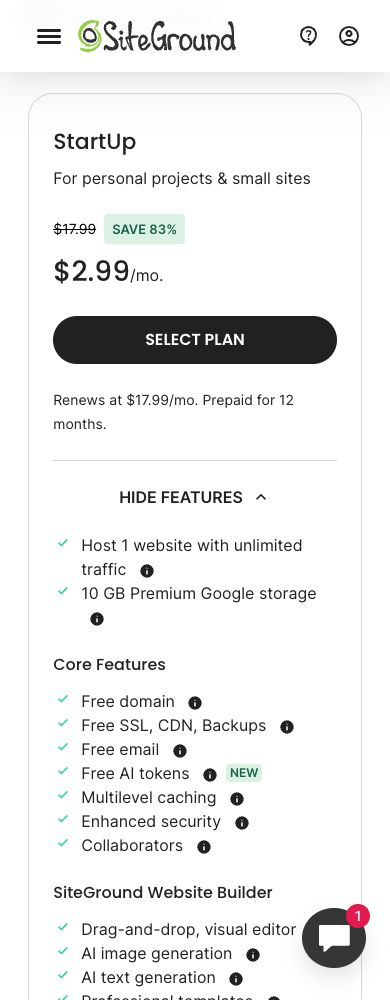
A self-hosted membership plugin requires a WordPress installation and hosting suited to the workload. Logged-in visitors, account requests and protected content differ from a mostly public blog. Describe the proposed activity to the hosting provider before choosing a plan.
SiteGround is one infrastructure option to evaluate separately from the plugin. Review resources, renewal charges, backups and support scope. Its public plan page does not prove a particular membership configuration supports unlimited simultaneous visitors.
Tell the provider which plugin, billing extensions and delivery services you intend to use. Ask about the maintenance and monitoring arrangements. Keep a written record of the configuration instead of relying on a general hosting recommendation.
A plugin’s unlimited-member allowance is different from server capacity. Your actual site still needs proportionate testing. Review video delivery and large downloads separately, since those assets create another workload and access-control question.
Verify restrictions in an authorized test environment
List public content and restricted content before testing. Check the expected result for a logged-out visitor, an active member and someone whose access has ended. These are steps for your setup, not tests performed for this article.
Include direct file links and externally hosted assets. Restricting a page does not necessarily restrict the download or video embedded on the page. Confirm the actual asset’s access mechanism with the people responsible for the implementation.
Review caching for logged-in and restricted content. A fast page is not a successful result if another visitor receives the wrong content. Keep security protections intact while resolving compatibility issues. An apparent workaround does not establish a safe configuration.
For valuable or sensitive material, obtain an appropriate technical review. A general product comparison does not certify your member area. Record the test accounts, expected results and issues needing resolution before approving a launch.
Check the member journey on desktop and phone
Follow the public offer, registration, login and first useful action. A new member should understand where the promised material lives. Use clear navigation and a simple account route instead of expecting people to search through unrelated menus.
Keep the first dashboard focused on available content and account tasks. A page crowded with widgets adds work without necessarily helping members. Review the journey with someone unfamiliar with the site and note where instructions are missing.
Check the phone layout separately. Long tables, payment forms and member navigation need enough room for reading and interaction. A responsive theme does not prove every embedded service or extension produces a usable checkout.
Include password recovery, billing information and support contact details in the review. Decide which team member handles each request. Clear account communication matters after the initial sale, especially when a member needs help using the offer.
Separate business correspondence from automated messages
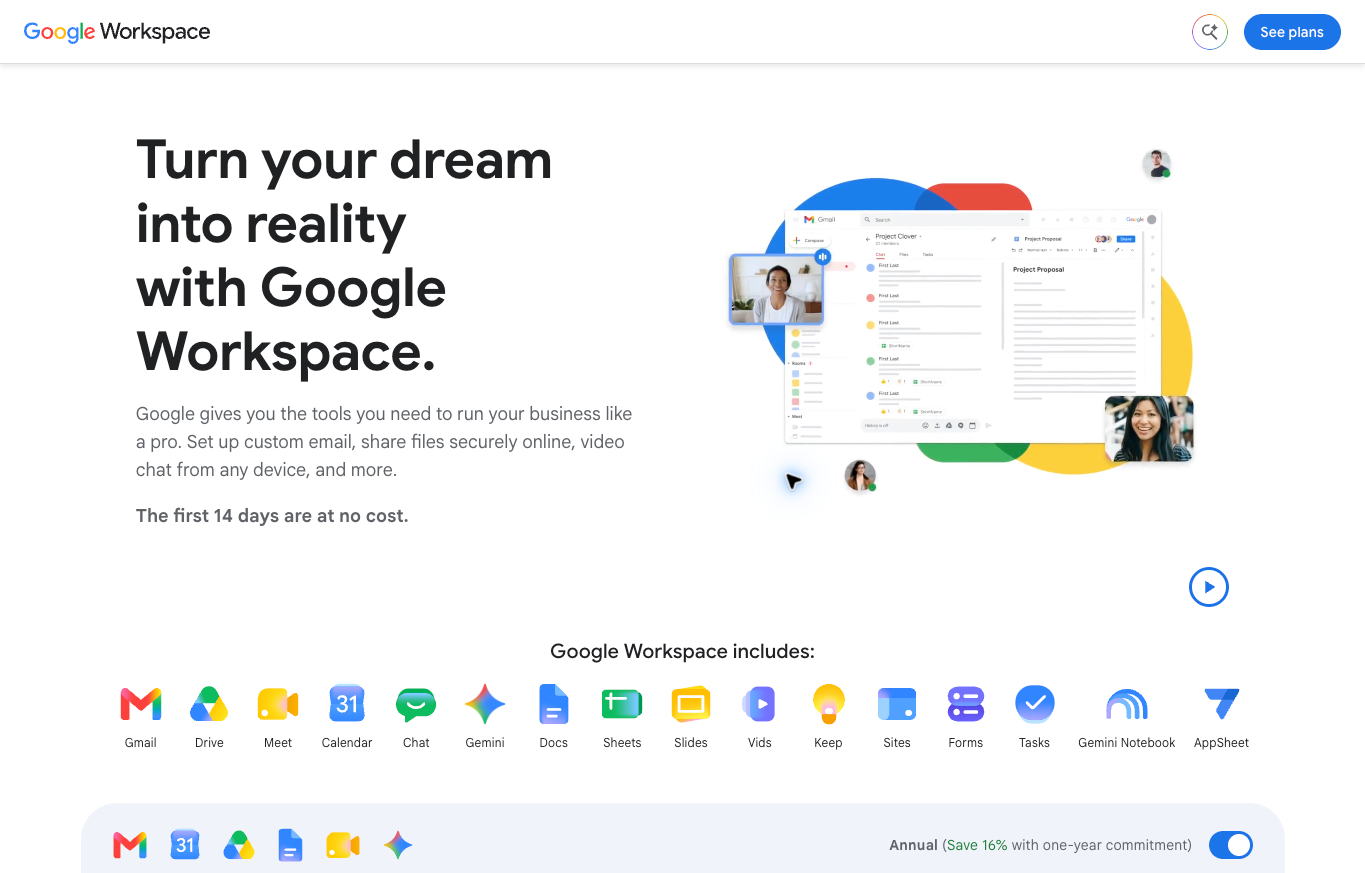
Members need a reliable route for contacting your business. Decide who reads replies and assigns follow-up work. A shared address without a responsible owner creates another place for unanswered requests.
Google Workspace is one option for domain-based correspondence and collaboration. Ordinary business mail is separate from the service delivering WordPress password resets, payment notices and automated account messages.
Document the transactional sender and the inbox handling human replies. A business mailbox purchase does not configure every message a plugin sends. Verify the delivery arrangement and authentication appropriate to the selected services.
Keep member information out of public demonstrations and unnecessary shared documents. Give team members access suited to their responsibilities. Provider screenshots illustrate public services, rather than proving your own messages have reached an inbox.
Plan migration beyond a member list
A member CSV does not automatically move passwords, payments, permissions and content. List each type of information and determine how the destination handles the transfer. Separate account records from ongoing billing authorizations.
WooCommerce Memberships’ import and export documentation explicitly limits its described CSV methods to user memberships. Those methods do not create or export recurring billing subscriptions. A membership record alone does not transfer a payment mandate.
Review a migration with the plugin and payment providers before changing a live system. Agree on the transition sequence and confirm how existing subscriptions will be handled. Avoid duplicate charges and accidental loss of access.
Verify the results against the original records and retain an appropriate recovery plan. Keep private information in authorized systems. No real member data was exported, imported or transferred for this comparison.
Assign maintenance before launching
Name the person handling updates, backups and incidents. A license providing software updates does not establish when changes should reach your production site. Use a suitable test environment for changes affecting billing or access.
Keep an inventory of the theme, membership plugin and important extensions. Record why each component exists and who maintains the relevant integration. This makes a failure easier to investigate than an unexplained collection of old add-ons.
Make the backup and restore process concrete. A hosting feature list does not prove your own site has been restored successfully. Agree on the recovery procedure and the records needed to reconcile billing and membership access afterward.
Budget ongoing support and content updates. The simplest setup meeting your requirements is a better starting point than a complex arrangement without an owner. Expand after you understand the operating work and have evidence supporting another feature.
Connect the offer to the business foundation
The high-ticket dropshipping guide explains the retail model I teach. A content membership is a different offer. Review the audience and delivery requirements before expecting a store and recurring educational product to need identical tools.
Use the high-ticket niches list to organize category research. Understand the buyer’s problem before deciding a subscription is the right delivery format. Recurring charges require a clear ongoing offer.
If member benefits include products, use the supplier research guide to review the commercial arrangement. Confirm discounts, availability and fulfillment before including them in your promise.
Supplier Paradise supports supplier discovery. A listed candidate is not a confirmed member discount or delivery agreement. Verify the proposed relationship directly.
The business foundation guide covers broader ownership and administration. Appropriate professional advice remains separate from installing software. For guidance on the retail operating plan, review Ecommerce Paradise coaching.
Questions about membership plugins
Are hosted course platforms WordPress plugins?
No. A hosted service operates a different infrastructure arrangement. Compare hosted options separately rather than treating every course or community product as a plugin installed into WordPress.
Does a free plugin provide a free website?
No. Hosting, configuration, maintenance and applicable payment charges still require review. Price the complete setup, including required add-ons and support.
Does WooCommerce Memberships include recurring billing alone?
Review the separate WooCommerce Subscriptions arrangement when recurring membership payments are required. Membership access and the billing schedule need compatible rules.
Does zero platform transaction fee remove processing costs?
No. Processor and other applicable payment charges remain separate. Check the selected gateway and current country-specific terms before budgeting.
Were the plugins tested on a live member site?
No. This article compares public information. Your authorized installation needs its own access, billing, delivery and usability verification.
Related website guides
- Online-course platforms
- Business email providers
- Domain registrar comparison
- SiteGround backups and caching
- Webinar platforms

Trevor Fenner is the founder of Ecommerce Paradise. His main projects are Ecommerce Paradise, Supplier Paradise, and Review Paradise, which is currently in development. TrevorFenner.com publishes research-based reviews and practical guides to online business tools and remote-work services, with clear affiliate disclosures.