

The best business email providers fit the people answering messages and the work they need to do. Start with the inbox, team access and ongoing cost rather than the number of addresses advertised.
A named account, a role alias and a shared workflow solve different problems. Choose the actual arrangement you need before paying for several accounts or routing important messages into an inbox nobody monitors.
This guide compares Google Workspace, Microsoft 365, Zoho Mail and email included with SiteGround hosting. The shortlist covers collaboration suites, a mail-focused option and email bundled with web hosting.
Google’s provider capture dates from October 13, 2026. The replacement SiteGround capture dates from October 15, 2026. Google’s illustration is public marketing, not a private inbox. SiteGround’s screenshot documents a hosting offer, not a mail-delivery experiment.
At Ecommerce Paradise, I treat customer and supplier communication as part of running the business. An address matters when somebody owns the conversation and follows through.
Disclosure: I receive compensation when a qualifying affiliate referral earns a commission, without adding to your purchase price. I own Ecommerce Paradise and Supplier Paradise. No mailbox, migration, DNS or deliverability test was performed for this article.
Compare the inbox and the surrounding work
| Option | Starting point | Check before choosing |
|---|---|---|
| Google Workspace | Custom-domain Gmail with collaboration tools | User licenses, pooled storage, commitment and team workflow |
| Microsoft 365 | Business email in a Microsoft-oriented setup | Business tier, desktop apps, Teams and Copilot inclusion |
| Zoho Mail | A mail-focused plan comparison | Data-center eligibility, client protocols and mailbox allowance |
| SiteGround | Ordinary business email included with web hosting | Hosting renewal, email-specific limits and website independence |
Choose the service around your actual inbox and administration needs. A large collaboration bundle deserves a separate spending decision when all you need is a straightforward mailbox.
1. Google Workspace for custom-domain Gmail
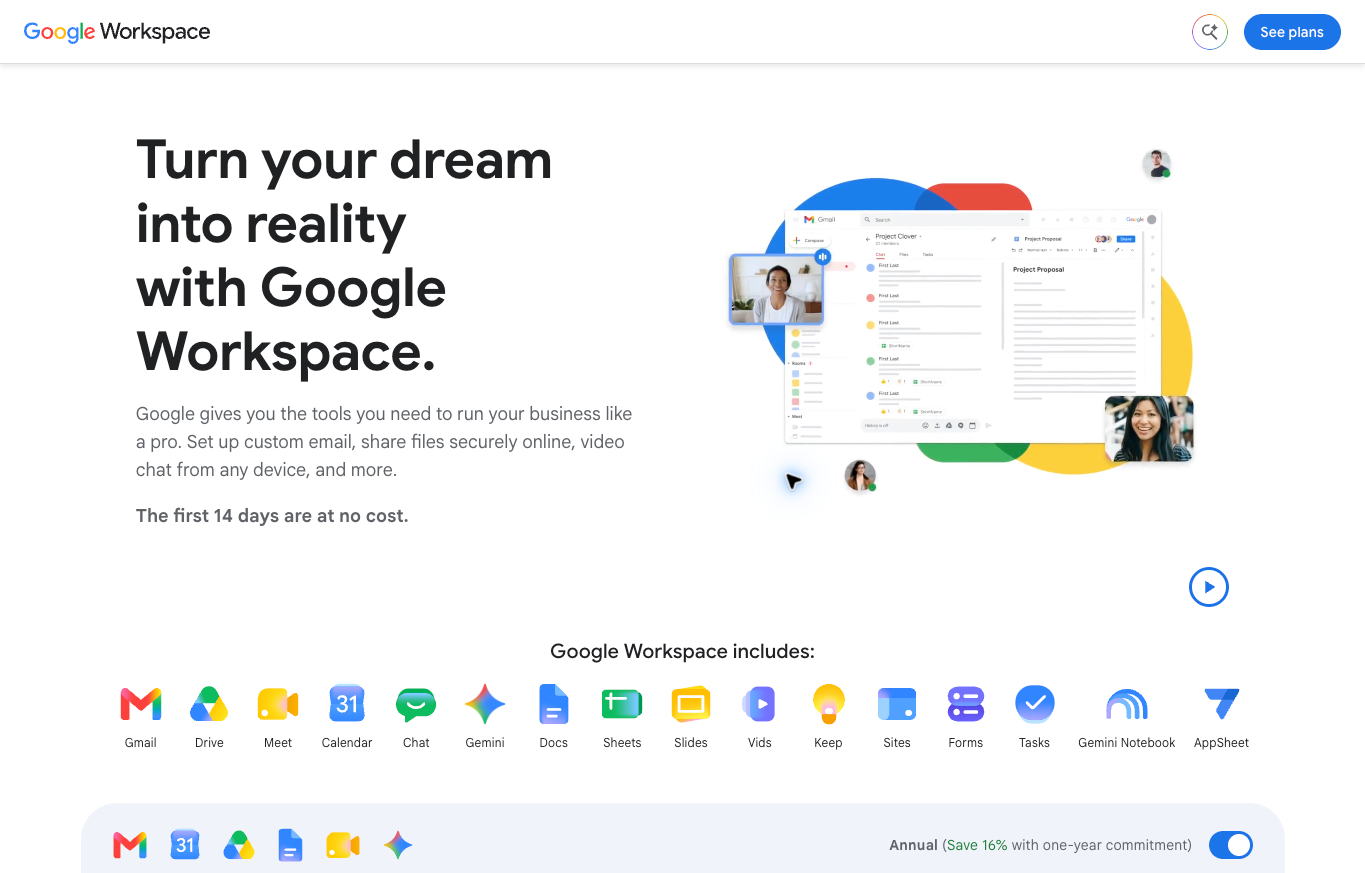
Google Workspace belongs on the shortlist when your work fits Gmail and Google’s collaboration tools. Review the actual business tier, user count and billing commitment.
Current Business Starter, Standard and Plus descriptions list 30 GB, 2 TB and 5 TB pooled storage per user respectively. Pooled organization storage is different from a standalone mailbox allowance. Read how your selected plan shares storage before comparing the figures.
Pricing depends on the selected region, currency and commitment. I am not presenting a regional introductory display as a universal US quote. Compare the actual renewal and license conditions shown for your organization.
The dated referral image introduces the public offering. No private Gmail account, collaboration workflow or delivery result was inspected. My choice would start with the people needing accounts and the tools they already use.
2. Microsoft 365 for a Microsoft-oriented business
Microsoft 365 is an unlinked comparison option when your team works with Outlook and Microsoft applications. Compare the actual business product rather than assuming a Personal or Family subscription supplies the same organization features.
The current business comparison distinguishes Business Basic’s web and mobile applications from Business Standard’s desktop, web and mobile applications. Business Premium adds further device and security-management scope. Those differences deserve a decision tied to the actual work.
The page also distinguishes offers with and without Teams or Copilot. Monthly payment is not necessarily a monthly commitment. Microsoft lists monthly commitment, annual commitment paid monthly and annual commitment paid yearly as separate arrangements.
Before purchasing, match the order summary to the plan you selected. Check the subscription name, included applications and renewal arrangement. No tenant, shared mailbox, desktop application or security feature was tested for this guide. The public comparison describes available features, not a particular team’s configuration.
3. Zoho Mail for a mail-focused comparison
Zoho Mail is an unlinked option when you want to compare email-focused products separately from a larger collaboration suite. Check the actual Mail plan rather than assuming every Zoho product includes the same email features.
The current free-plan description lists one domain, up to five users and 5 GB of mail storage per user. Availability is limited to select data centers. IMAP, POP and ActiveSync are excluded from this free plan.
Mail Lite lists 5 GB and 10 GB mailbox options with annual billing and no monthly plan. Confirm the selected product and protocol support rather than applying a Workplace bundle’s allowances to every mail offering.
Start with the mail client and access pattern you need. A free plan is a poor fit when a required protocol is excluded. No account was created and no synchronization or mailbox migration was tested here.
4. SiteGround for email included with hosting
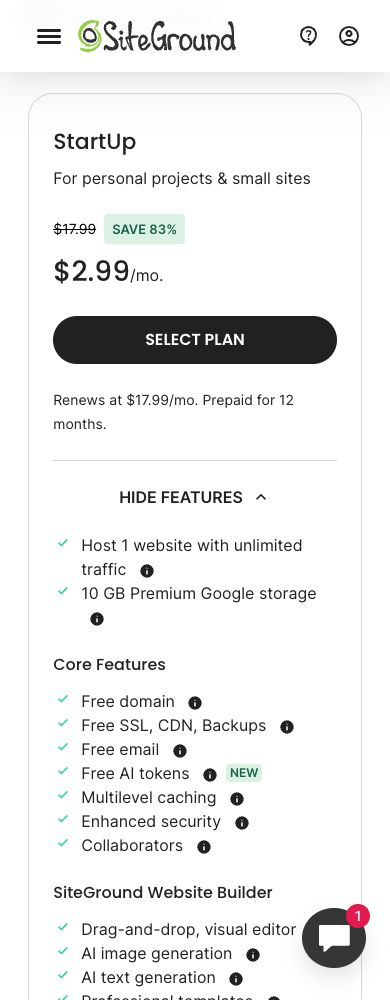
SiteGround describes business email included with its web-hosting plans. The public page lists custom-domain accounts, webmail and access through mail clients or mobile devices.
The current StartUp offer shows $2.99 per month with twelve-month prepayment and renewal at $17.99 per month. This is a hosting purchase with included email, not a standalone mailbox subscription. Check the applicable currency, tax and actual checkout terms.
The October 15 SiteGround capture records the displayed hosting offer. Introductory and renewal rates differ. Unlimited account count does not establish unlimited storage or sending, so confirm the email-specific limits before choosing this route.
I would compare included email when the hosting arrangement already fits the business. Do not move a working website solely to obtain an inbox without reviewing the migration and ongoing cost. No hosting account or mail configuration was tested.
Count people separately from addresses
List the people who need their own accounts and the roles you want customers to recognize. One person handling sales and support does not automatically need two separate paid accounts. A team needing independent access needs a different arrangement.
An alias is another address routing to an existing account. Google’s current guidance allows up to thirty aliases per user at no additional cost. The alias does not create a separate Google Account or a separate sign-in.
Google describes an alias routing into one user’s primary inbox. A multi-person conversation needs an appropriate delegation or shared-inbox arrangement, not an assumption an extra address supplies assignment, accountability and separate access.
Write down who receives each role address and how replies are handled. A support address routed to a personal account without an owner creates confusion when another person joins the business.
Before expanding, review the actual provider’s features and license conditions for the workflow you need. Do not apply Google’s alias allowance to another service or assume a forwarding address supports every collaboration feature.
Choose an address people recognize
For direct professional conversations, a real person’s name provides a clear starting point. Use a consistent sender name and signature so the recipient understands who is writing and which business the message concerns.
Role addresses such as sales or support are useful when the responsibility belongs to the business rather than one individual. Create the address around a real workflow. An impressive-sounding department name adds little when nobody owns the conversation.
Keep the contact address easy to read and type. Avoid changing an established address merely because you have thought of a different label. Review the effect on existing conversations, supplier records and contact forms before any change.
Review the From and Reply-To fields in a representative conversation. Send from the intended role address and check which address receives the reply. An alias receiving messages and an alias used for outgoing replies are separate checks. Complete both before publishing the contact details widely.
A business-domain address identifies your organization. The quality of the conversation still depends on a relevant message, accurate information and follow-through. A custom domain is not permission to send indiscriminate outreach.
Compare licenses, commitment and renewal
Write down user count, billing frequency, commitment period and renewal amount. Keep the license decision tied to the people needing access. Several role addresses do not necessarily equal several users, while several people often require separate access decisions.
A plan paid monthly under an annual commitment is different from a month-to-month plan. Read the cancellation and user-reduction conditions before accepting the contract. Record the accepted arrangement rather than relying on a headline monthly figure.
Here is an original hypothetical budget example, not a provider quote. Three users at $8 per user per month cost $24 monthly, or $288 across twelve months before tax. Six users at the same rate cost $48 monthly.
The example illustrates the license count, not your provider’s actual bill. Add required services and expected renewal costs. Keep optional AI or collaboration features outside the comparison until the business has a specific use for them.
For hosting-included email, record the full hosting renewal alongside any separate email charges. Compare the first term with the renewal term over the same number of months. Include the website hosting you would otherwise purchase, so the comparison reflects the whole arrangement rather than the introductory headline price.
Keep storage categories separate
Record mailbox storage, shared organization storage and website disk space in separate columns. Compare mailbox quotas with mailbox quotas. For a pooled plan, list the services sharing the allowance and the number of users contributing storage. A larger combined figure is not a larger dedicated mailbox quota.
Review attachment limits, retention requirements and the way your team handles large files. Sending the same document repeatedly creates a different storage pattern from sharing an appropriately controlled file reference.
Keep retention and deletion decisions tied to your actual obligations and business process. A full inbox is not a reason to remove important order records without reviewing what needs to be kept.
Before a migration, inventory the mail volume, folders and archives in each account. List the messages requiring retention and identify material stored outside the inbox. Confirm which records the transfer process includes, which require a separate step and who will check the destination against the inventory.
Your website and email are separate services
A domain, website host and mail provider perform different jobs. Your website’s location does not automatically decide which service should receive your mail. Choose each arrangement around the actual requirements and the cost of maintaining the setup.
Document the registrar, DNS manager, website host and mail service. Identify the person responsible for each account. A website move needs an explicit review of mail routing rather than an assumption every service moves together.
Do not replace working DNS records from a generic tutorial. The records need to reflect the actual authorized services and provider instructions. A change affecting mail deserves an approved plan and verification by the responsible administrator.
My domain registrars comparison covers the domain-registration decision. Keep ownership and renewal records clear even when another person handles the website or inbox.
Authentication supports delivery, not a guarantee
SPF identifies authorized sending services for a domain. DKIM supplies a message signature checked by the receiving service. DMARC evaluates aligned authentication and the domain’s handling policy. Review these components for the actual sending arrangement.
Google’s current personal-Gmail guidance requires SPF or DKIM for all senders, with additional requirements for bulk senders. The bulk requirements include SPF, DKIM and DMARC. Google recommends all three generally. Authentication alone does not establish inbox placement.
Keep every legitimate sender in the review, including website notifications and marketing services. An inbox provider’s setup does not automatically cover another service sending on the same domain. Follow the actual provider’s current instructions.
Google’s rollout guidance starts with monitoring before stricter DMARC enforcement. Review reports and resolve legitimate authentication problems before increasing enforcement. This article does not prescribe a universal record or establish your domain’s current state.
For an actual delivery problem, inspect the failed message, headers and relevant provider logs through an authorized process. A public screenshot supplies no evidence of your reputation, routing or authentication results.
Separate direct conversations from email campaigns
A working business inbox handles direct conversations. A newsletter or automated marketing workflow has additional requirements for subscriber records, consent, suppression and unsubscribe handling. Do not treat a mailbox allowance as approval for a campaign.
Use a relevant message and an accurate sender identity. Avoid misleading reply prefixes or claims of a relationship you do not have. Sending more messages does not improve a poorly matched outreach request.
My affiliate email-marketing comparison covers a separate platform decision. Check the provider’s content policy before building a campaign around affiliate offers.
For organizing business conversations, review the ecommerce CRM comparison. A CRM helps organize a process, but the actual message and recipient relationship still need attention.
Plan a migration before changing routing
Inventory the accounts, aliases, groups and integrations before the move. Identify existing archives and messages requiring retention. A migration plan starts with the current arrangement rather than the new provider’s signup page.
Define who handles the transfer, routing change and verification. Keep the old service available for the agreed transition instead of canceling immediately after creating the new accounts. Confirm the provider’s actual migration procedure.
After the routing change, check incoming mail, outgoing replies, aliases and the devices your team uses. Record the result for each address and workflow. Domain verification confirms one setup step. Continue checking the conversation routes your business depends on before treating the migration as finished.
Update contact forms, notifications and relevant business accounts only through an authorized change process. Preserve important records and have a defined response if messages stop arriving. This comparison made no changes to an existing inbox or DNS zone.
Document the current administrator and the approved recovery process. Keep ownership with the business when a contractor handles routine setup. Before a team member leaves, assign responsibility for ongoing conversations and records through the approved account process. A role address needs continuity even when the person answering changes.
For a shared workflow, agree on how messages are assigned and marked complete. Receiving a message is different from resolving the customer’s request. Keep the next action and responsible person visible to the team.
Connect communication with the store’s operating process
Begin with the high-ticket dropshipping overview when learning the retail model. Customer questions, supplier coordination and order exceptions need clear ownership regardless of the inbox provider.
The high-ticket niches list supports category research. Keep your supplier questions specific to the product and customer need instead of sending a generic request across unrelated industries.
Follow the high-ticket supplier research guide for dealer-recruiting work. Record authorization, shipping and warranty terms from the actual supplier rather than treating a friendly reply as an agreement.
Supplier Paradise is an owned research resource. Verify each lead and keep the relevant operating contacts with your records. A lead still needs a confirmed relationship before you make customer promises.
The business formation guide adds setup context. Keep account ownership and responsibilities clear alongside the other business records.
If you need help defining the next task, review Ecommerce Paradise coaching. Confirm the actual scope before purchasing. Coaching is separate from a provider subscription or a technical mail configuration.
Choose the workflow you will maintain
For a Google-oriented business, compare the actual Workspace license and team arrangement. For a Microsoft-oriented team, compare the precise business plan. For mail-focused requirements, review Zoho Mail’s eligibility and protocol limits. For included hosting email, review SiteGround’s renewal and email-specific allowances.
My productivity software comparison covers the broader tool decision. Buy the collaboration features you need rather than assuming every inbox should come with another large bundle.
The virtual assistant websites guide adds context for delegating work. Define the conversation owner and access boundaries before giving another person responsibility for your inbox.
Before subscribing, write down the selected plan, account owners, role addresses, renewal amount and migration responsibilities. Use those notes during setup and keep the verified results with your business records. This comparison uses public provider information and dated captures, not private-account, authentication, migration or deliverability testing.

Trevor Fenner is the founder of Ecommerce Paradise. His main projects are Ecommerce Paradise, Supplier Paradise, and Review Paradise, which is currently in development. TrevorFenner.com publishes research-based reviews and practical guides to online business tools and remote-work services, with clear affiliate disclosures.