
The best productivity software supports a defined piece of work. Identify whether planning, task ownership, reference information or document collaboration is the repeated problem. Another dashboard does not establish a finished deliverable.
I would start with the next action and the person responsible. The team needs an understood outcome and accessible source information. Software supplies a place for those records without making the underlying decisions.
At Ecommerce Paradise, I put tools behind a practical operating process. Choose a manageable workflow before adding another subscription or complicated workspace.
This shortlist compares MindManager for visual planning, Asana for assigned tasks, Notion for connected notes and Google Workspace for shared documents. These are different directions to investigate, not four mandatory purchases.
The existing public provider screenshots were captured October 13, 2026. No installation, private workspace connection, permission experiment or time-savings benchmark was performed for this comparison.
Disclosure: qualifying purchases through affiliate links earn me a commission at no additional cost to you. I own Ecommerce Paradise and Supplier Paradise. Asana and Notion remain unlinked because verified affiliate destinations were not established.
Compare the work requirement
| Tool | Direction to investigate | Useful question | Main plan check |
|---|---|---|---|
| MindManager | Visual planning and connected diagrams | Explain the relationships and next actions | Web, desktop, collaboration and purchase option |
| Asana | Tasks, ownership and project progress | Does every action have an owner and a clear status? | Free-user limit and required paid features |
| Notion | Notes, project information and a knowledge workspace | Find the current information | Members, guests, collaboration and storage limits |
| Google Workspace | Shared documents and everyday collaboration | Give the right people access to the same deliverable | User licensing, access and storage |
MindManager for visual planning
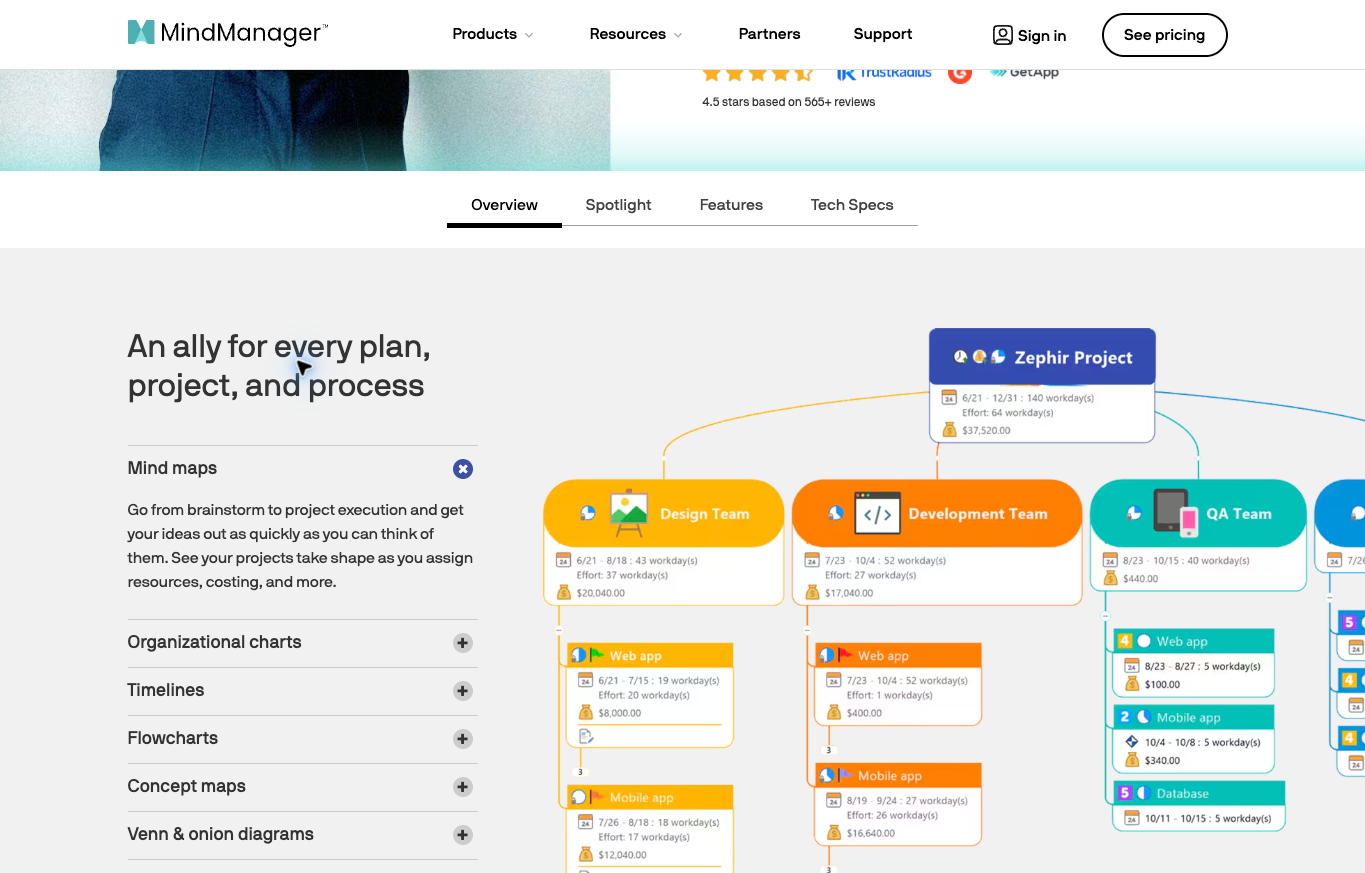
MindManager presents maps, flowcharts, timelines and other planning views. I would investigate this direction when relationships and dependencies are difficult to explain in a flat task list.
Essentials is the web-based individual direction. Professional describes a broader suite with collaboration, while the one-time purchase is a separate version and license arrangement. Do not assume every subscription capability or future upgrade belongs to the one-time purchase.
The provider qualifies features by platform and purchase option. Some capabilities are Windows-specific, and Jira integration is presented as a separate paid add-on. Review the actual device and selected license before planning around a feature.
A first-year promotion differs from renewal pricing. Confirm the current region and purchase terms instead of treating the preserved public image as a universal quote. No application was installed or planning project tested for this comparison.
Asana for assigned tasks
Asana presents task and project work with owners and status information. I would investigate the arrangement when the repeated problem is unclear responsibility or a missed handoff, not simply a desire for another dashboard.
Current Personal pricing describes two collaborating users with list, board and calendar views. Older claims about a much larger free team should not replace the current plan. Check the paid arrangement when more people or features are required.
Paid tiers distinguish scheduling, reporting and other capabilities, with annual and monthly billing choices. Confirm the selected currency, seats and feature requirements before comparing the charge. No private workspace or task-performance benchmark was tested here.
Asana remains unlinked because a verified affiliate destination was not established. A provider description is a direction for investigation, not proof every team needs the subscription.
Notion for connected reference information
Notion presents pages and databases for notes, procedures and project information. I would investigate this direction when the team needs an understandable place for current reference material.
The current Free plan distinguishes unlimited individual blocks from limited blocks for two or more members. The plan lists a five-megabyte file limit, while paid uploads still have a per-file maximum. Unlimited upload counts do not establish unlimited file size.
Guests receive access to invited pages rather than the entire member arrangement. Paid member changes affect billing under the applicable terms. Confirm who needs which access before moving information or inviting the team.
Notion remains unlinked because no verified affiliate destination was established. No private knowledge workspace, permissions or migration process was tested for this comparison.
Google Workspace for shared deliverables
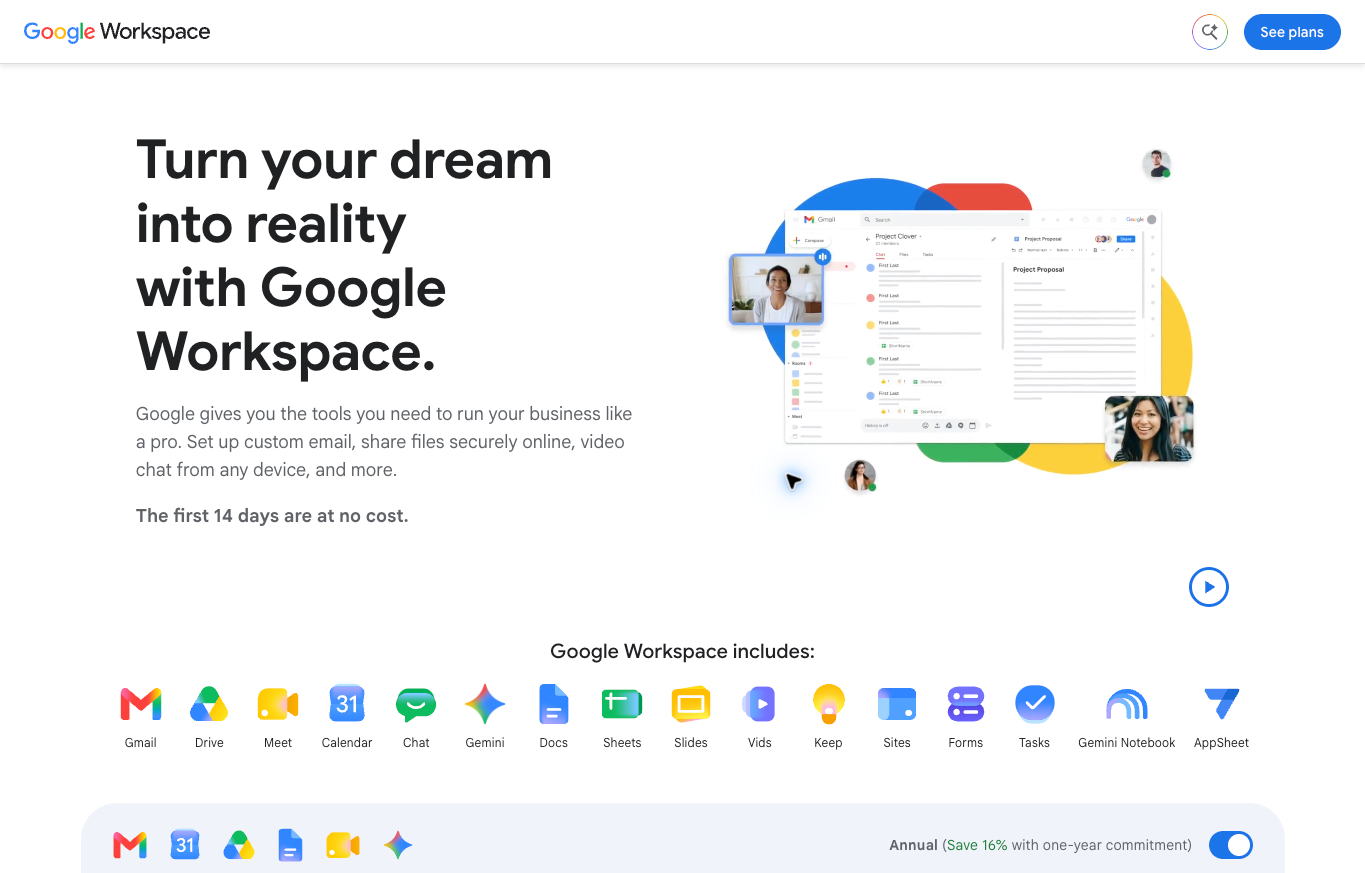
Google Workspace supplies shared documents, spreadsheets, files and calendars. I would investigate this direction when the actual deliverable belongs in a collaborative document rather than another project dashboard.
Business Starter, Standard and Plus have different pooled-storage arrangements. User licensing and the chosen billing commitment need review alongside access requirements. A public introductory offer is separate from ongoing pricing.
Define which document is current and who approves changes. Task records should point to the actual deliverable without creating conflicting copies. A shared spreadsheet still needs an owner and update routine.
Review the intended file permissions before sharing. The useful outcome is appropriate access, not making every document public. No private account connection or permission experiment was performed for this guide.
Name the repeated problem
Write down where the work stops. Missing information, unclear ownership, waiting for approval and forgotten actions need different changes. A general request for greater productivity supplies less direction than an identified handoff.
I would choose one recurring issue to investigate. A content project with research in one location and an unexplained draft status elsewhere needs a clearer record. Buying another tool before agreeing where information belongs risks another conflicting copy.
Describe the expected improvement in observable terms. The reviewer finds the approved brief, the owner sees the next action or the team identifies the current version. A defined observation gives the evaluation a purpose.
Review the existing process before adding a subscription. Sometimes the immediate fix is clearer responsibilities inside the tools already available. A second messy workspace does not resolve the first.
Keep notes, decisions and tasks separate
A note captures information. A decision records an approved choice. A task describes unfinished work with an owner and expected result. Keep those purposes distinguishable even when they share an application.
Turn a meeting’s useful conclusions into a manageable set of actions. Retain the background in the reference note rather than copy every passage into every task. The assignee needs the relevant context and a clear next step.
Choose one current procedure and assign someone to maintain the instructions. Add a review date, then archive superseded versions after checking for missing steps. Keep the approved procedure beside the relevant task template so a new assistant follows the same instructions as the rest of your team.
Record unresolved questions separately from approved decisions. A possibility discussed during a meeting is not an agreed commitment. Preserve the distinction when preparing summaries or assigning work.
Define the deliverable before assignment
Describe the output and the reviewer. Improving a website is broad, while preparing one approved product page with correct images and links supplies a reviewable result. Give the task enough detail for another person to act.
Include source material and important constraints. The assignee should understand required facts, permitted changes and unresolved dependencies. A deadline alone does not explain the job.
Write a short definition for each status. For a product page, Ready for review might require the draft link, image permissions, checked specifications and a named reviewer. Keep the checklist visible beside the status field. Return incomplete submissions with the missing item identified instead of moving the label back without an explanation.
Keep unfinished work visible. If the task requires a decision, record the decision owner and question. Do not repeatedly describe the work as nearly finished while the same dependency remains unresolved.
Use visual planning for dependencies
Some projects require a relationship view. A launch depends on supplier approval, product information, a reviewed page and an agreed date. A flat list sometimes hides the order in which those tasks become possible.
Investigate MindManager’s planning views when those relationships need explanation. Compare the selected platform and license with the actual project before assigning a feature to the workflow.
Keep the map focused on decisions and next actions. A branch for every possible thought produces another crowded information surface. The person doing the work needs an understandable relationship, not the largest diagram.
Put the approval owner and expected response date beside each dependency. If supplier approval slips, identify the affected tasks and revise their dates before promising a launch. Keep independent work moving, such as preparing image files while waiting for approved specifications. Treat the timeline as a working schedule, not a delivery guarantee.
Choose an authoritative place for current work
Agree where task status, approved source information and the deliverable belong. One application for every activity is unnecessary. Clear ownership for each type of record is essential.
Link a task to the current draft instead of duplicating the entire content. The reviewer should find the exact version requiring approval. A second copy with a different status creates avoidable uncertainty.
For shared deliverables, investigate Google Workspace’s document arrangement. Keep the approval process and access scope beside the document rather than rely on the presence of a shared link.
If an integration is proposed, define the source, destination and direction of each relevant field. Similar information in two dashboards does not prove reliable synchronization. No integration or private workspace was connected for this comparison.
Plan against available capacity
Choose work the team has time to complete. A task list serves the next decision better than an unlimited collection of possible projects. Keep ordinary responsibilities and review time visible.
For a hypothetical schedule, four ninety-minute blocks supply six hours. A plan requiring twenty hours before the same deadline has a capacity gap. Another application does not supply the missing fourteen hours.
Review dependencies before promising completion. A supplier answer, editorial approval or missing asset needs its own owner. Include the handoff time rather than schedule every task as uninterrupted individual work.
At the review point, record finished outputs and changed conditions. Repeatedly moving an overdue task forward without identifying the reason supplies little useful planning evidence. Adjust the next schedule around the actual observations.
Compare the complete collaboration cost
Identify who counts as a paid user, workspace member or guest. Those terms differ across products and arrangements. Narrow guest access is not an automatic replacement for every employee’s required role.
Separate monthly charges from annual commitments and first-year offers from renewal. A one-time purchase also needs its version, platform and update entitlement identified. The smaller initial amount sometimes describes a narrower product.
For a hypothetical calculation, five seats at $12 monthly total $60 per month and $720 over twelve months before other expenses. These figures illustrate budgeting, not a provider quote. Compare the total with the specific work the arrangement supports.
Include setup and training time. Someone needs to structure the workspace and explain the process. A complicated template adds maintenance even when the subscription amount appears modest.
Match access to the actual responsibility
A contractor reviewing one document needs a different scope from an administrator managing the workspace. Identify the relevant information and permission before sending an invitation. Do not make the entire operation public for convenience.
Keep customer, financial and team records out of unnecessary demonstrations. Suitable fictional information often supplies enough context to evaluate a general workflow. Use actual private records only under appropriate authorization.
Before enabling AI or connected-app search, list the folders, accounts and record types the connection would access. Ask the workspace owner to approve the scope and check the selected plan’s controls. Exclude customer and financial records unless access is necessary and authorized. Start the evaluation with fictional records rather than connecting the entire operation.
No application access, private-data upload or security setting was changed for this comparison. Proposed changes need a review appropriate to the actual system. Public feature descriptions are not evidence of a safe private configuration.
Check the device and offline requirement
List the device and action needed for the work. A browser application, desktop editor and mobile viewer have different roles. Do not assume a feature behaves identically on every platform.
If connectivity is uncertain, review the selected application’s actual offline behavior. Identify which material is available and what synchronization requires afterward. This guide did not install or test an offline workspace.
Use an authorized sample project to investigate a required action. Record the selected plan, device and observed result. A provider’s platform list does not prove the complete workflow fits your equipment.
Review fallback access to essential instructions. A team depending on one inaccessible dashboard needs an agreed route to current information. Preserve permitted records without creating competing authoritative copies.
Evaluate the required export
Ask the recipient whether the handover needs a readable PDF, an editable document or a working replacement workspace. Write down the required content before choosing an export format. For a migration, list dependencies, permissions and automation separately, then check which elements require rebuilding in the destination. Do not treat a downloaded file as a completed migration.
Open the exported file in the intended destination. Review labels, tables, links and the meaning of diagrams. An editor preview is separate from the file another person receives.
Keep observations narrow enough to explain. One sample export does not validate every format or workspace size. Record the actual test scope and limitations during your own authorized evaluation.
No export or migration experiment was performed for this article. The steps describe buyer checks, not measured results. Provider screenshots are public research material rather than private project evidence.
Start with one manageable pilot
For your pilot, choose one product page or weekly newsletter with a named owner and reviewer. Include the source brief, working draft, approval step and final file. Use authorized material and record where each handoff succeeds or stalls. This proposed exercise gives you specific work to evaluate without moving every project into an unfamiliar workspace.
Use a few understood fields and statuses before expanding automation. The team should recognize an incorrect handoff. Complexity without ownership makes mistakes harder to notice.
Define the observation supporting continued use. The team finds current information, reviews the correct draft or resolves a repeated delay. These are proposed evaluation criteria, not improvements measured for this comparison.
Review the result before buying additional capacity. If the process remains unclear, revise the responsibilities or investigate another arrangement. More subscriptions do not automatically produce a clearer system.
Connect planning to the wider business
My high-ticket dropshipping guide describes the retail model I teach. A planning tool organizes work inside the model without establishing suitability or individual business results.
The niches list supplies categories for investigation. Turn research into defined questions and decisions instead of an endless folder of possibilities.
Use the supplier sourcing guide to organize commercial verification. A supplier-contact task needs a specific question, source context and responsible person.
Supplier Paradise is a research resource I own. Keep candidates, verified information and actual agreements separate in the project record.
My business foundation checklist frames administration and ownership. A completed status should reflect verified work rather than a label changed without evidence.
For guidance on broader operating decisions, review my private coaching. The service is separate from software licenses and workspace security review.
Choose the defined work problem
I would investigate MindManager’s selected license when a visual relationship view supplies the needed clarity. Confirm the device and collaboration arrangement before purchase.
For shared documents, investigate Workspace’s current options. For assigned tasks or reference information, review the unlinked Asana and Notion directions against the same defined process.
Write down the workflow you plan to improve, the person maintaining the records and the next deliverable due. Compare the finished output and review effort with your existing process before adding more seats. Keep the arrangement your team follows consistently, then expand only when another recurring problem needs attention.
Frequently asked questions
Is one tool best for every business? Planning, task ownership, reference material and shared documents are separate jobs.
Does a one-time MindManager purchase include every subscription feature? Review the selected version, platform and license. The purchase options differ.
Does Asana Personal cover a large free team? Current pricing describes two collaborating users. Confirm the actual arrangement.
Are Notion guests identical to workspace members? Guests have invited-page access, while member arrangements affect billing and broader access.
Does this guide prove time savings? No productivity benchmark was performed. Evaluate your own accepted work and review effort.
Related guides
My business software guide covers invoicing and sales records.
The business email comparison addresses correspondence.
Read the Workspace shared-files guide for access and handover.
My assistant hiring guide connects the work to an assigned role.
The AI content tools comparison addresses source checks and editing.

Trevor Fenner is the founder of Ecommerce Paradise. His main projects are Ecommerce Paradise, Supplier Paradise, and Review Paradise, which is currently in development. TrevorFenner.com publishes research-based reviews and practical guides to online business tools and remote-work services, with clear affiliate disclosures.