

The best video hosting platforms for online courses handle lesson storage and delivery. Your course software handles enrollment, lesson organization and the surrounding business. Define those responsibilities before comparing players or subscriptions.
I would start with the learner’s route from enrollment to playback. A polished player does not fix confusing course navigation. Check whether a separate host solves a specific problem your existing course system leaves unresolved.
At Ecommerce Paradise, I prefer choosing the job before the tools. Course delivery needs a reliable connection between the learner account, lesson page, video and support process. Assign responsibility for each part.
This guide compares Bunny Stream, Wistia and Vimeo as hosting directions. Official product, pricing and help material was reviewed October 12 and rechecked October 13, 2026. No private course, learner account, upload, security configuration or course integration was tested. Provider research does not rank teaching quality.
These examples address dedicated video hosting rather than courses to buy or meeting apps. My online course platforms comparison covers the separate choice of software for building and selling a course.
Ownership disclosure: I own Ecommerce Paradise and Supplier Paradise. Links lead to my resources and relevant internal guides. Provider examples stay unlinked because software affiliate attribution has not been verified.
Best video hosting platforms for online courses by the job
| Option to investigate | Starting fit | Cost approach to review | Main check |
|---|---|---|---|
| Bunny Stream | Dedicated storage, transcoding and delivery | Usage-based storage and traffic, with optional services | Implementation and the separate learner-access system |
| Wistia | Managed embeds, branding and video analytics | Plan capacity and additional requirements | Account-wide domain rules and actual course-page compatibility |
| Vimeo | Hosted video with documented embed privacy | Selected plan and storage/player requirements | Exact features and the difference between domain privacy and enrollment |
Use the comparison to narrow the evaluation. Review your course system, library, audience and maintenance owner. Buying all three does not address those requirements, and a longer feature list does not establish a simpler lesson-delivery process.
Separate video hosting from the course platform
Assign ownership of learner accounts, the course outline and video delivery separately. A professional-looking player does not prove enrollment management or lesson-progress tracking is included. Review the course platform’s existing responsibilities before adding another host.
For example, course software grants access to a lesson page, while an embedded player delivers the video. Page permission and delivery controls need to work together. They are separate settings with different jobs.
Some course platforms include video delivery. Check the included arrangement and supported external embeds before buying another subscription. Added software also requires maintenance, so identify the missing capability first.
Consider a fictional twenty-lesson course with a small audience. The existing platform already delivers the lessons through a maintained setup. Record the specific improvement expected from an external host, such as a supported player requirement or clearer usage budget. This is a planning example, not a course migration I performed.
Choose the reason for migration before changing files. A defined integration requirement or cost constraint gives your evaluation a purpose. An attractive provider homepage does not establish a useful improvement for your learners.
Three hosting directions worth investigating
1. Bunny Stream for dedicated video delivery
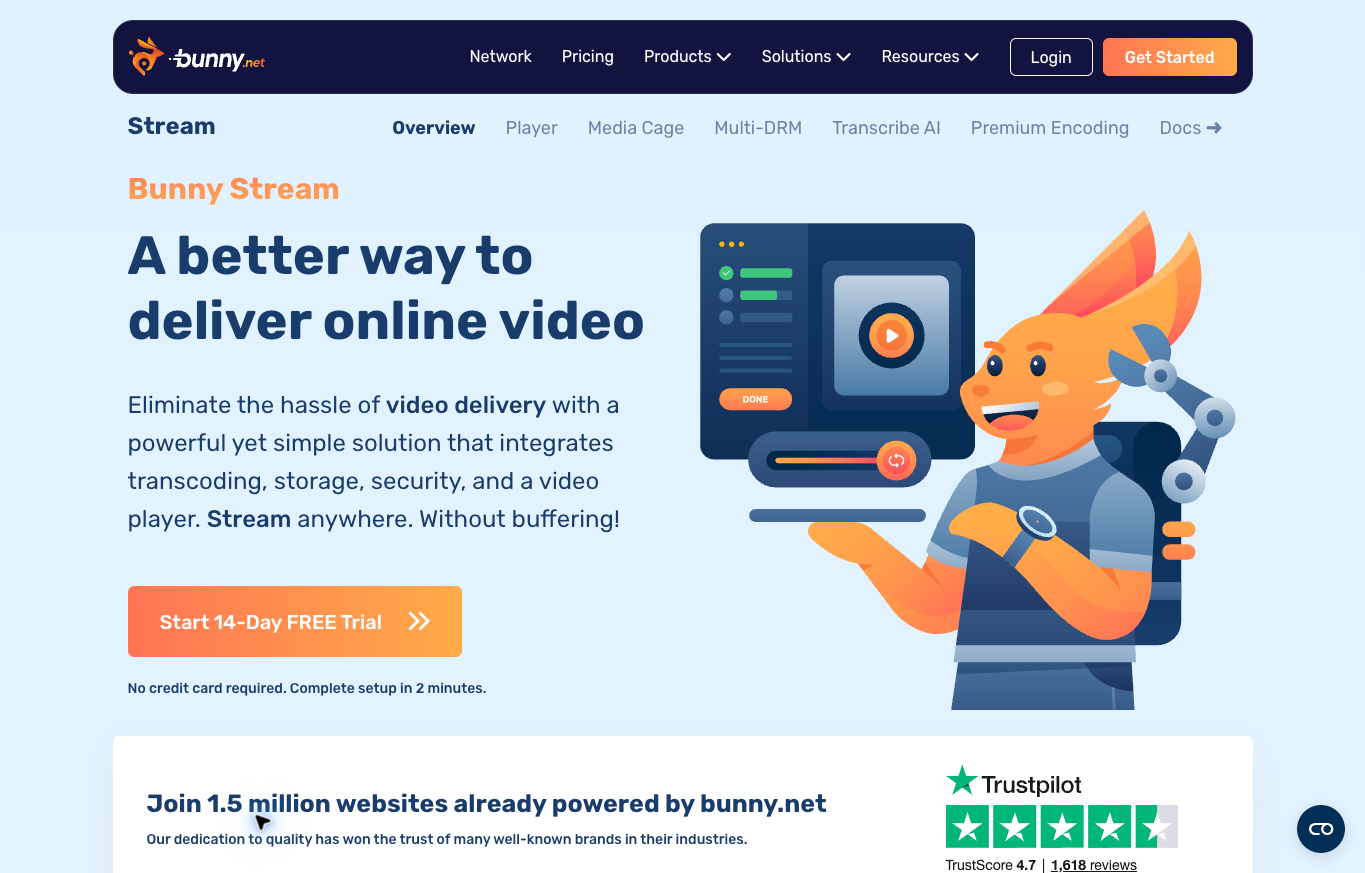
Bunny Stream combines uploading, transcoding, storage and delivery with a player. Investigate this direction for a dedicated delivery layer with an identified implementation owner. Review operating responsibilities rather than treating a low starting rate as the whole decision.
Its public overview displayed storage starting at $0.01 per GB and delivery starting at $0.005 per GB. Those are starting rates, not a universal bill for every region or configuration. Calculate the applicable usage and check optional services before treating the headline as your budget.
Enterprise Multi-DRM is also a separate cost consideration. The inspected official page listed a $99 monthly base plus license fees. Do not interpret a general statement about free player or standard features as meaning every protection option is free.
Review how playback fits the learner-access system and assign the integration owner. Record who checks the setup after changes. Delivery controls need an administrator who understands their scope and the course platform’s responsibilities.
Do not promise impossible-to-copy lessons or universal playback performance. Review the supported configuration and perform an authorized evaluation in your course environment before making learner-facing claims. Provider performance language is not measured evidence from this comparison.
2. Wistia for managed embeds and video management
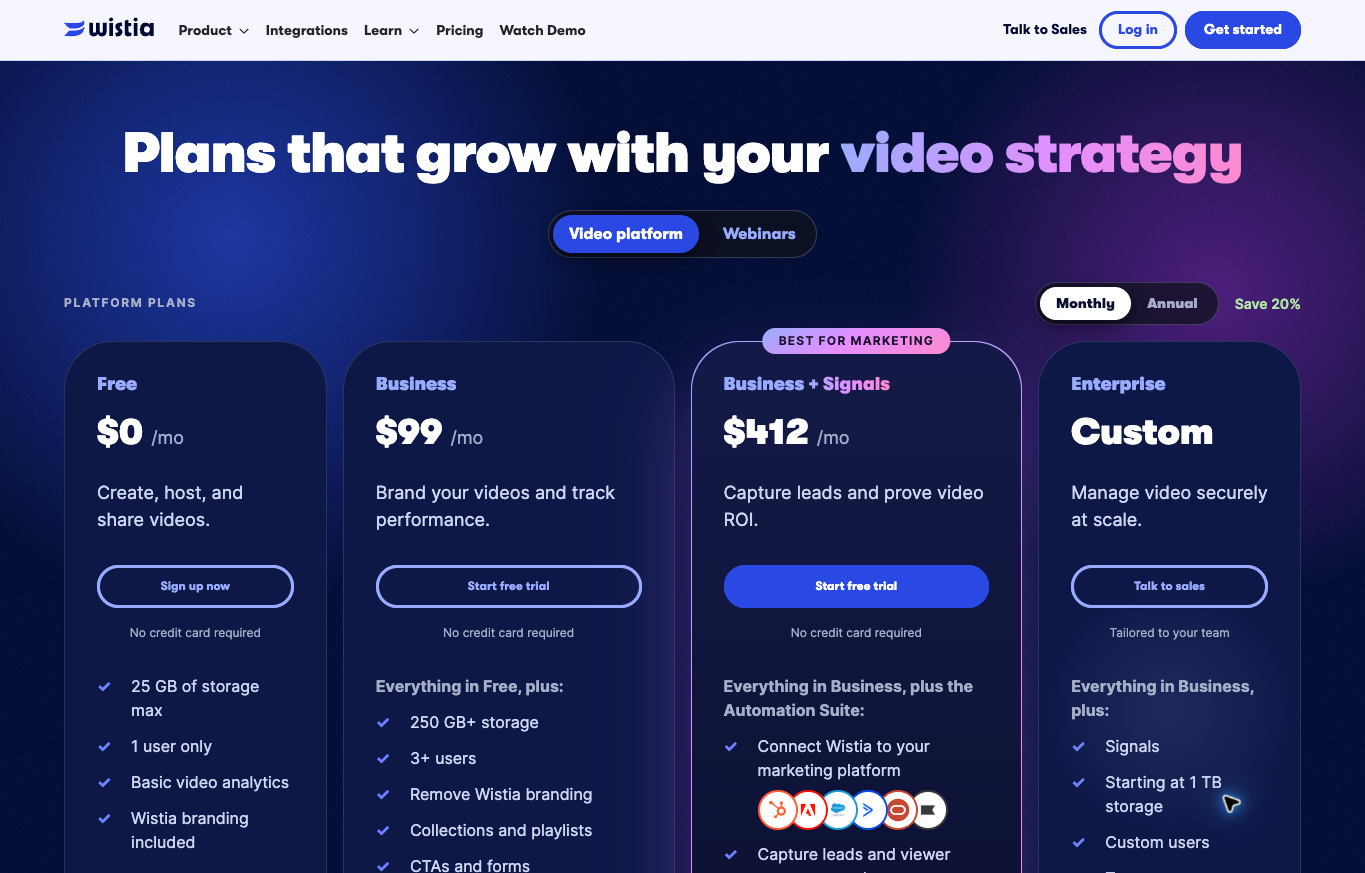
Wistia is a direction to investigate when branded embeds, video management and analytics are part of the requirement. Its actual public monthly selector showed Business at $99 per month and Business plus Signals at $412. The annual Business view showed a $79 monthly equivalent, which is a different billing commitment.
The public Free offer listed 25 GB of storage, one user and Wistia branding. Those limits help frame a small evaluation, but they do not establish the right plan for your whole course. Review the selected capacity, features and additional charges.
Wistia’s domain-restriction help describes an account-wide allowlist rather than a separate rule for each video or folder. The instructions also address scripts and iframe requirements. Review every relevant property when the account serves marketing pages and course lessons.
Review the published lesson page before restricting domains. Builder previews, iframe arrangements and referrer handling differ across setups. Assign the integration review to someone familiar with the provider’s current requirements.
The broader decision is whether the management and analytics features are worth their cost for your course. A marketing-oriented feature is not automatically a measure of learning, and a branded player is not automatically learner authentication.
3. Vimeo for hosted embeds with documented privacy options
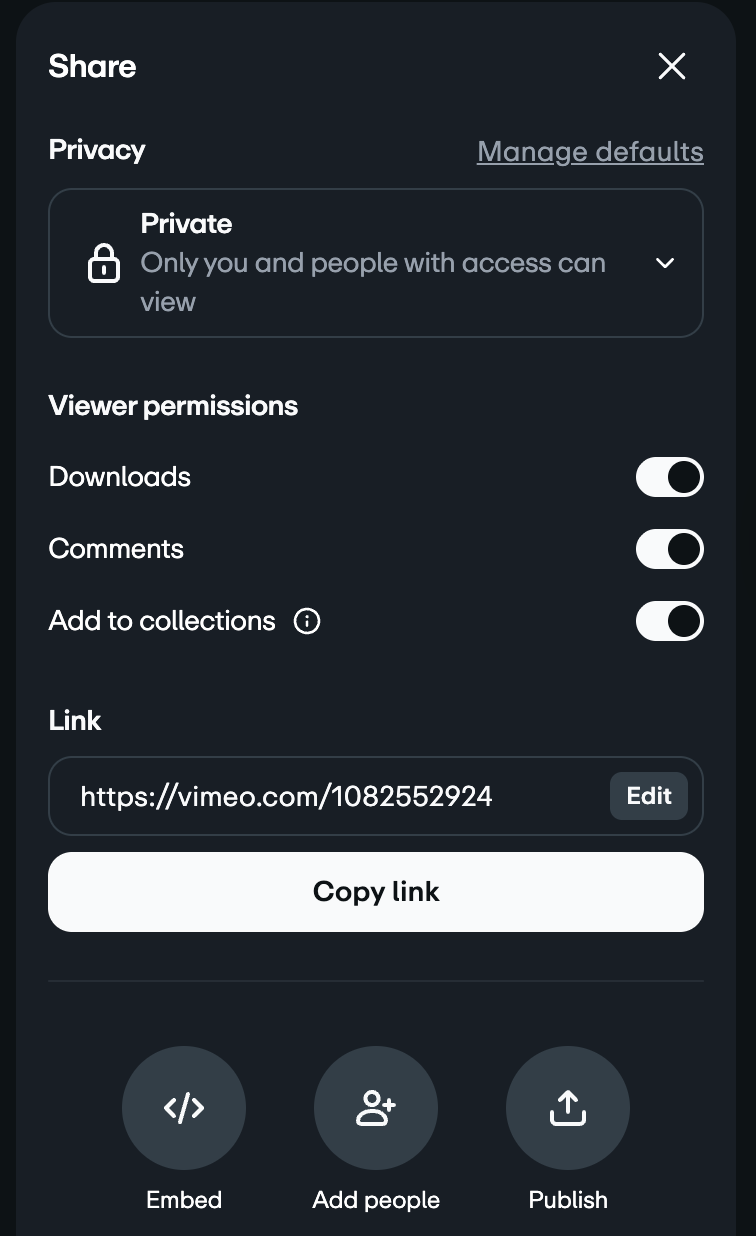
Vimeo’s official help describes domain-level embed privacy with up to fifty allowed domains and lists availability across all plans. Confirm the selected plan’s other player and storage requirements separately. Domain privacy alone does not establish a complete course platform.
No current Vimeo subscription price is quoted here. Its public product and homepage returned server errors during the earlier Chrome review, and the help domain did not load there. Official help text was accessible through research and rechecked October 13. No browser integration test was completed.
Domain privacy controls the locations where an embed is allowed. Enrollment controls the learners entitled to open the course lesson. Document both responsibilities rather than treating the allowed-domain list as the entire access system.
Evaluate the embed against the course system, player requirements and administrative process before importing a large library. Confirm the combination your team intends to maintain before promising a feature to learners.
Vimeo is a researched option, not an independently tested winner. A familiar name does not prove compatibility with every course plugin. Review the exact subscription and implementation instead of combining features from different product packages.
Estimate storage and viewing traffic separately
Separate the stored library from viewing traffic in the delivery budget. Upload size does not establish the total monthly bill. The stored renditions, delivery activity and optional services need their own assumptions.
For a fictional budget exercise, twenty files averaging 500 MB total about 10 GB using decimal units. This describes the source-file collection rather than the final hosted footprint. Stored renditions and replication depend on the selected service and configuration.
Suppose 100 learners each receive an average of 2 GB of video traffic during a month. Delivered traffic would total about 200 GB. These are hypothetical planning inputs, not measured viewing behavior or a provider quote.
Ask the provider how usage is measured and which services are included. Check capacity and overage behavior for plan-based hosting. Keep each estimate tied to a documented assumption so another administrator understands the calculation.
Include repeat viewing, additional lessons and launch traffic in the planning review. Exact predictions are unnecessary, but the billing relationship needs to be clear. Starting rates help only when applied to the service and resources you expect to use.
Check the embed in the real course environment
A simple-page embed does not prove compatibility inside your learning system. Lesson pages add wrappers, iframes, scripts and access rules. Review the supported embed in the intended published environment instead of assuming identical behavior across websites.
Use a representative lesson before building the full library. Assign the integration owner and agree on a supported embed format. An undocumented modification needs review beyond an attractive preview.
Separate the evaluation questions: authorized learner access, playback, device layout and the view available without enrollment. Record each result independently. A general statement about working video does not establish all four.
Include the published lesson page in the evaluation. Editing mode differs from the learner’s view. Have the integration owner account for documented iframe and referrer requirements before interpreting a failed preview.
This guide did not run those checks on your course. The steps describe a proposed evaluation before expanding the setup. A product comparison does not certify an untested integration.
Keep access controls and protection claims distinct
Learner access, embed restrictions, passwords and protection features serve different purposes. Map the intended behavior to the responsible component. A feature name does not establish equivalent protection across every environment.
Document the expected behavior before configuring access: enrolled learners should reach the lesson, unauthorized visitors should not reach the paid page, and unrelated domains should not play a restricted embed. Assign each requirement to the course or hosting component enforcing the rule.
A qualified implementation owner needs the selected system’s current instructions. This comparison is not a security audit. No tokens were generated, domains changed, DRM enabled or account permissions granted.
Protection features address particular redistribution risks within supported environments. They do not justify promising impossible copying. Match public claims to documented behavior and evidence from the actual implementation.
Review the lesson experience on mobile
The player is one part of the lesson page. The learner also needs to understand what to do next, read any supporting text and use the controls without fighting the layout. I would review the whole lesson rather than only the video frame.
Review captions and supporting material alongside playback. Large-screen readability does not establish a useful phone lesson. Identify the information learners need to hear, read and reference, then evaluate those requirements in the destination layout.
Playback success does not prove caption accuracy. Check names, numbers and specialist terms against the approved lesson. A caption altering the meaning needs an editorial correction even when the video plays properly.
Keep the surrounding page focused. Competing buttons, lengthy unexplained text and unclear next-lesson navigation add friction. The delivery system should support the learning sequence rather than dominate the page.
Decide who owns the files and maintains the setup
I would keep the original lesson files organized outside the player interface. A host is not a substitute for understanding what assets you have and who is responsible for them. Record the lesson name, source file and current published version.
Assign upload, replacement and removal permissions by role. Editing a lesson differs from administering course access. Document responsibilities and provide the access appropriate to each authorized task.
Review captions, supporting text and course links when a lesson changes. A valid replacement file does not update every surrounding instruction automatically. Confirm the approved revision across the whole lesson page.
Give the support owner a clear escalation process for playback concerns. Specify the information appropriate to collect privately, the provider contact and the point for involving a technical specialist. Avoid asking learners to post account details publicly.
Plan a small migration before moving the whole library
If you already have a course, I would not begin by replacing every lesson link. Start with a small, representative section and a defined reason for changing hosts. Keep the existing setup available until you understand the new one.
Map source files to lesson pages before migration. Record the planned changes and the learner experience to preserve. A clear mapping helps identify missing embeds and outdated references before a wider rollout.
Ask the technical owner, content editor and support person to review the pilot against their responsibilities. Give each person concrete acceptance checks. A request for general impressions does not establish the intended behavior.
Use the pilot evidence to decide the next migration step. One successful lesson does not prove identical results across every file and device. Keep the rollout small enough to investigate failures and restore the approved arrangement when needed.
Match the hosting choice to the business
My niches list helps frame category research for the retail model I teach. A business-education lesson needs verified examples and clear assumptions. Choosing a hosting service does not establish demand for the subject or permission to reuse another creator’s material.
The business foundation checklist covers wider administrative planning. Record ownership of the course assets and authorized account access. Video delivery does not replace appropriate business, consumer or privacy responsibilities.
A course about running a store needs accurate teaching material alongside reliable delivery. My supplier research guide addresses commercial verification. A video player does not substantiate supplier terms or business claims in the lesson.
Supplier Paradise is a research resource I own. Finding a supplier candidate does not verify the relationship or substantiate a course claim. Keep source verification separate from the video-delivery decision.
Choose the simplest supported arrangement meeting the defined course requirements and maintenance responsibilities. Included course delivery deserves review before a dedicated host. An external service needs a specific reason and a practical owner.
The three examples here show why the comparison needs context. Bunny Stream raises usage and implementation questions. Wistia raises plan, management and account-wide embed questions. Vimeo raises the exact selected-plan and privacy fit. None replaces the entire course business.
Frequently asked questions
Is a video host the same as a course platform?
No. Video storage and delivery are separate from enrollment, the course structure and the wider learner-access process. Check which parts your existing course system already includes.
Does domain restriction identify enrolled learners?
No. Domain restrictions address embed locations. Learner access needs the appropriate course-system controls separately.
Is every Bunny Stream protection feature free?
The inspected enterprise Multi-DRM page listed a $99 monthly base plus license fees. Review the selected option rather than applying a general overview statement to every service.
Is Wistia’s $79 Business figure month-to-month billing?
The inspected $79 figure was an annual monthly equivalent. The actual monthly selector showed $99. Confirm the current billing choice and capacity before buying.
What needs evaluation before moving a course?
Use a representative published lesson to review access, playback, mobile layout, captions and maintenance. This comparison did not perform your integration test.
Related guides
My course platforms comparison covers building and selling the course, a different job from hosting its video files.
The online courses guide is about choosing learning material to study, not delivering lessons to your own audience.
Read the YouTube tools comparison for the separate research, packaging and production workflow.
My AI content tools guide explains why source checks and editing stay important even when software helps assemble the material.
The high-ticket business model explainer provides context for the retail education I teach.

Trevor Fenner is the founder of Ecommerce Paradise. His main projects are Ecommerce Paradise, Supplier Paradise, and Review Paradise, which is currently in development. TrevorFenner.com publishes research-based reviews and practical guides to online business tools and remote-work services, with clear affiliate disclosures.