
The best landing page builders fit the action you want from a visitor and the work following the click. For a sales conversation, prioritize the contact record and follow-up owner. For an email signup, prioritize consent and the subscriber journey. For a purchase, review the checkout and fulfillment process.
My shortlist is HubSpot for CRM-connected lead capture, GetResponse for landing pages with email follow-up, and Funnelish for ecommerce funnels. Choose the workflow first. A template’s appearance is a secondary decision.
At Ecommerce Paradise, I teach an online-store operating model. The page needs an accurate offer and someone responsible for the response. Software alone supplies neither.
Research date: October 13, 2026. This comparison uses public product, pricing and support information. I have not built test pages, connected private accounts, submitted leads or measured conversion rates for this guide.
Disclosure: qualifying affiliate purchases through some links earn me a commission at no additional cost to you. I own Ecommerce Paradise and Supplier Paradise. The provider referrals reached their documented destinations during research. Their promotional claims are not performance results from my testing.
Best landing page builders by workflow
| Builder | Choose for | Follow-up | Check before buying |
|---|---|---|---|
| HubSpot | Lead capture with CRM context | Assigned sales conversation | Content Hub tier, branding and publishing domain |
| GetResponse | Signup pages with email follow-up | Permissioned subscriber sequence | Contacts, automation workflows and visitor allowance |
| Funnelish | Ecommerce funnels | Checkout and fulfillment | Traffic, domains, payment integration and available features |
A form submission, subscriber signup and purchase require different information. Avoid buying the broadest package before defining the page’s purpose. Compare the subscription covering your required workflow, including the work performed outside the builder.
HubSpot: a page feeding a sales process
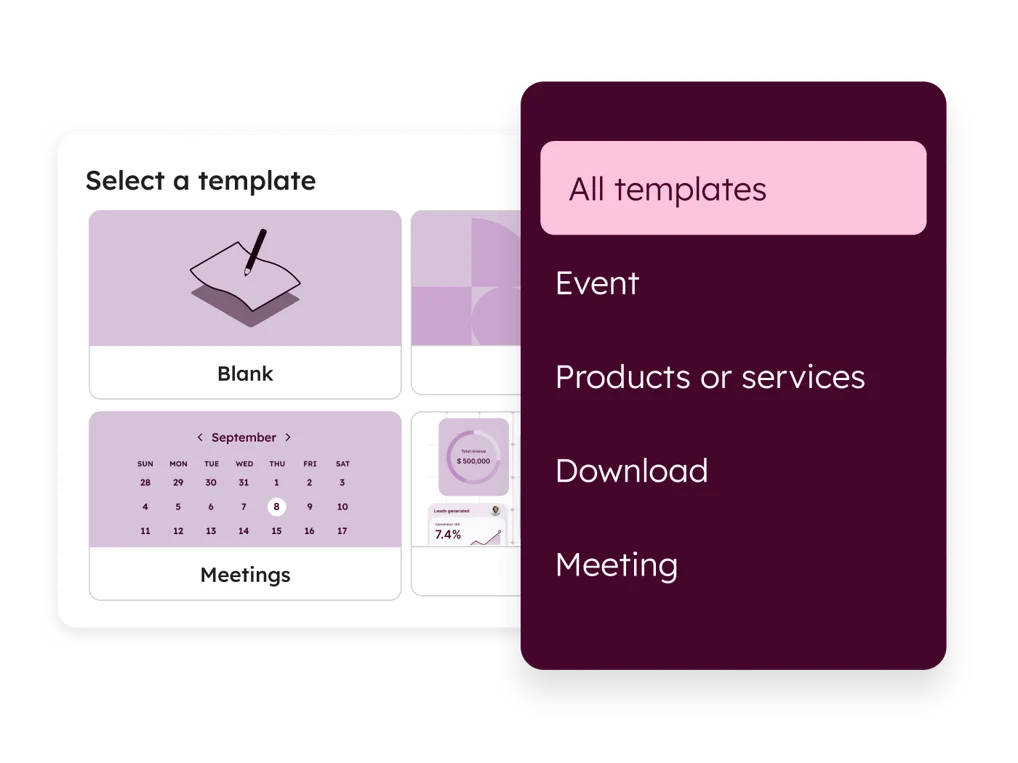
HubSpot is my first direction for a landing page tied to CRM follow-up. Its public Content Hub material describes page creation, templates and conversion analysis.
Current page-creation documentation assigns Content Hub Starter up to 30 landing pages. Removing HubSpot branding requires Starter or above. Free tools use a HubSpot-branded publishing domain. Those distinctions matter for a branded campaign.
The allowance applies to Starter, not every free account or every HubSpot subscription. Confirm the relevant hub and plan before treating a bundle’s feature list as your page entitlement.
Assign the resulting contact to a responsible person. Agree on the next action and the information needed for the conversation. A record in a CRM without an owner leaves the visitor waiting.
GetResponse: a page leading into email
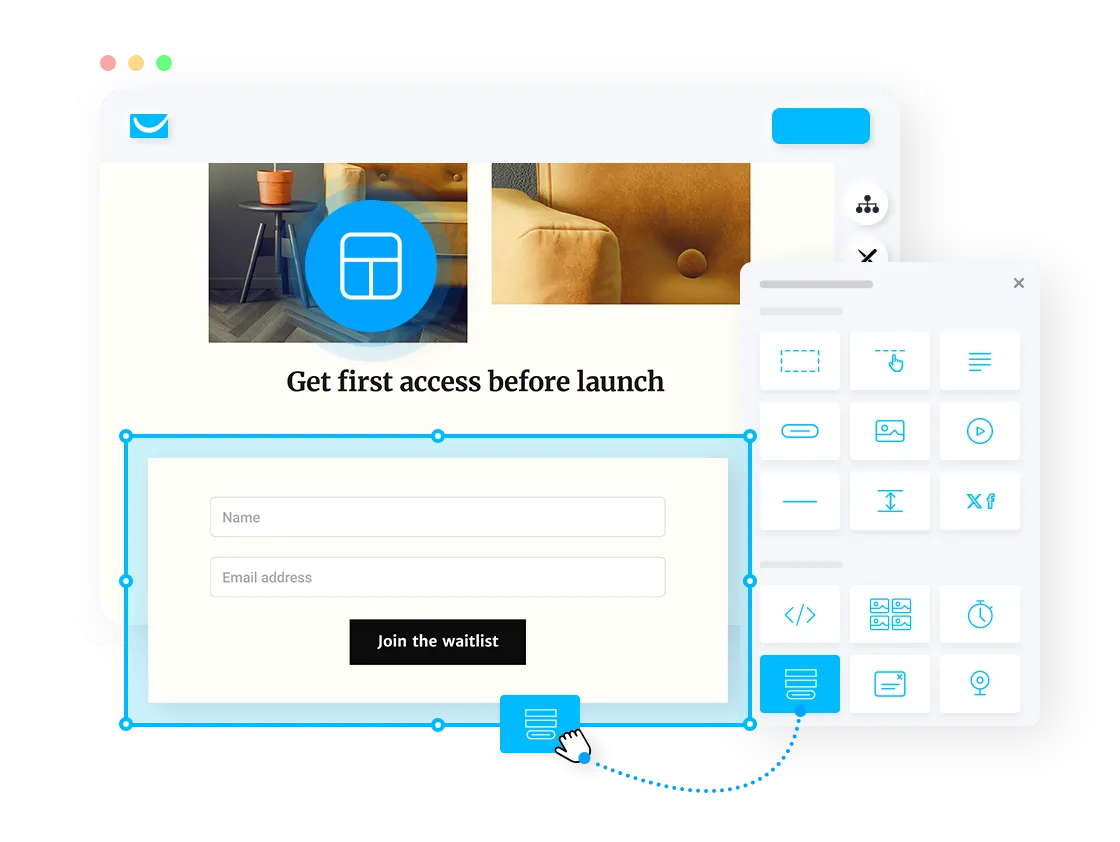
Choose GetResponse for closer investigation when the signup and email sequence belong in one workflow. Its landing-page creator describes drag-and-drop editing, templates, forms and AI assistance.
The inspected price selection used 1,000 contacts and annual billing. Starter displayed $15.58 per month paid annually, with a $19 monthly reference. Prices were net of applicable taxes. List size and plan selection change the quote.
Starter listed one custom automation workflow. Higher plans described wider automation access. Match the planned sequence to the selected allowance before budgeting for several campaigns.
The pricing FAQ distinguished a Free-account allowance of 1,000 unique landing-page visitors per month from paid traffic and testing features. Unlimited page creation does not establish unlimited free visits. Confirm the current signup, trial and post-trial terms.
Funnelish: a page leading into checkout
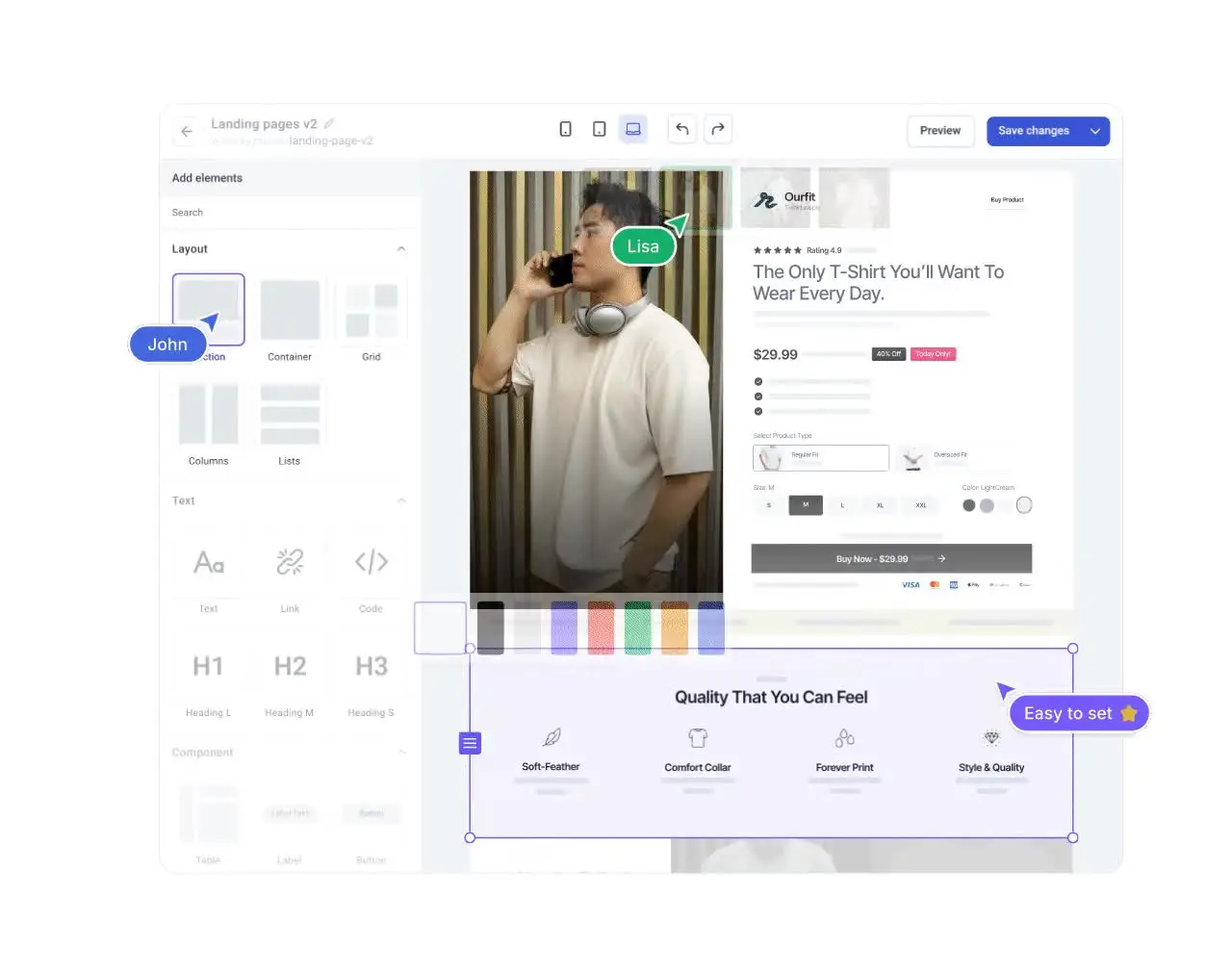
Funnelish suits a different investigation: ecommerce pages, checkouts, upsells and confirmation steps. Start with the payment and store requirements rather than a contact-form comparison.
The inspected Monthly Basic card showed $49, 20 funnels, one custom domain and up to 20,000 visitors per month. Other tiers had different limits. Several public sections displayed inconsistent values, so use the selected current card and written terms rather than combining figures from separate sections.
Store and customer-portal features were marked coming soon. Exclude those features from launch requirements until availability is confirmed. A platform’s broad description does not prove every component is ready.
Separate platform commissions from payment-processing charges. No store connection, order, payment or upsell test was completed for this comparison.
Define the offer before designing the page
Write the proposed action in one sentence. Include the audience and what follows a successful submission. A quote request needs a different explanation from a newsletter signup. A product checkout needs accurate buying information, including the relevant cost and delivery terms.
For a hypothetical service page, the action is requesting a conversation about a specific project. The page should explain the scope of the service and the information needed to review the request. A broad promise to help with everything leaves visitors guessing.
For a newsletter, identify the subject and expected communication. For an event, state the relevant date, format and registration arrangement. Keep the published explanation aligned with the process the business is prepared to deliver.
Give the page one primary route. Supporting details belong around the offer, but unrelated buttons force a visitor to choose before understanding the first option. Reserve secondary links for useful context rather than another competing campaign.
Review every claim against the offer. Remove unsupported revenue figures, copied testimonials and invented urgency. A polished layout makes a false statement easier to notice, not acceptable to publish.
Save the approved message separately from experimental variants. Label the version and record the reason for a change. When someone asks which terms were displayed, the team should have a clear answer.
Decide what the form needs to collect
Request the information needed for the next action. Start with a short form and explain unfamiliar fields. A sales team requesting extra details should identify how each answer helps review the request.
A fictional quote form might ask for a business email, project type and a short description. Those fields serve a different purpose from a newsletter signup asking for an email address. Neither example is a form I built or tested.
For the fictional quote workflow, list the destination of each answer before configuration. The email belongs in the contact field. Project type belongs in the agreed classification field. The description belongs in a readable record available to the assigned reviewer. Check the selected connector’s support for this mapping rather than assuming matching labels establish matching behavior. Add a separate field only when the reviewer needs another answer.
Specify the notification contents too. A subject identifying a new project request is more useful than a generic alert. The recipient needs a route to the authorized record and enough context to recognize the task. Keep unnecessary private details out of notification previews. Record the intended recipient and the person covering absences before enabling automated messages.
Distinguish a delivery failure from an unsuitable request. A missing record calls for investigation of the handoff. A complete record outside the service scope calls for an appropriate response. Putting both into one rejection category obscures the difference. Preserve the agreed reason and next action in the team’s process.
Separate required and optional fields. Give visitors a clear error message when information is missing. Preserve useful input during corrections instead of forcing someone to repeat the entire form.
Decide where the submission goes and who receives notice. Record the expected fields in the destination system. A builder naming an integration does not prove your account receives every answer in the required format.
Review consent and privacy handling for the planned audience with appropriate professional help. Delivery of a requested resource and ongoing promotional messages are separate purposes. Avoid treating every contact submission as permission for every campaign.
Use suitable fictional data for implementation checks. Real customer records are unnecessary for a basic demonstration. This article did not upload a contact list, grant account access or inspect a private CRM.
Specify the handoff after submission
Write the confirmation message and the internal next step before sending traffic. Tell the visitor what happens after submitting. Give the responsible person the information needed to act.
For a sales request, decide who reviews the record, how the team records a response and how an unavailable owner hands over the work. Agree on a realistic response commitment rather than adding a reassuring deadline the team will miss.
For an email signup, document the first message and the relevant subscriber segment. Review the selected automation allowance. Several distinct offers might need separate workflows rather than one sequence covering unrelated audiences.
For an event, check the route from registration to attendance instructions. Confirm which system owns reminders and changes. Two disconnected reminder tools create another process to maintain.
Keep duplicate submissions and repeat contacts in view. Decide how the team handles an existing record rather than assuming every submission represents a new customer. A form count alone does not establish qualified demand.
Include a recovery route for failed notifications or missing records. Choose the person who investigates the problem and the evidence needed to trace a submission. A saved specification helps distinguish a broken handoff from a misunderstood requirement.
Review the published page on a phone
Check the page inside the final website, with the real theme and approved content. A builder preview and a published page are different states. Compare the headline, offer, form and confirmation route.
Read the smallest important text at the intended size. Keep essential terms visible. Avoid shrinking a long headline until the page looks tidy while leaving the headline difficult to read.
Inspect fields, labels and error messages. Visitors should understand the required input without repeated zooming or sideways scrolling. Leave enough space around controls for comfortable selection on a touch screen.
Check keyboard access, focus and descriptive labels for the chosen implementation. Do not use a decorative image as the only explanation of a field. A responsive template is a starting structure, not evidence of accessible configuration.
Review image proportions and file weight. Use relevant visuals rather than a collection of large illustrations above the form. Confirm the final assets load and the layout leaves the main action recognizable.
The checks in this section describe your authorized implementation work. They are not claims of device testing performed for this provider comparison.
Check checkout requirements before accepting orders
A sales form and an ecommerce checkout require separate evaluations. With an ecommerce funnel, identify the payment gateway, store connection, product information and fulfillment handoff before committing to the builder.
Compare the advertised platform fee with processor charges and other relevant costs. A zero-platform-commission statement does not eliminate the expenses of collecting a payment.
Review how prices, shipping and optional purchases are presented. The customer should understand the order before agreeing to pay. An upsell should describe an additional offer rather than obscure the original total.
Keep availability and delivery claims tied to confirmed product information. A design template’s sample countdown or shipping promise is not evidence for your store’s offer.
For your own setup, follow the authorized testing process before processing real orders. Review the confirmation and the fulfillment record as well as the first checkout screen. This comparison did not authorize a payment, create an order or verify fulfillment.
My supplier research guide addresses the commercial verification behind an offer. Supplier Paradise supplies research leads, not proof of an approved brand relationship or delivery commitment.
Best landing page builders: compare plan limits and costs
Count the resources your campaign needs. Pages, visitors, contacts, domains, users and automation workflows are separate allowances. A generous limit in one column does not remove restrictions elsewhere.
Compare the full billing commitment. A monthly equivalent under annual billing is different from a month-to-month payment. Separate introductory offers from renewal terms and confirm the relevant currency and taxes.
Write down the feature without which the campaign fails. Branding removal, a custom domain, branching automation or the required checkout integration might determine the minimum suitable plan. Avoid paying for a broad bundle without identifying the required feature.
Leadpages’ inspected public pages contained conflicting statements about publishing tiers, A/B testing and trial billing. I excluded a specific purchase recommendation until the selected terms are reconciled. Groove’s official transition to Scale.gg also separates qualifying legacy access from new projects. Old offers and tracking arrangements do not establish successor-product entitlements.
Include preparation, assets, setup, traffic and follow-up work in the campaign budget. A hypothetical $50 software allowance, $200 preparation cost and $500 traffic budget totals $750 before other expenses. The example is a budget illustration, not a provider quote or measured campaign.
Check export and migration requirements before committing to a long-lived project. Preserve the approved copy and relevant records. Moving content to another builder does not guarantee transfer of the layout, integrations or account permissions.
Measure a defined action
Decide whether the campaign measures submissions, signups, qualified sales requests or purchases. Keep those events separate. A page producing many submissions still needs review of the resulting contacts.
In a hypothetical example, 20 completed actions from 1,000 measured visits produce a 2% action rate. The figure does not establish qualified customer demand or prove the page caused revenue. Neither the campaign nor the rate was measured for this guide.
Check the measurement method before comparing variants. Identify duplicate submissions, missing records and tracking gaps. Explain whether the event refers to the button click, successful submission or a later business outcome.
For an A/B evaluation, record the changed element and the intended comparison. Avoid changing copy, price, audience and follow-up together, then attributing every difference to one headline.
Use an evaluation method appropriate for the campaign’s activity and uncertainty. A few unexplained visits do not prove a winner. A provider offering an experiment feature does not establish a reliable result from your configuration.
Review the quality of the next conversation alongside the volume. A clearer page sometimes filters out unsuitable requests. Keep the offer honest rather than widening the promise to make a dashboard number larger.
Connect the page to a store you are prepared to operate
My high-ticket dropshipping guide explains the retail model behind the pages I teach. A builder does not establish the catalog, supplier agreement or customer-service process.
The niches list gives you categories to research. Define the audience and relevant offer before turning a category into a sales claim.
The business foundation checklist covers broader ownership and administration. Keep form configuration separate from the legal and operational responsibilities of the business.
For your first page, choose one offer with a documented handoff. Assign an owner for content updates, records and follow-up. Review the dependencies before adding another campaign.
Review the store plan before expanding the campaign.
Ecommerce Paradise coaching covers the high-ticket retail operating model.
Frequently asked questions
Which builder should I investigate first? Choose HubSpot for CRM-connected lead capture, GetResponse for signup and email workflows, or Funnelish for an ecommerce funnel. Verify the required plan and implementation.
Does a free plan include branding removal? Check the provider’s current terms. HubSpot’s documentation requires Content Hub Starter or above for branding removal.
Does unlimited page creation mean unlimited traffic? No. Pages, visitors, contacts, domains and users have separate limits.
Does software guarantee leads or sales? No. The audience, offer, page and follow-up still need work. This comparison includes no measured conversion claim.
What needs review before launch? Check the published message, phone layout, submission or checkout, destination records and assigned follow-up owner through your authorized setup.
Related guides
- CRM software for ecommerce
- Email software for affiliate marketing
- Domain registrars
- AI content tools
- Webinar platforms

Trevor Fenner is the founder of Ecommerce Paradise. His main projects are Ecommerce Paradise, Supplier Paradise, and Review Paradise, which is currently in development. TrevorFenner.com publishes research-based reviews and practical guides to online business tools and remote-work services, with clear affiliate disclosures.