

The best privacy policy generators fit your business’s information practices and publishing workflow. Start with a record of the data you collect, the vendors involved and the purposes behind the collection. A generated document needs accurate answers and appropriate review.
My shortlist is Termly for guided creation and publishing, iubenda for service-clause selection with related privacy tools, and TermsFeed for generated text with download options. Choose the arrangement you are prepared to maintain.
At Ecommerce Paradise, I teach the operating foundation behind an online store. Privacy information belongs alongside the people and processes handling customer records.
Research date: October 13, 2026. This comparison uses public product, pricing and support information. I have not generated a policy from real business answers, installed consent software or audited a website’s compliance. This is educational information, not legal advice or a compliance certification.
Disclosure: qualifying affiliate purchases through some links earn me a commission at no additional cost to you. I own Ecommerce Paradise and Supplier Paradise. Termly’s documented referral was verified. iubenda and TermsFeed remain unlinked because verified affiliate destinations were not documented.
Best privacy policy generators by publishing workflow
| Generator | Review for | Plan distinction | Publishing check |
|---|---|---|---|
| Termly | Guided creation with policy and consent tools | Website, policy, edit and banner allowances | Selected output and republishing process |
| iubenda | Policies describing third-party services | Service clauses versus banner pageviews | Required clauses, languages and maintenance |
| TermsFeed | Generated text and downloadable files | Free generation and optional premium clauses | Selected clauses, output and later updates |
The tools handle drafting and publishing tasks. None establishes the complete legal scope of your business or verifies the information supplied to the generator. Resolve uncertain practices before selecting answers.
Termly
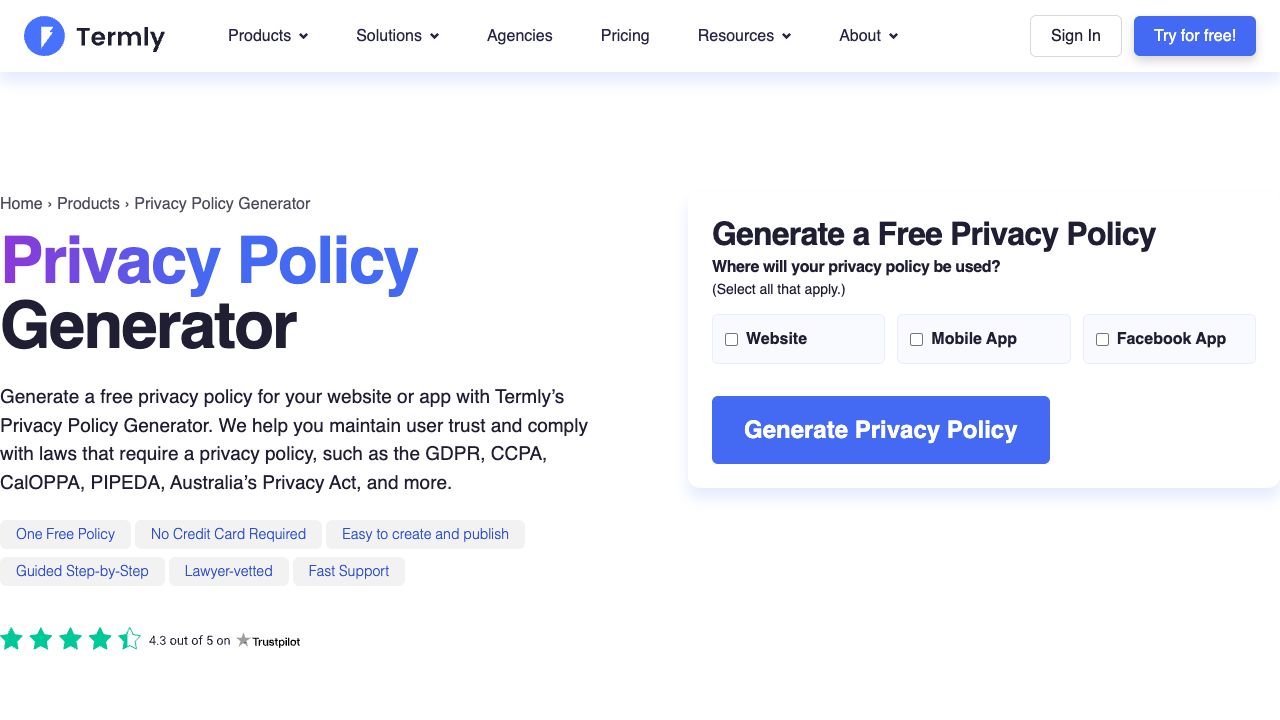
Termly lists HTML, hosted-link and embed publishing options. Check the selected plan for the output you need and the steps required for a change to reach the website.
The inspected Monthly Starter card showed $14 per website, two legal policies and ten policy edits. Pro+ showed $20 per website with broader policy and edit allowances. Confirm the edit period rather than assuming ten revisions reset monthly.
Free described one basic policy. Cookie-banner usage is a separate allowance. A one-website license does not cover every other domain automatically.
Termly’s disclaimer states the service is not a law firm and does not provide legal representation. Regulation monitoring also does not identify every new vendor or change in your business. Assign responsibility for reviewing those changes.
iubenda
iubenda’s comparison separates Essentials, Advanced and Ultimate. The inspected privacy-policy allowances were up to 20 third-party clauses, up to 30 clauses and unlimited clauses respectively.
Cookie-banner pageviews are a different resource. Count the required services and the relevant traffic allowance separately. A clause allowance does not establish banner capacity.
Review the required languages and publishing arrangement. The pricing page displayed regional currency and billing variants, so this guide does not present a universal numerical quote.
Keep the privacy-policy product separate from accessibility services or other purchases on the same platform. Select the scope needed for the document and implementation instead of assuming a broad package label includes everything.
TermsFeed
TermsFeed’s generator FAQ describes free generation with optional premium clauses available for a one-time fee. Its listed downloads include HTML, DOCX and plain text.
Check the selected clauses before treating the free output as sufficient. The existence of a download option does not determine which information belongs in your notice.
Compare the later-update process with a hosted subscription. A one-time document purchase and an ongoing publishing service involve different maintenance responsibilities.
No completed policy for a real business was generated or reviewed through TermsFeed for this comparison.
Record the practices before answering the questions
List the points where information enters the business. Include contact forms, accounts, orders, newsletter signups and support conversations. Review relevant tools and integrations alongside the visible forms.
For each workflow, identify the information involved and its purpose. Use specific systems and actions rather than copying a generator’s examples into the business description.
A fictional store inventory might separate order contact details, shipping information, newsletter preferences and support records. Those records serve different purposes and reach different services. The example is a planning illustration, not an audit of your store.
For a fictional newsletter workflow, record the signup form, receiving email service, stored preference and responsible owner. Keep the purpose limited to the approved communication. If the team later adds another vendor or a different use of the signup information, send the change through review before reusing an old description.
For an order workflow, identify the approved fulfillment service receiving shipping details, the transfer destination and the purpose of the transfer. Review the approved supplier arrangement alongside the notice. A candidate supplier in a research spreadsheet is insufficient evidence of the handling process. Keep a copy of the approved explanation and the responsible contact with the workflow record.
Record the responsible person beside each workflow. Someone should know the relevant service, access arrangement and approved handling process. Unanswered questions need investigation before the generator receives a confident answer.
Do not select extra vendors merely because their names appear in a popular-service list. Include the services supported by your inventory and appropriate review. A longer notice does not correct an inaccurate description.
This article did not inspect private customer information or a website’s tracking configuration. Your inventory needs the relevant technical and professional input.
Separate legal scope from software features
The applicable obligations depend on the business, information, people and jurisdictions involved. A generator advertising several laws does not determine which requirements apply to your organization.
Use current guidance for the relevant scope. The ICO’s general UK right-to-be-informed material carries an under-review notice connected to the Data (Use and Access) Act. An older checklist is not permanent confirmation of current requirements.
Resolve legal questions with qualified advice. The generator supports part of the drafting process. Legal review needs the business’s circumstances, not a larger collection of template clauses.
Explain uncertain answers to the person responsible for review. Do not choose a country or business type solely to obtain a preferred template. The answers need to describe the situation being assessed.
Keep the basis for approved decisions in your records. When a vendor, product or audience changes, the reviewer needs enough context to understand the earlier description.
No jurisdictional determination or legal certification was completed for this comparison.
Review the promises in the generated text
Check the document against the approved inventory. Names, systems, purposes and contact information need to match the business. Remove unsupported statements rather than accept polished wording as evidence.
The FTC’s consumer-privacy guidance emphasizes honoring privacy promises. A statement about retention, deletion or security needs an operating process behind the words.
Review references to vendors and sharing arrangements. A generic paragraph should not describe services the business does not use. A real integration deserves appropriate consideration even when absent from a convenient template list.
Keep the explanation readable. Organize the information around the reader’s needs and use clear terms. Length and intimidating language do not establish accuracy.
For a fictional review exercise, compare the stated contact route with the owner’s maintained mailbox. Compare the retention statement with the approved process. Record a mismatch as an issue to resolve, not a reason to make an unsupported claim.
These are proposed checks for an authorized project. This guide did not approve a business’s final legal text.
A notice, a banner and security controls serve different purposes
A privacy notice explains information practices. Consent or preference tools support the relevant choices. Security controls govern access and handling. Review each component instead of treating the policy subscription as the full implementation.
A banner’s appearance does not prove how every script behaves. Review the relevant tracking and choice process through an authorized technical evaluation. Do not present a screenshot as evidence of site-wide compliance.
Likewise, a statement about protecting records does not verify account permissions, storage or recovery arrangements. The operational work must support the published description.
Document the dependencies between the notice and the implementation. When a tracking service changes, review both the configuration and the relevant explanation. Updating one component does not automatically update the other.
Use appropriate test material and authority. Avoid transmitting unnecessary real customer records during a basic demonstration.
No banner, script, security setting or consent workflow was installed or tested for this article.
Choose the publishing arrangement before generating the file
Decide whether the notice lives as a page you maintain, a hosted document or an embed. Each arrangement creates a different update and access dependency.
Review Termly’s publishing options against the selected plan. Identify who approves an edit and what triggers publication. Do not assume a saved dashboard change is already visible to readers.
For a static copy, assign the website owner responsible for replacement. Keep the approved text and the published version aligned. An exported file does not update itself after a business change.
For a hosted or embedded notice, understand the provider’s role and the account requirements. Check what happens during a subscription change or cancellation before making the website dependent on the service.
Keep the access route clear from relevant pages. A footer link is useful, but the information-collection process also needs appropriate review of where the notice is presented.
Record the publishing method and the owner in the project notes. A later team member should understand how an approved revision reaches the site.
Best privacy policy generators: compare separate allowances
Count websites, documents and expected revisions before selecting the plan. A privacy notice, terms document and another policy do not necessarily fit the same document allowance.
Review banner-view or traffic limits separately from clause and policy counts. A document allowance says nothing about a consent tool’s usage charges.
Confirm unclear periods and definitions with the provider. A ten-edit allowance without an understood reset period is a purchasing question, not evidence of unlimited maintenance.
A hypothetical budget with two website licenses at $15 monthly totals $30 per month and $360 across a year before review or other expenses. This is a budget illustration, not a provider quote.
Include the work needed for the inventory, answers, review and publication. The document-generation charge is only part of the project.
Compare introductory offers with renewal terms and the required output. A cheaper first invoice does not establish the ongoing cost of maintaining the selected arrangement.
Review business changes and provider updates separately
A provider updates its drafting material for changing requirements. Your business also changes independently. Adding a vendor, altering a form or using information for a new purpose needs its own review.
Include privacy review in the process for an important tool change. Identify the service, the information involved and the effect on the existing notice before publishing a new explanation.
Keep an approved version and publication date. Avoid leaving inconsistent copies in several parts of the website without an owner responsible for reconciliation.
Check whether a provider update is automatic, requires approval or needs republishing under your arrangement. Read the selected service terms instead of relying on a general promise of staying current.
Document the reason for a substantive revision. A record linking the change to the approved business practice is more useful than an unexplained replacement file.
This comparison did not monitor or certify the reader’s ongoing legal compliance.
Give requests and account access a responsible owner
Maintain the contact route listed in the notice. Assign a person to review messages and identify the appropriate next action. An unattended mailbox leaves the workflow incomplete.
Use suitable professional guidance for response requirements and timing. The generator’s contact field does not determine every obligation associated with a real request.
Keep the provider account under an authorized ownership arrangement. Document access and recovery responsibilities instead of relying entirely on a contractor’s personal login.
Limit access to the records and tasks each person needs. Keep private information out of public examples and unnecessary shared folders.
For a fictional request process, record the receiving mailbox, review owner and escalation route. The example establishes roles for planning, not a completed response to a real person.
No privacy request was processed or customer record changed for this guide.
Keep document editing and AI assistance in their proper role
A PDF editor or signature tool helps work with an existing document. A document library supplies material for review. Neither role automatically establishes a privacy generator matching your business.
AI assistance helps organize a draft, but unsupported statements still require removal or verification. Check names, purposes, vendors and promises against the approved inventory.
A drafting demonstration does not require a real customer list. Use the minimum appropriate information and review the service’s data-handling terms before sharing business material.
Do not treat another company’s published notice as a complete template for yours. Rights, practices and legal scope need separate consideration.
Assign responsibility for drafting, technical review, legal review and publication. Keep the stages clear enough for someone to identify the approved document.
No AI output, document editor or software purchase in this comparison supplies legal representation.
Verify the approved notice on the website
Review the published page rather than relying on a save message. Compare the displayed version with the approved text. Check headings, text size, links and access from relevant pages.
Inspect the phone layout. Long lines, a poorly sized embed or an unreadable document viewer create a different experience from the desktop editor.
For a hosted arrangement, verify the update process with appropriate test material. For a static page, check the replacement workflow and the record of publication.
Keep the owner responsible for corrections clear. A discovered mismatch needs an assigned action, not another uncontrolled copy of the notice.
The relevant implementation checks belong to your authorized project. This article did not generate or publish a policy for a real business.
Connect privacy work to the store’s operating foundation
My high-ticket dropshipping guide explains the retail model I teach. Customer information follows the store’s ordering, support and fulfillment processes.
The niches list gives you categories to research. Different products and audiences need review of the information involved in the selected operating plan.
My supplier research guide covers commercial verification. Understand the supplier and fulfillment arrangement before describing customer-information sharing.
Supplier Paradise is a research resource I own. A supplier candidate is not an approved data-handling agreement.
The business foundation checklist frames ownership and administration. Appropriate legal review is separate from buying a generator.
Frequently asked questions
Does a generator guarantee compliance? No. The answers, business practices, requirements and implementation need appropriate review.
Is a privacy policy a cookie banner? No. A notice explains practices, while a consent or preference tool serves a different implementation role.
Does one website license cover several brands? Check the provider’s selected website and document allowances. Do not assume multi-domain coverage.
Does regulation monitoring identify new business practices? No such assumption is appropriate. Review vendor, form and purpose changes within your business.
Did this guide create a real policy? No. The comparison uses public generator information and proposed implementation checks.
Related guides
- Business email providers
- WordPress membership plugins
- Domain registrars
- AI content tools
- LLC services

Trevor Fenner is the founder of Ecommerce Paradise. His main projects are Ecommerce Paradise, Supplier Paradise, and Review Paradise, which is currently in development. TrevorFenner.com publishes research-based reviews and practical guides to online business tools and remote-work services, with clear affiliate disclosures.