
If you are searching for the best web hosting for Shopify, the useful answer is that a standard Shopify store does not need a separate web-hosting plan. Shopify includes hosting with its plans. Buying another host does not move your theme-based Shopify store onto that host.
The confusing part is that hosting, domain registration and business email are different jobs. You may need a custom domain and a real mailbox, but those are not reasons to buy another server for the Shopify storefront.
At Ecommerce Paradise, I focus on building a stack around the business’s actual needs. Paying twice for a job the platform already handles is not a useful foundation.
This guide is based on official public information checked October 11, 2026. I did not change a domain, migrate a store or create an email account for this article. Treat the provider screenshots as public research references, not a hands-on migration test.
Affiliate disclosure: some links in this article are affiliate links, and I may earn a commission at no additional cost to you. I own Ecommerce Paradise and Supplier Paradise, which are mentioned where relevant.
Start with the platform’s actual requirements. Review Shopify’s current store options →
Quick comparison: what each service does
| Job | Option to evaluate | Needed for a standard Shopify store? | Cost question |
|---|---|---|---|
| Store platform and hosting | Shopify | Hosting is included with the platform plan | Which platform features do you need? |
| Custom domain registration | Namecheap | One possible registrar, not a required hosting provider | Initial registration, renewal and management |
| Business mailbox | Google Workspace | Separate mailbox service when you need it | Seats, selected plan and commitment |
| Another independently hosted website | Depends on that website’s requirements | Not required just to host the Shopify storefront | Maintenance, hosting and duplicated work |
This is a comparison of jobs, not a claim that you must buy every service from a different company. Shopify can also manage a domain, and another mailbox provider may suit your business. Choose the arrangement you can manage reliably.
What web hosting for Shopify actually means
A standard Shopify storefront is hosted by Shopify. Its official hosting page says hosting is included with every plan. You choose a platform plan for the store’s required features, not a separate shared-hosting package to run the Shopify theme.
I would evaluate Shopify against your store requirements, such as the way you sell and manage products. Do not choose another hosting provider because a generic comparison calls it best for ecommerce.
That does not mean every service your business needs is included. A domain, a business mailbox, optional apps and outside services can have separate charges. Identify what each service does before deciding whether it belongs in the stack.
Three separate jobs: storefront, domain and mailbox
1. Shopify: the store platform and its included hosting
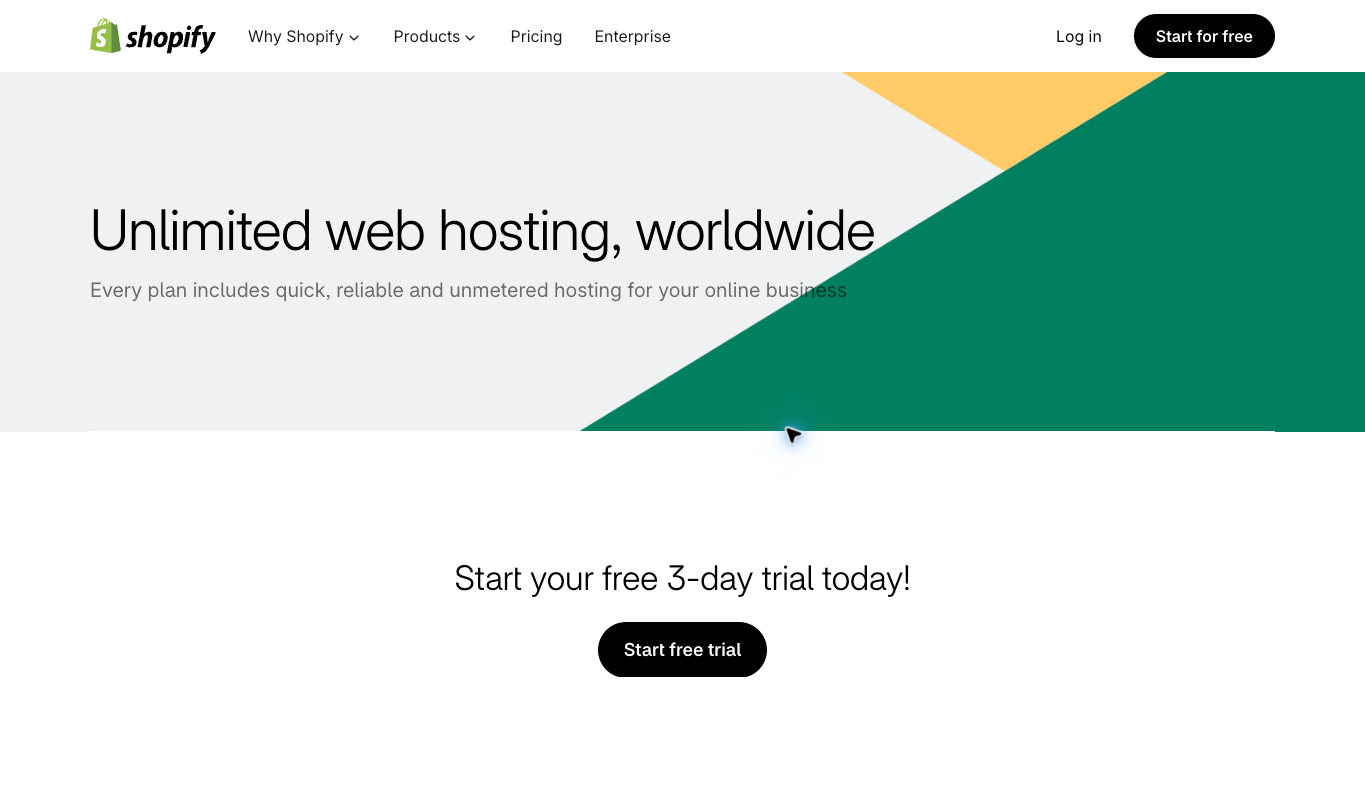
For the normal hosted-store workflow, Shopify handles the storefront hosting. A third-party host is not required to make the store live. Keep that distinction clear when comparing platform costs with hosting costs.
Also avoid treating hosting included as every expense included. Your selected plan, paid apps, optional themes, transaction-related costs and outside services need their own review. Compare the total operating cost, not just a short promotional price.
2. Namecheap: a domain registrar, not required Shopify hosting
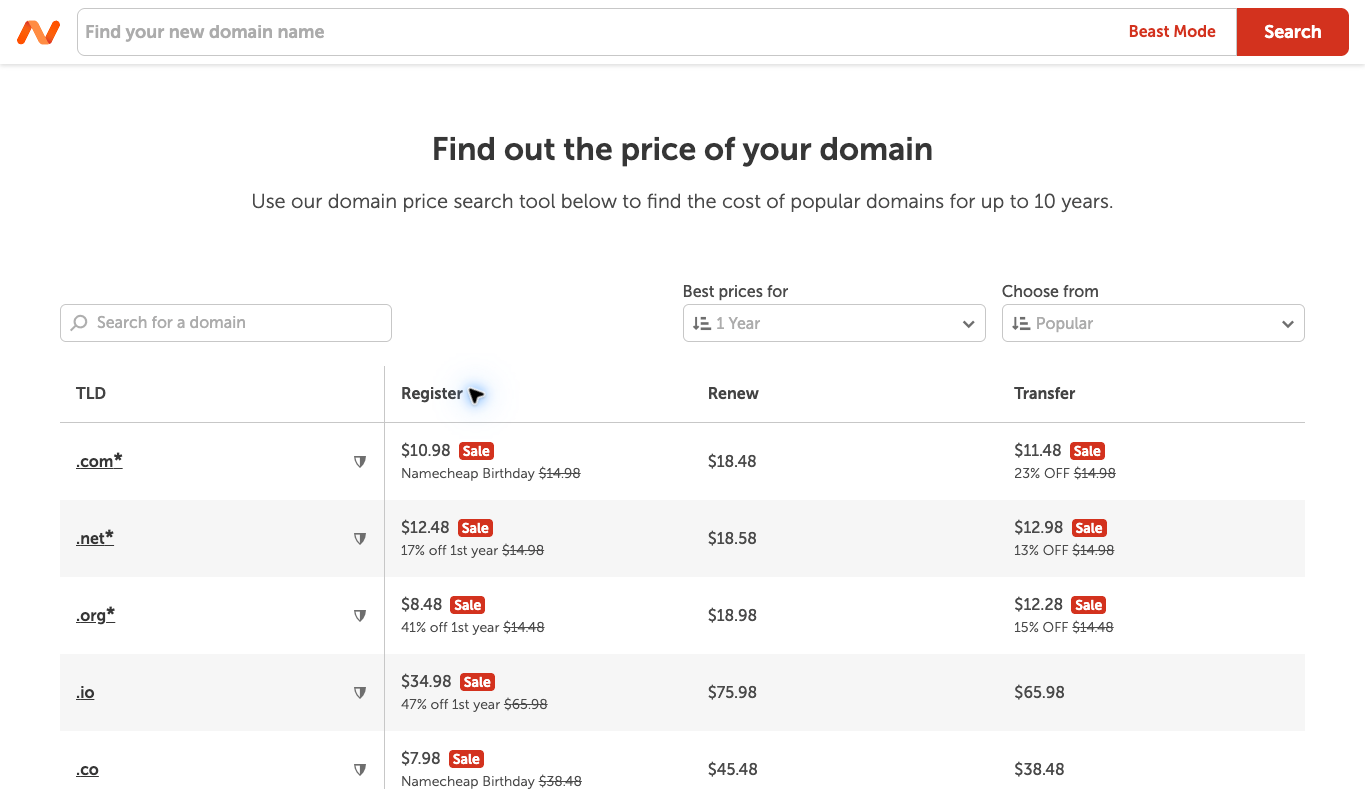
Namecheap is an option to evaluate for registering and managing a domain. If you connect that domain to Shopify, its registration remains a different job from hosting the Shopify storefront.
You can also buy a domain through Shopify or connect a domain you already own. Review registration, renewal and management needs before deciding. Do not buy a hosting add-on merely because it appears beside the domain purchase.
Connecting a domain and transferring its registration are different actions. You do not need to transfer a domain just to use it with Shopify. Preserve the existing email and other services when planning any domain change.
If you want a separate registrar, compare Namecheap’s domain offer with the domain management you already have. Do not purchase a second copy of a service just because a checkout bundle makes it look necessary.
Choose the business category before the technical stack. Explore the free niches resource →
3. Google Workspace: a separate business mailbox
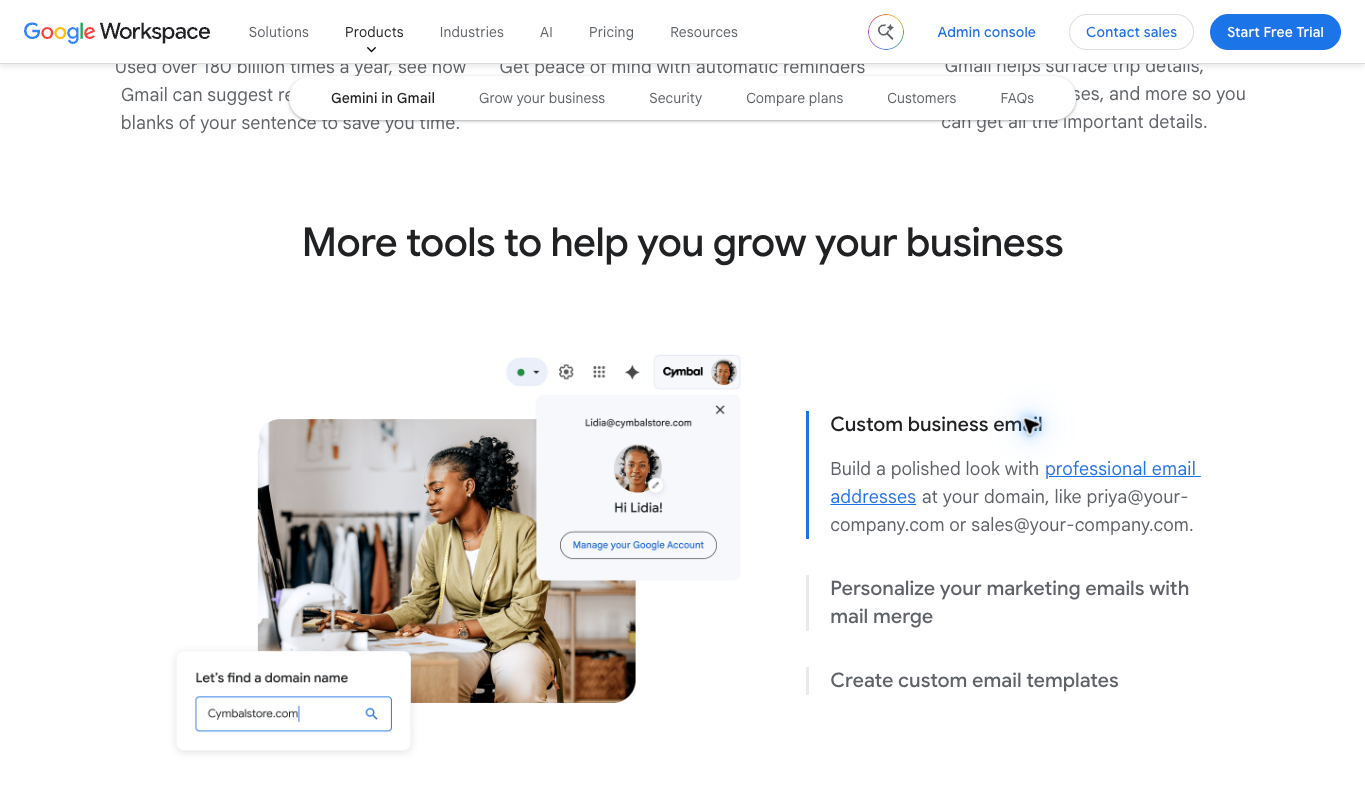
Google Workspace is an option to evaluate when you need to send and receive business email using your custom domain. Shopify’s official help documentation says email hosting is not provided by Shopify.
Email forwarding is not the same as a mailbox. Forwarding routes messages to another account; it does not by itself create the full send-and-receive account you may want for support or supplier communication. Decide what the business actually needs before paying for seats.
A mailbox setup also needs the provider’s current domain-verification and email records. Do not copy another site’s DNS values into your domain. Follow the records provided for the specific account and keep the existing mail service working during a change.
If a custom mailbox is the missing piece, review Google Workspace’s current plans for the number of people who need accounts. An alias, a shared workflow and another paid user are not automatically the same thing.
Do not confuse a domain connection with a store migration
When you connect a domain, you are arranging for visitors using that name to reach the intended service. That is different from moving your store’s content and commerce operations to another platform. A host’s migration offer does not mean it can move a standard Shopify store onto shared hosting.
Before changing anything, record where the domain is registered and where its DNS is managed. Those may be different places. Then record the services that depend on the domain, including the storefront, mailbox and any separate subdomains.
I would make one planned change at a time and keep a recoverable record of the existing values. If the website connection and email change together without a clear plan, it becomes harder to identify what broke. A short inventory is worth the effort.
Do not delete email records just because you are changing the storefront connection. Likewise, adding a mailbox does not mean you should redirect the website away from Shopify. Follow the current instructions for each service and verify the result separately.
When another website really does need hosting
You may operate another website beside your Shopify store. A separate WordPress publication, for example, has its own hosting and maintenance requirements. That is a reason to evaluate a host for the publication, not evidence that the Shopify storefront needs another server.
Write down what that other site is meant to do. Is it a substantial publication with a different editorial workflow, or could the content live in the store’s existing pages and blog? More infrastructure is useful only when it supports a real requirement.
If you deliberately choose a separate site, decide who updates it, backs it up and handles security and billing. Another website creates another operating responsibility. A low promotional hosting price does not remove that work.
A custom storefront or separately deployed application can also have its own requirements. That is a specialist architecture decision, not the default setup this guide describes. Get the actual deployment plan before buying infrastructure based on a generic hosting list.
My ecommerce platform comparison is a useful next read when you are still choosing the business’s foundation. Decide the platform and operating model before comparing unrelated hosting products.
Compare total costs, including renewals and seats
Here is a hypothetical budgeting example, not current provider pricing. Suppose your store platform costs $40 a month, your domain renews for $20 a year and two mailbox users cost $10 each per month. The average monthly total for those three jobs would be about $61.67.
If you then add a separate $15 hosting plan without a job for it, the total becomes about $76.67. The extra cost may not look huge for one month, but it is $180 over a year for something the standard storefront did not need.
The actual numbers depend on your selected plans and services. Include taxes, paid apps, optional themes and other charges that apply to your setup. Do not treat a short introductory promotion as the permanent operating cost.
For domains, compare the renewal as well as the first-year registration. For mailboxes, compare the number of paid users and the billing commitment. For a separate website, include maintenance rather than comparing only the host’s checkout price.
I would keep a simple service inventory with the owner, purpose, billing period and renewal date. If you cannot explain the job a subscription does, review whether it belongs in the stack. That is a practical way to avoid paying for overlapping services.
Build a store with a clear operating foundation. See the Ecommerce Paradise store build service →
Protect the email workflow during domain changes
Business email is easy to overlook because the website may load while mail is still misconfigured. Verify sending and receiving separately from the storefront. A working homepage is not proof that suppliers or customers can reach your mailbox.
Use the current verification and authentication instructions from the mailbox provider and Shopify where applicable. The correct records depend on the account and service. Do not invent values or copy a screenshot from an unrelated domain.
Plan the transition before removing an old mailbox service. Know where existing messages are stored, what accounts still need access and how your team will handle any interruption. Do not cancel a working service before you have verified its replacement.
Also separate the mailbox used for one-to-one support from marketing sender configuration. Those workflows can have different settings and responsibilities. Keep a record of which service handles each kind of message.
Know which provider owns a support problem
When something goes wrong, start by identifying the affected service. Is the storefront unavailable, is the domain not reaching the store or are email messages failing? Those are different problems, and the company billing you for one may not control the other.
Keep the account owner and support contact in your service inventory. If a contractor configured the domain, make sure the business still has appropriate access and knows where the records live. A subscription paid by the business should not become impossible to manage when one person leaves.
For a support request, record the affected address, what you expected and what you actually observed. Include the time and whether the problem affects the website, incoming mail or outgoing mail. Clear evidence is more useful than telling three providers that everything is broken.
Do not share passwords or private customer information in a public screenshot while asking for help. Use the provider’s normal support process and only the information needed for the issue. A technical problem does not justify giving an unrelated tool broad access to the account.
Check the result after a change instead of relying on a saved setting alone. Visit the storefront at the domain you intend customers to use. For a mailbox change, verify an appropriate send-and-receive workflow separately. Record which check passed and which still needs attention.
If you are considering cancelling a service, confirm exactly what it currently handles. A hosting bundle may also contain a mailbox or domain-related feature you still use. Removing an unnecessary server charge is useful, but accidentally removing the business’s email is not part of that saving.
This is why I prefer a documented stack. You can identify the right owner, make a scoped change and verify the specific result. That is a better operating foundation than treating every website-related service as hosting.
What hosting does not solve for a high-ticket store
Included hosting does not establish a profitable business or a reliable supplier arrangement. You still need accurate product information, clear delivery promises and someone responsible for customer service. Technical setup is one part of the foundation.
My high-ticket dropshipping guide explains the store model. Keep the supplier relationship and the customer experience separate from the question of where the storefront is hosted.
The supplier sourcing guide is relevant before filling the store with products. A platform can display a catalog, but it cannot grant you dealer approval or confirm a supplier’s fulfillment terms.
Supplier Paradise is another discovery starting point I own. Verify the actual supplier agreement and requirements directly; a listing is not approval or a delivery guarantee.
Use the high-ticket niches list to explore categories, then research the actual business. Do not mistake a quick technical launch for evidence that the niche has been validated.
Your business foundation checklist also belongs in the process. Accounts, billing records and ownership should match the business rather than being scattered across whoever happened to start the setup.
Learn the wider model before adding more services. Explore the Ecommerce Paradise masterclass →
How I would choose the best web hosting for Shopify
For a standard hosted Shopify store, I would use the included hosting and evaluate the platform plan around the features the store needs. Then I would choose a domain arrangement and mailbox service deliberately. I would not add a separate host unless another website or deployment had a genuine requirement.
Keep the setup easy to explain and hand over. One person should know where the domain, mailbox and platform are managed, what they cost and how to contact support. A simple documented setup is more useful than a pile of discounted subscriptions.
Before you buy, write the purpose of each service in one sentence. If two services appear to do the same job, confirm whether you need both. That small check can save you time as well as money.
Frequently asked questions
Do I need a separate hosting plan for Shopify?
Not for a standard hosted Shopify storefront. Shopify includes hosting with its plans. A separate website or custom deployment may have other requirements, but that is a different job.
Can I keep my domain at another registrar?
Yes, you can connect an existing third-party domain rather than transferring its registration. Follow the current connection instructions and preserve other services tied to the domain.
Does Shopify include a business mailbox?
Shopify’s help documentation says it does not provide email hosting. Forwarding and a full send-and-receive mailbox are different services. Evaluate a separate mailbox provider when you need one.
Will buying another host make my Shopify store faster?
A separate shared-hosting plan does not move the standard Shopify storefront onto that server. Investigate the actual cause of a performance problem instead of buying unrelated hosting.
When does external hosting make sense?
When you intentionally operate another site or deployment with its own requirements. Document the purpose, maintenance and total cost rather than treating it as a default Shopify expense.
Need help choosing a clean store foundation? Explore Ecommerce Paradise coaching →
Related guides
My Shopify themes comparison covers the storefront design decision.
The free Shopify apps guide explains why a specific job should come before another installation.
Read the accounting software comparison when you need clearer records for subscriptions and operating costs.
My VoIP comparison covers another separate service in a store’s communication stack.
The supplier comparison helps separate the platform setup from actual supplier access.

Trevor Fenner is the founder of Ecommerce Paradise. His main projects are Ecommerce Paradise, Supplier Paradise, and Review Paradise, which is currently in development. TrevorFenner.com publishes research-based reviews and practical guides to online business tools and remote-work services, with clear affiliate disclosures.