

Looking for the best privacy policy generator? Here’s the honest answer. The right one is the tool that fits your business’s real information practices and the way you publish pages. Before you touch any generator, write down the data you collect, the vendors involved and why you collect it, because a generated document is only as good as the answers you feed it and the review it gets.
My shortlist is Termly for guided creation and publishing, iubenda for picking service clauses alongside related privacy tools, and TermsFeed for generated text with download options. So what you should do is pick the setup you are willing and able to maintain, not the one with the longest feature list.
At Ecommerce Paradise, I teach the operating foundation behind an online store. I’ve been selling online since 2005, and privacy information belongs right next to the people and processes that handle customer records. If you’re new to the store model itself, my high-ticket dropshipping guide explains the business I teach.
In this guide you’ll get a comparison table, a closer look at each tool, how to record your practices before answering questions, what to check in the generated text, and how to keep the notice current.
Research date: October 13, 2026. This comparison uses public product, pricing and support information. I have not generated a policy from real business answers, installed consent software or audited a website’s compliance. This is educational information, not legal advice or a compliance certification.
Disclosure: some links in this article are affiliate links, and qualifying purchases through them earn me a commission at no additional cost to you. I own Ecommerce Paradise and Supplier Paradise. Termly’s documented referral was verified. iubenda and TermsFeed remain unlinked because verified affiliate destinations were not documented.
Best privacy policy generators by publishing workflow
| Generator | Review for | Plan distinction | Publishing check |
|---|---|---|---|
| Termly | Guided creation with policy and consent tools | Website, policy, edit and banner allowances | Selected output and republishing process |
| iubenda | Policies describing third-party services | Service clauses versus banner pageviews | Required clauses, languages and maintenance |
| TermsFeed | Generated text and downloadable files | Free generation and optional premium clauses | Selected clauses, output and later updates |
These tools handle drafting and publishing tasks. None of them establishes the complete legal scope of your business or verifies the information you give the generator. Sort out uncertain practices before you select answers.
Termly
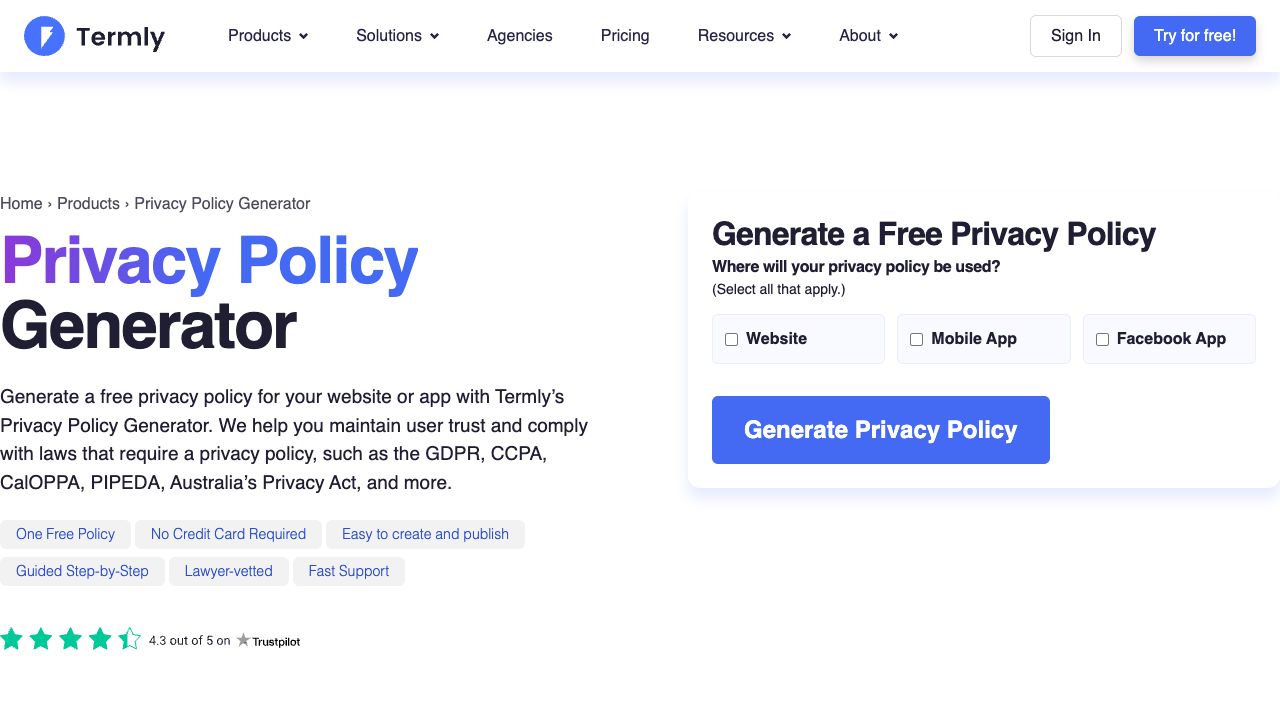
Termly lists HTML, hosted-link and embed publishing options. I like that it gives you more than one way to get the notice onto your site. Check the selected plan for the output you need and the steps required for a change to reach the website.
The inspected Monthly Starter card showed $14 per website, 2 legal policies and 10 policy edits. Pro+ showed $20 per website with broader policy and edit allowances. Confirm the edit period instead of assuming those 10 revisions reset monthly.
Free described one basic policy. Cookie-banner usage is a separate allowance. A one-website license does not cover every other domain automatically, so keep that in mind if you run several stores.
Termly’s disclaimer states the service is not a law firm and does not provide legal representation. Regulation monitoring also does not catch every new vendor or change in your business. Here’s the move: assign one person to review those changes.
iubenda
iubenda’s comparison separates Essentials, Advanced and Ultimate. The inspected privacy-policy allowances were up to 20 third-party clauses, up to 30 clauses and unlimited clauses respectively.
Cookie-banner pageviews are a different resource. Count the required services and the relevant traffic allowance separately. A clause allowance does not establish banner capacity.
Review the required languages and publishing arrangement. The pricing page displayed regional currency and billing variants, so this guide does not present a universal numerical quote.
Keep the privacy-policy product separate from accessibility services or other purchases on the same platform. Pick the scope you need for the document and implementation. Don’t assume a broad package label includes everything.
TermsFeed
The TermsFeed privacy policy generator page and FAQ describe free generation with optional premium clauses available for a one-time fee. Its listed downloads include HTML, DOCX and plain text.
Check the selected clauses before treating the free output as good enough. A download option does not decide which information belongs in your notice.
Compare the later-update process with a hosted subscription. A one-time document purchase and an ongoing publishing service come with different maintenance jobs.
No completed policy for a real business was generated or reviewed through TermsFeed for this comparison.
Record the practices before answering the questions
List every point where information enters the business. Include contact forms, accounts, orders, newsletter signups and support conversations. Review the tools and integrations behind those forms too.
For each workflow, write down the information involved and its purpose. Use your specific systems and actions. Don’t copy a generator’s examples into your business description.
A fictional store inventory might separate order contact details, shipping information, newsletter preferences and support records. Those records serve different purposes and reach different services. The example is a planning illustration, not an audit of your store.
For a fictional newsletter workflow, record the signup form, receiving email service, stored preference and responsible owner. Keep the purpose limited to the approved communication. If the team later adds another vendor or a new use of the signup information, send that change through review before you reuse an old description.
For an order workflow, identify the approved fulfillment service receiving shipping details, the transfer destination and the purpose of the transfer. Review the approved supplier arrangement alongside the notice. A candidate supplier in a research spreadsheet is not enough evidence of the handling process, so keep the approved explanation and the responsible contact with the workflow record.
Record the responsible person beside each workflow. Someone should know the service, the access setup and the approved handling process. Unanswered questions need investigation before the generator gets a confident answer.
Do not select extra vendors just because their names appear in a popular-service list. Include the services your inventory and review support. A longer notice does not fix an inaccurate description.
This article did not inspect private customer information or a website’s tracking configuration. Your inventory needs the right technical and professional input. Honestly, this inventory step is a bit of a pain in the butt, but it’s the part that makes the rest accurate.
Separate legal scope from software features
Your obligations depend on the business, the information, the people and the jurisdictions involved. A generator advertising several laws does not decide which requirements apply to you.
Use current guidance for the relevant scope. The ICO’s UK right to be informed guidance carries an under-review notice connected to the Data (Use and Access) Act. An older checklist is not permanent confirmation of current requirements.
Resolve legal questions with qualified advice. The generator supports part of the drafting process. Legal review needs your business’s circumstances, not a bigger pile of template clauses.
Explain uncertain answers to the person responsible for review. Do not choose a country or business type just to get a preferred template. The answers need to describe the situation being assessed.
Keep the basis for approved decisions in your records. When a vendor, product or audience changes, the reviewer needs enough context to understand the earlier description.
No jurisdictional determination or legal certification was completed for this comparison.
Review the promises in the generated text
Check the document against the approved inventory. Names, systems, purposes and contact information need to match the business. Remove unsupported statements instead of accepting polished wording as evidence.
The FTC’s consumer privacy guidance for business emphasizes honoring the privacy promises you make. A statement about retention, deletion or security needs a real operating process behind the words.
Review references to vendors and sharing arrangements. A generic paragraph should not describe services the business does not use. A real integration deserves proper consideration even when it’s missing from a convenient template list.
Keep the explanation readable. Organize the information around the reader’s needs and use clear terms. Length and intimidating language do not establish accuracy.
For a fictional review exercise, compare the stated contact route with the owner’s maintained mailbox. Compare the retention statement with the approved process. Record a mismatch as an issue to resolve, not a reason to make an unsupported claim.
These are proposed checks for an authorized project. This guide did not approve a business’s final legal text.
A notice, a banner and security controls serve different purposes
A privacy notice explains information practices. Consent or preference tools support the relevant choices, and security controls govern access and handling. Review each piece instead of treating the policy subscription as the whole implementation.
A banner’s appearance does not prove how every script behaves. Review the tracking and choice process through an authorized technical evaluation. Do not present a screenshot as evidence of site-wide compliance.
Likewise, a statement about protecting records does not verify account permissions, storage or recovery arrangements. The operational work has to support the published description.
Document how the notice and the implementation depend on each other. When a tracking service changes, review both the configuration and the explanation. Updating one does not automatically update the other.
Use appropriate test material and authority. Avoid sending unnecessary real customer records during a basic demonstration.
No banner, script, security setting or consent workflow was installed or tested for this article.
Choose the publishing arrangement before generating the file
Decide whether the notice lives as a page you maintain, a hosted document or an embed. Each option creates a different update and access dependency.
Review Termly’s publishing options against the selected plan. Identify who approves an edit and what triggers publication. Do not assume a saved dashboard change is already visible to readers.
For a static copy, assign the website owner responsible for replacing it. Keep the approved text and the published version aligned. An exported file does not update itself after a business change.
For a hosted or embedded notice, understand the provider’s role and the account requirements. Check what happens during a subscription change or cancellation before you make the website depend on the service.
Keep the access route clear from relevant pages. A footer link is useful, but the places where you collect information also need a review of where the notice shows up.
If you run your store on Shopify, which is what my team uses for client builds, figure out early where the policy page lives in your theme. I like Shopify for this kind of store because the platform handles hosting and checkout, so you spend your time on the content of the notice instead of the server. Record the publishing method and the owner in your project notes so a later team member understands how an approved revision reaches the site.
Best privacy policy generators: compare separate allowances
Count websites, documents and expected revisions before you pick a plan. A privacy notice, terms document and another policy do not necessarily fit the same document allowance.
Review banner-view or traffic limits separately from clause and policy counts. A document allowance says nothing about a consent tool’s usage charges.
Confirm unclear periods and definitions with the provider. A 10-edit allowance without an understood reset period is a purchasing question, not evidence of unlimited maintenance.
A hypothetical budget with 2 website licenses at $15 monthly totals $30 per month and $360 across a year before review or other expenses. This is a budget illustration, not a provider quote.
Include the work needed for the inventory, answers, review and publication. The document-generation charge is only part of the project.
Compare introductory offers with renewal terms and the required output. A cheaper first invoice does not establish the ongoing cost of the setup you pick.
Review business changes and provider updates separately
A provider updates its drafting material when requirements change. Your business also changes on its own. Adding a vendor, changing a form or using information for a new purpose needs its own review.
Build privacy review into the process for any important tool change. Identify the service, the information involved and the effect on the existing notice before you publish a new explanation.
Keep an approved version and publication date. Avoid leaving inconsistent copies around the website with no owner responsible for cleaning them up.
Check whether a provider update is automatic, requires approval or needs republishing under your arrangement. Read the selected service terms instead of relying on a general promise of staying current.
Document the reason for a substantive revision. A record linking the change to the approved business practice is more useful than an unexplained replacement file.
This comparison did not monitor or certify the reader’s ongoing legal compliance.
Give requests and account access a responsible owner
Maintain the contact route listed in the notice. Assign a person to review messages and decide the next action. An unattended mailbox leaves the workflow incomplete.
For that contact route, use a real business inbox. I like Google Workspace for this because you get Gmail on your own domain and can give a team member access without sharing your personal login.
Use suitable professional guidance for response requirements and timing. The generator’s contact field does not determine every obligation tied to a real request.
Keep the provider account under an authorized ownership setup. Document access and recovery responsibilities instead of relying entirely on a contractor’s personal login.
Limit access to the records and tasks each person needs. Keep private information out of public examples and unnecessary shared folders.
For a fictional request process, record the receiving mailbox, review owner and escalation route. The example sets roles for planning, not a completed response to a real person.
No privacy request was processed or customer record changed for this guide.
Keep document editing and AI assistance in their proper role
A PDF editor or signature tool helps you work with an existing document. A document library supplies material for review. Neither one automatically gives you a privacy generator that matches your business.
AI can help organize a draft, but unsupported statements still need removal or verification. Check names, purposes, vendors and promises against the approved inventory.
A drafting demonstration does not need a real customer list. Use the minimum information and review the service’s data-handling terms before sharing business material.
Do not treat another company’s published notice as a complete template for yours. Rights, practices and legal scope need separate consideration.
Assign responsibility for drafting, technical review, legal review and publication. Keep the stages clear enough that someone can identify the approved document.
No AI output, document editor or software purchase in this comparison supplies legal representation.
Verify the approved notice on the website
Review the published page. Don’t rely on a save message. Compare the displayed version with the approved text, and check headings, text size, links and access from relevant pages.
Inspect the phone layout. Long lines, a poorly sized embed or an unreadable document viewer create a different experience from the desktop editor.
For a hosted arrangement, verify the update process with appropriate test material. For a static page, check the replacement workflow and the record of publication.
Keep the owner responsible for corrections clear. A discovered mismatch needs an assigned action, not another uncontrolled copy of the notice.
The implementation checks belong to your authorized project. This article did not generate or publish a policy for a real business.
Connect privacy work to the store’s operating foundation
Customer information follows the store’s ordering, support and fulfillment processes. That’s why privacy work belongs with the rest of your store’s systems and SOPs, not in a separate box you open once a year.
My high-ticket niches list gives you categories to research. Different products and audiences need a review of the information involved in the operating plan you pick.
My supplier research guide covers commercial verification. Understand the supplier and fulfillment arrangement before you describe customer-information sharing.
Supplier Paradise is a research resource I own. A supplier candidate is not an approved data-handling agreement.
The business foundation checklist frames ownership and administration. Appropriate legal review is separate from buying a generator.
If you’re forming an LLC and want to keep your home address off public filings, look at a registered agent. I like Northwest Registered Agent because privacy is a big part of how they position their service. I run my own business through a Wyoming LLC.
Frequently asked questions
Does a generator guarantee compliance?
No. The answers, business practices, requirements and implementation all need appropriate review.
Is a privacy policy a cookie banner?
No. A notice explains practices, while a consent or preference tool serves a different implementation role.
Does one website license cover several brands?
Check the provider’s selected website and document allowances. Do not assume multi-domain coverage.
Does regulation monitoring identify new business practices?
No, don’t assume that. Review vendor, form and purpose changes within your business yourself.
Did this guide create a real policy?
No. The comparison uses public generator information and proposed implementation checks.
Final thoughts on choosing a privacy policy generator
So with that said, here’s where I’d land. Termly fits if you want guided creation and several publishing options. iubenda fits if you need to pick service clauses and think about banner pageviews, and TermsFeed fits if you want generated text you can download and manage yourself.
Whichever tool you pick, the notice is only accurate if your data inventory is accurate and someone owns the updates. Write down your practices first, check the generated promises against what you actually do, and get qualified legal advice for your situation.
I’ve built 20+ websites over the years and closed a lot of them down. I treat those as lessons, and one of the biggest is that the boring admin pages matter more than people think. Keep that in mind when a new tool or vendor gets added.
If you’d rather have a store built for you, take a look at my done for you high-ticket store build. It’s a store build service, not legal review, so you’ll still want your own advisor to approve the final privacy and legal text.
Related guides
- Business email providers
- WordPress membership plugins
- Domain registrars
- AI content tools
- LLC services

Trevor Fenner is the founder of Ecommerce Paradise. His main projects are Ecommerce Paradise, Supplier Paradise, and Review Paradise, which is currently in development. TrevorFenner.com publishes research-based reviews and practical guides to online business tools and remote-work services, with clear affiliate disclosures.